The Concrete Batching Waste Categories screen is used for creating and/or editing waste categories associated with concrete batches. This will enable you to keep track of reoccurring problems and potential cost savings by detecting problems like maintenance and employee training needs.
Refer: Enter Batched Yards : (concretevision.com)
To access the Concrete Batching Waste Categories screen, use the Configuration tab on the main menu at the top of the screen, then click on Production Setup > Concrete Batching Waste Categories (see Figure 1 below).
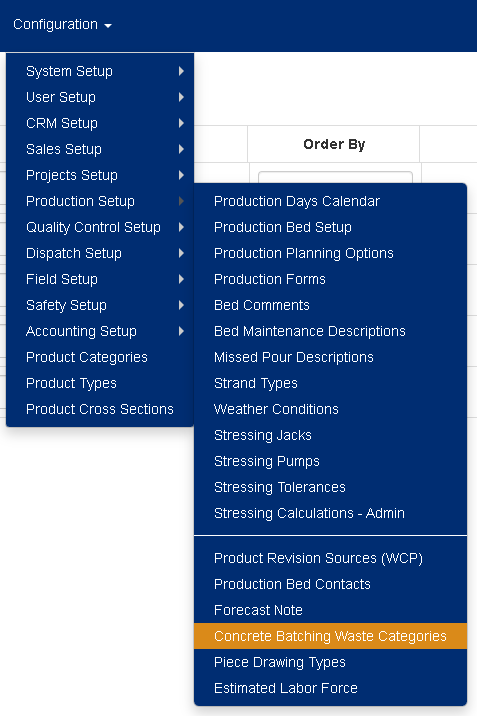
Figure 1
Managing your Concrete Batching Waste Categories
Adding a new Concrete Batching Waste Category:
Using the top row on the screen (see Figure 2 orange)
- Enter a 1 - 4-character ID for the new Concrete Batching Waste Category. (Required. Max length 4)
- Enter the Description for the new Concrete Batching Waste Category. (Required. Max length 25)
- Set the new Concrete Batching Waste Category as Active or Inactive.
- Set the Order By number for the new Concrete Batching Waste Category. (Required)
- Click on the [ + ] (Plus) icon to the left to save the new Concrete Batching Waste Category.
Editing a current Concrete Batching Waste Category:
- Modify the 1 - 4-character ID for the Concrete Batching Waste Category. (Required. Max length 4)
- Modify the Description for the new Concrete Batching Waste Category. (Required. Max length 25)
- Set the new Concrete Batching Waste Category as Active or Inactive.
- Set the Order By number for the new Concrete Batching Waste Category. (Required)
- Click on either the [ Save ] or the [ Save & Close ] buttons (see Figure 2 green) to save your changes.
Note: Leaving the page without clicking on one of the Save buttons will result in losing your changes.
Deleting a Concrete Batching Waste Category:
- Click on the [ X ] delete button (see Figure 2 red) to the left of the corresponding Concrete Batching Waste Category.
- This will open a confirmation window where you will be asked "Are you sure you want to delete this record?" click [OK] to allow the deletion.
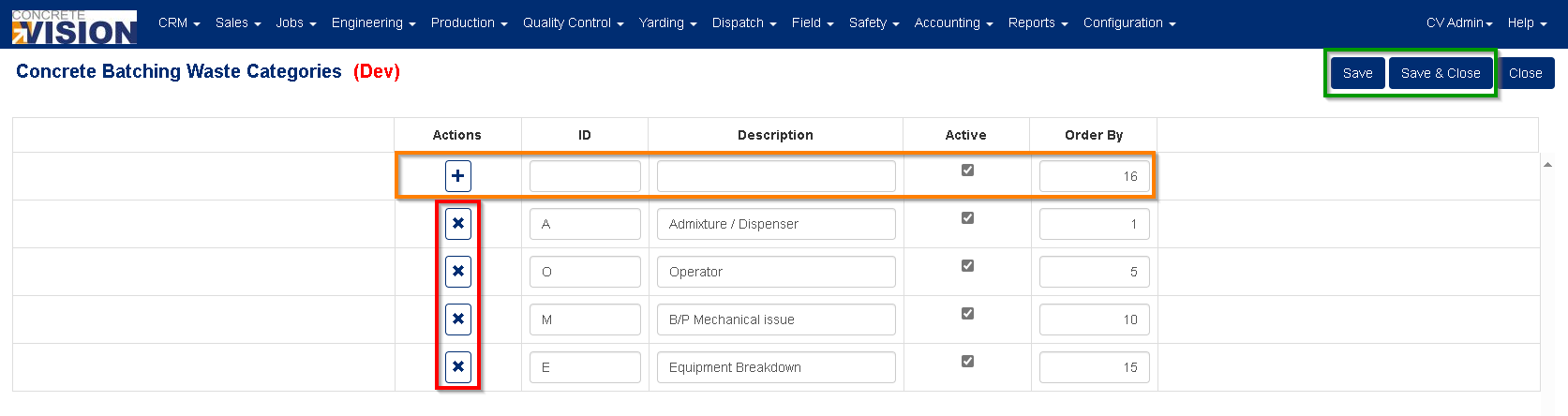
Figure 2
Using the Concrete Batching Waste Categories is as simple as selecting from the options list (see Figure 3):
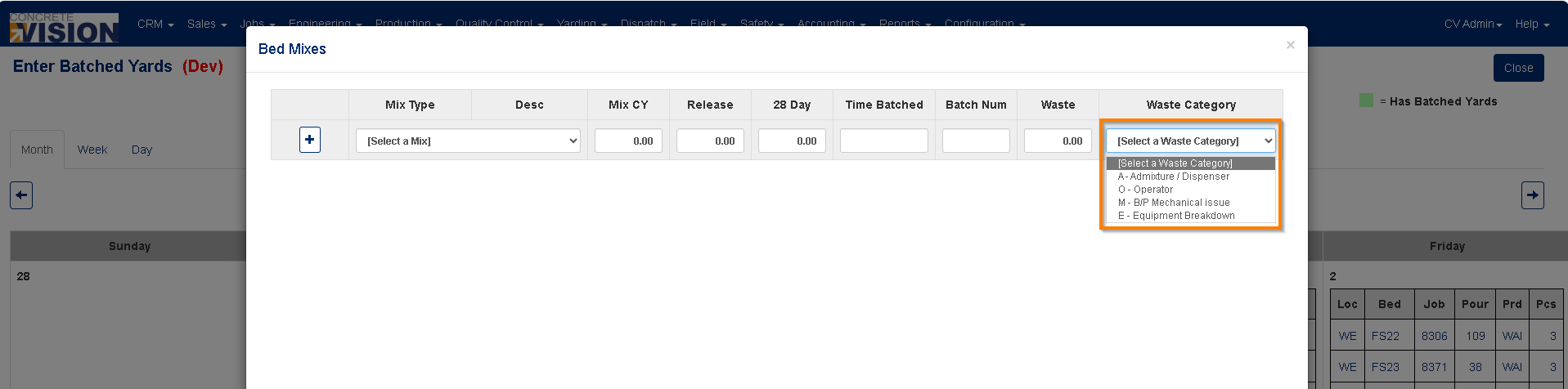
Figure 3
Was this article helpful?
That’s Great!
Thank you for your feedback
Sorry! We couldn't be helpful
Thank you for your feedback
Feedback sent
We appreciate your effort and will try to fix the article