The Estimated Labor Force screen is used to assign the estimated number of employees required for the production casting process on a specific bed. This will allow you to forecast the number of staff needed for a production schedule. This data will be viewed on the Production Planning screen (see Figure 5 below).
Refer: Production Planning – Edit : (concretevision.com)
How to Access the Estimated Labor Force Screen
Navigate to Configuration > Production Setup > Estimated Labor Force from the main menu (Figure 1).
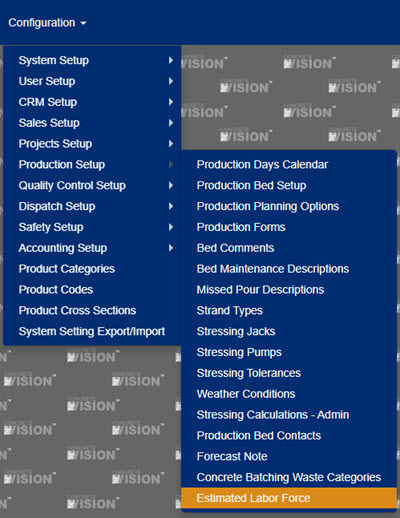
Figure 1
Using the Estimated Labor Force Screen
To assign the estimated number of staff needed to produce on a Bed (not for maintenance), begin at the Estimated Labor Force screen (Figure 2):
- Select the Plant in which the production bed is located using the drop-down list. A list of all beds currently configured for that plant will load.
- Click on the Edit icon (orange box in Figure 3) to the left of the production bed to assign an estimated number of staff. The Edit popup window for that bed will display (Figure 4).
- Enter or edit the Estimated Labor Amount (# of staff) for the production bed.
- Click the Update button to save changes and return to the Estimated Labor Force screen.
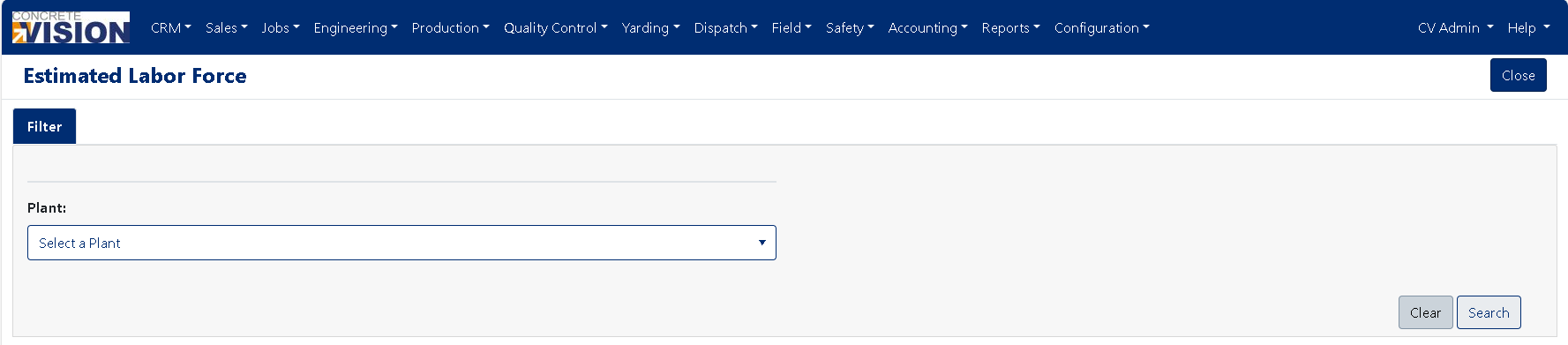
Figure 2
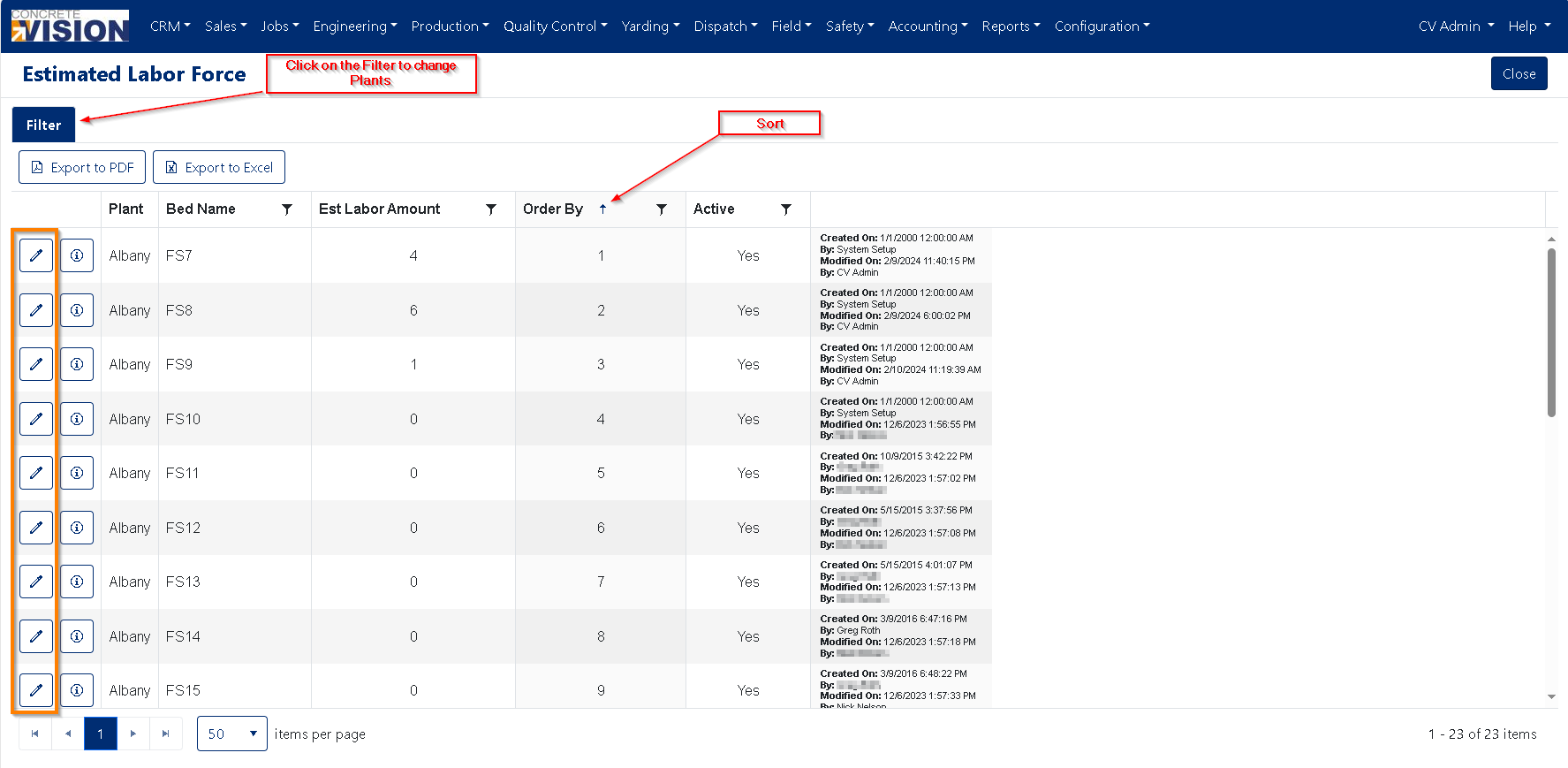
Figure 3
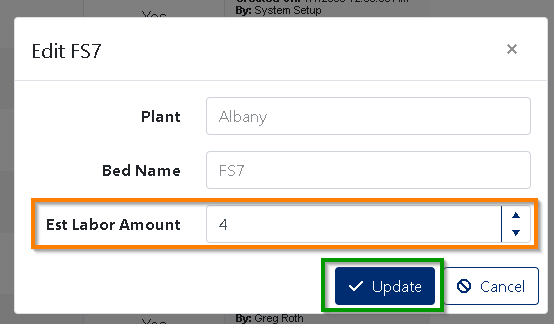
Figure 4
Where the Estimated Labor Force Displays
After estimated labor is assigned to a production bed, the estimated labor number will display in the Header Text of the production calendar on the Production Planning screen (Figure 5).
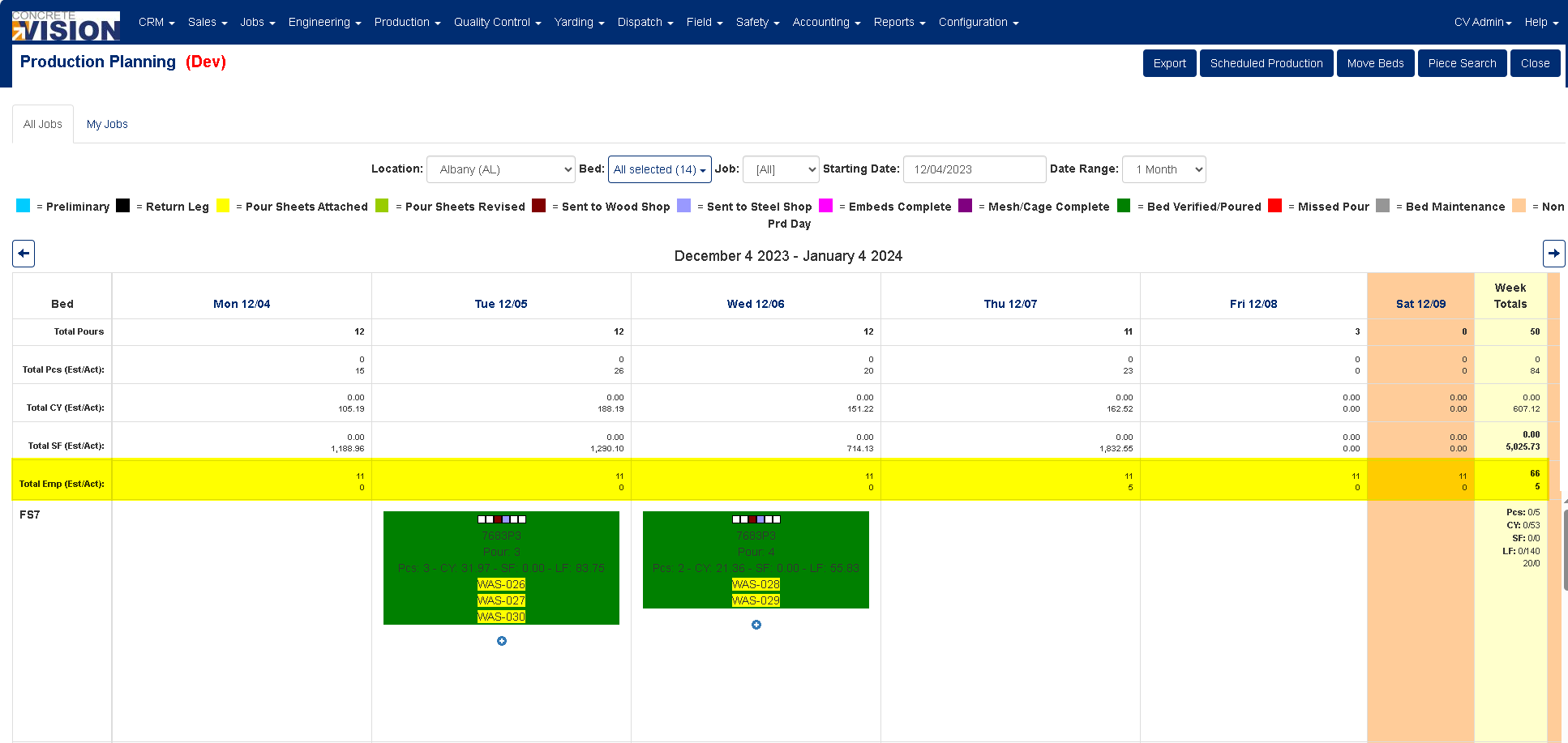
Figure 5
Logging Actual Labor Force when Scheduling Planning Production
Entering the Actual Labor Force (number of staff) required for a bed is done when scheduling (orange box in Figure 6) or editing a production bed schedule (orange box in Figure 7).
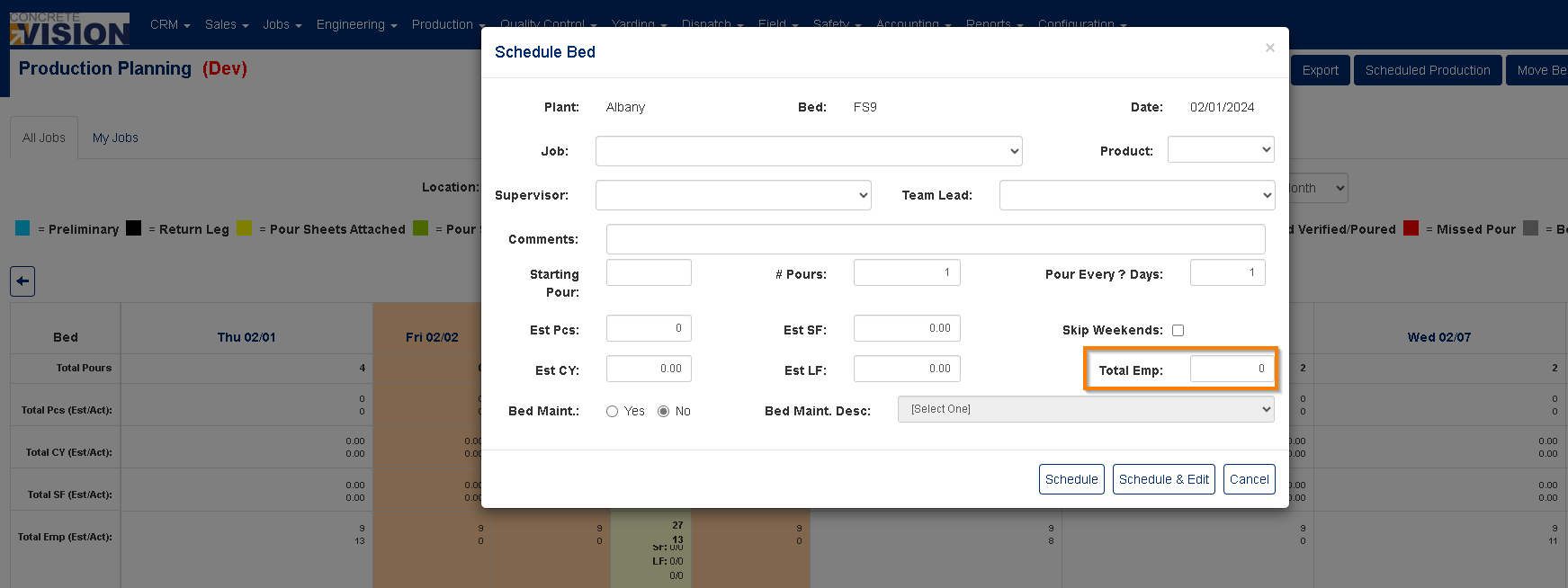
Figure 6
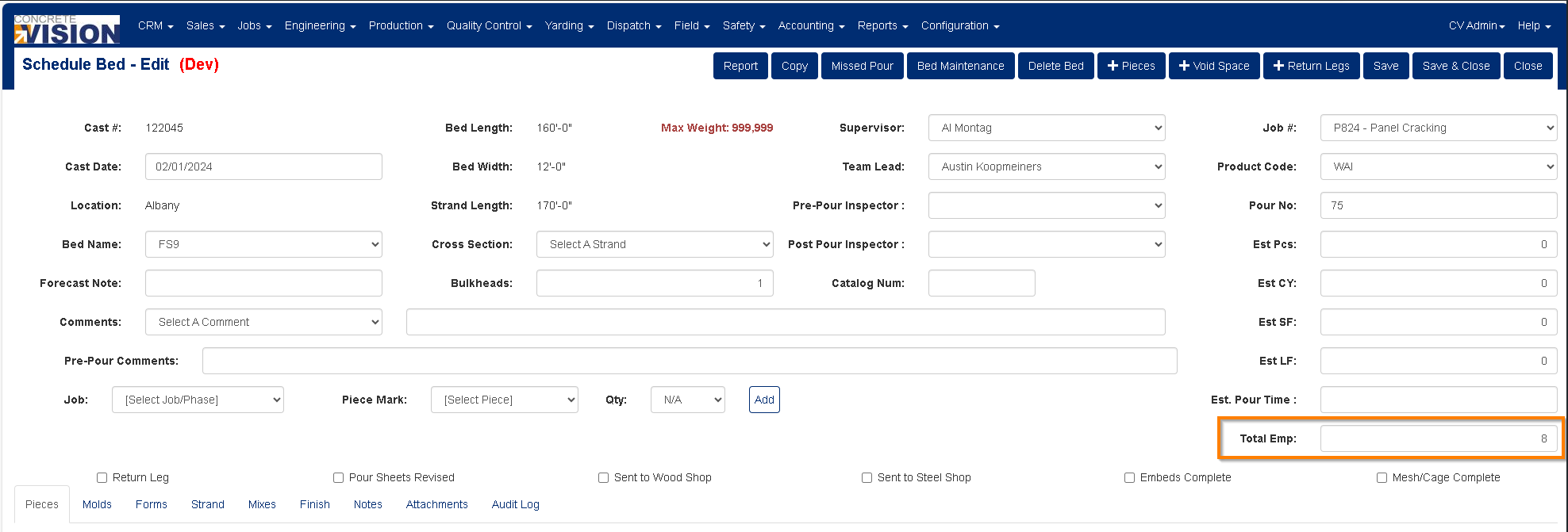
Figure 7
Was this article helpful?
That’s Great!
Thank you for your feedback
Sorry! We couldn't be helpful
Thank you for your feedback
Feedback sent
We appreciate your effort and will try to fix the article