You can access the production planning screen screen from the "Production > Production Planning - Edit" menu as shown below in figure 1
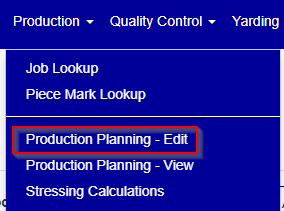
Figure 1
This screen allows you to schedule or edit a scheduled production bed. You can filter by plant, bed name, job and cast date. The "My Jobs" tab will show any beds tied to jobs where the user is any of the job contacts.
To schedule a new bed, you double click on the cell for the desired bed and scheduled date. To edit an existing scheduled bed, you can either click on the bed or right click, and select "Edit" from the context menu (see figure 2)
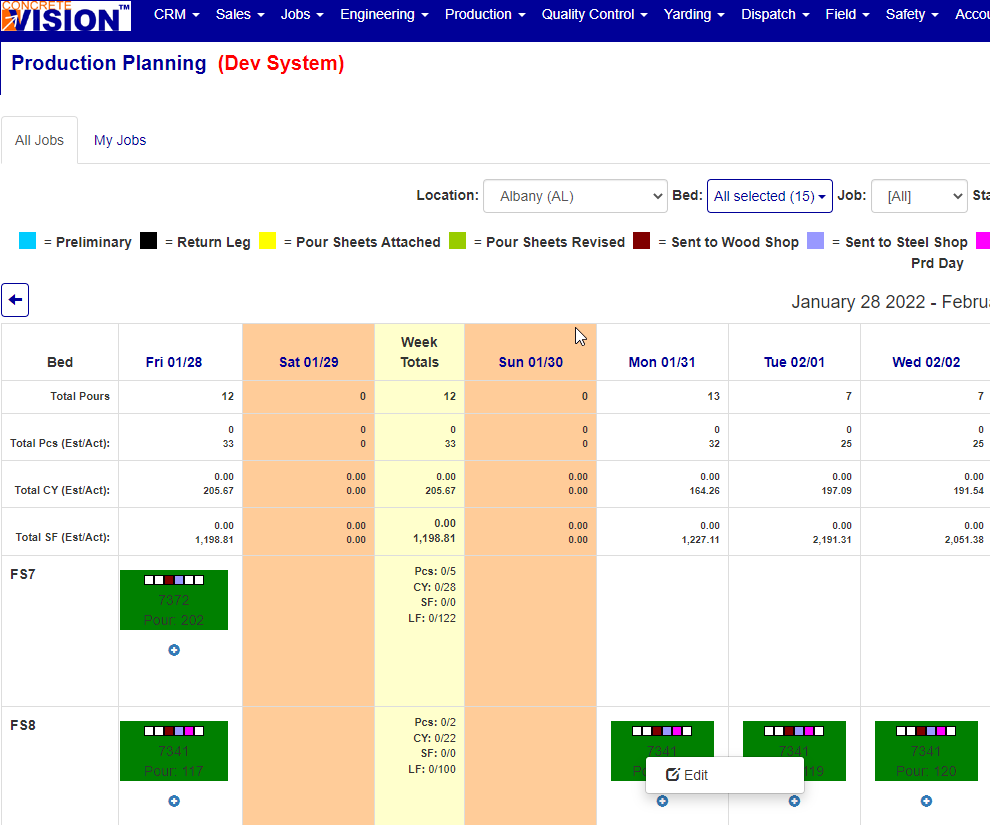
Figure 2
Other functions you can perform on a specific (non produced/verified bed) are shown in figure 3.
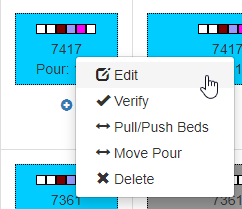
Figure 3
- Edit - As previously noted, this allows you to edit the selected bed.
- Verify - This allows you to verify a pour and change the scheduled pieces to inventory status.
- Pull/Push Beds - This will bring up a dialog window where you can specify the number of production days to pull/push the bed name, starting at the selected cast date. Pulling will move the cast date of this and all previous, non-verified beds forward by the number of days specified. Pushing this bed will move the cast date of this and all future, non verified beds by the number of days specified.
- Move Pour - This will allow you to move the cast date of just this pour back or forward by the specified number of days.
- Delete - This menu option will allow you to delete this pour.
The production planning screen also the the following available commands (see figure 4)

Figure 4
- Export - Allows you to export an excel version of the data shown on the screen.
- Scheduled Production - This brings up the scheduled production report.
- Move Beds - This command allows you to move specific scheduled, non-verified beds, by name, to another bed name (see figure 5).
- Piece Search - This allows you to search for a specific piece mark within the scheduled beds for the provided cast date range (see figure 6).
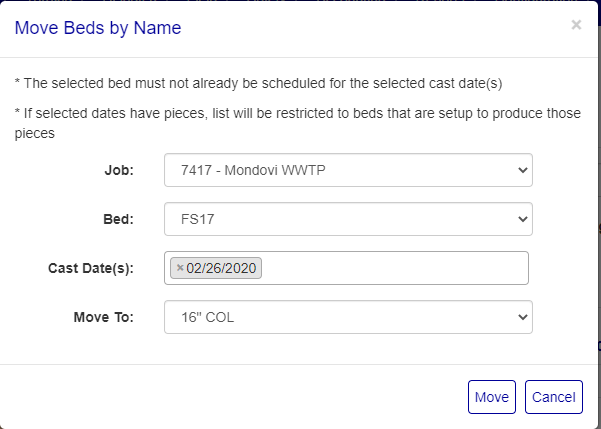
Figure 5
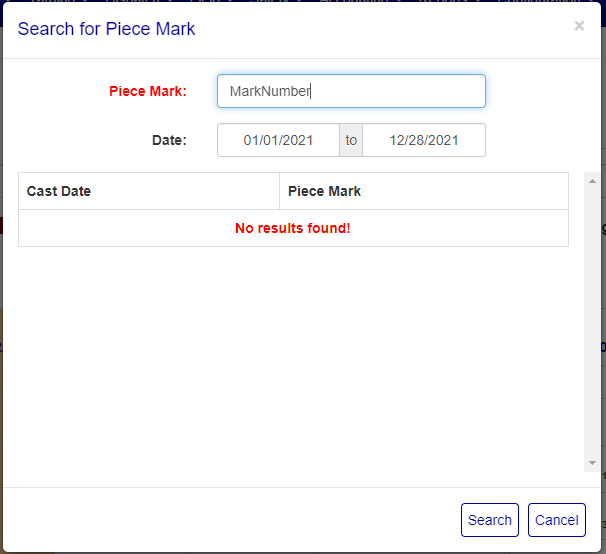
Figure 6
Was this article helpful?
That’s Great!
Thank you for your feedback
Sorry! We couldn't be helpful
Thank you for your feedback
Feedback sent
We appreciate your effort and will try to fix the article