Overview
The Production Planning Options screen customizes what text displays on the Production Planning calendar in the Production Module.
Accessing the Screen
Navigate to Configuration > Production Setup > Production Planning Options from the main menu (Figure 1).
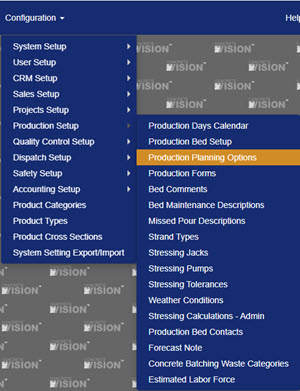
Figure 1
Using the Production Planning Options Screen
The Production Planning Options screen (Figure 2) includes settings for which text appears in table headers, pour square (cell) text, and bed hover text on the Production Planning calendar. These can be customized for each plant.
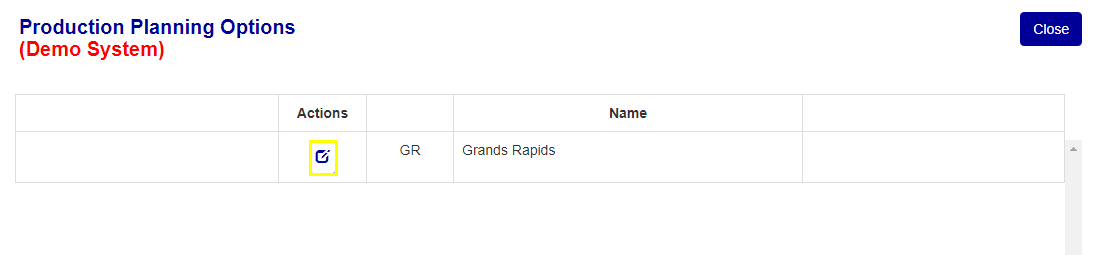
Figure 2
Set / Edit Production Planning Options
- Click on the Edit icon (yellow box in Figure 2) next to the plant name. The Production Planning Options - Edit screen will load.
- Uncheck or check the information to display.
- Click the Save button (green box in Figure 3) to save changes or Save & Close button (red box in Figure 3) to save changes and return to the Production Planning Options screen.
Where Options Display on Production Planning Screen
- Grid Header: Displays in the first column of the production planning table (yellow box in Figure 3).
- Cell Text: Displays in the pour box in the bed row (blue box in Figure 3).
- Hover Text: Display when the mouse hovers over the pour box in the bed row (purple box in Figure 3).
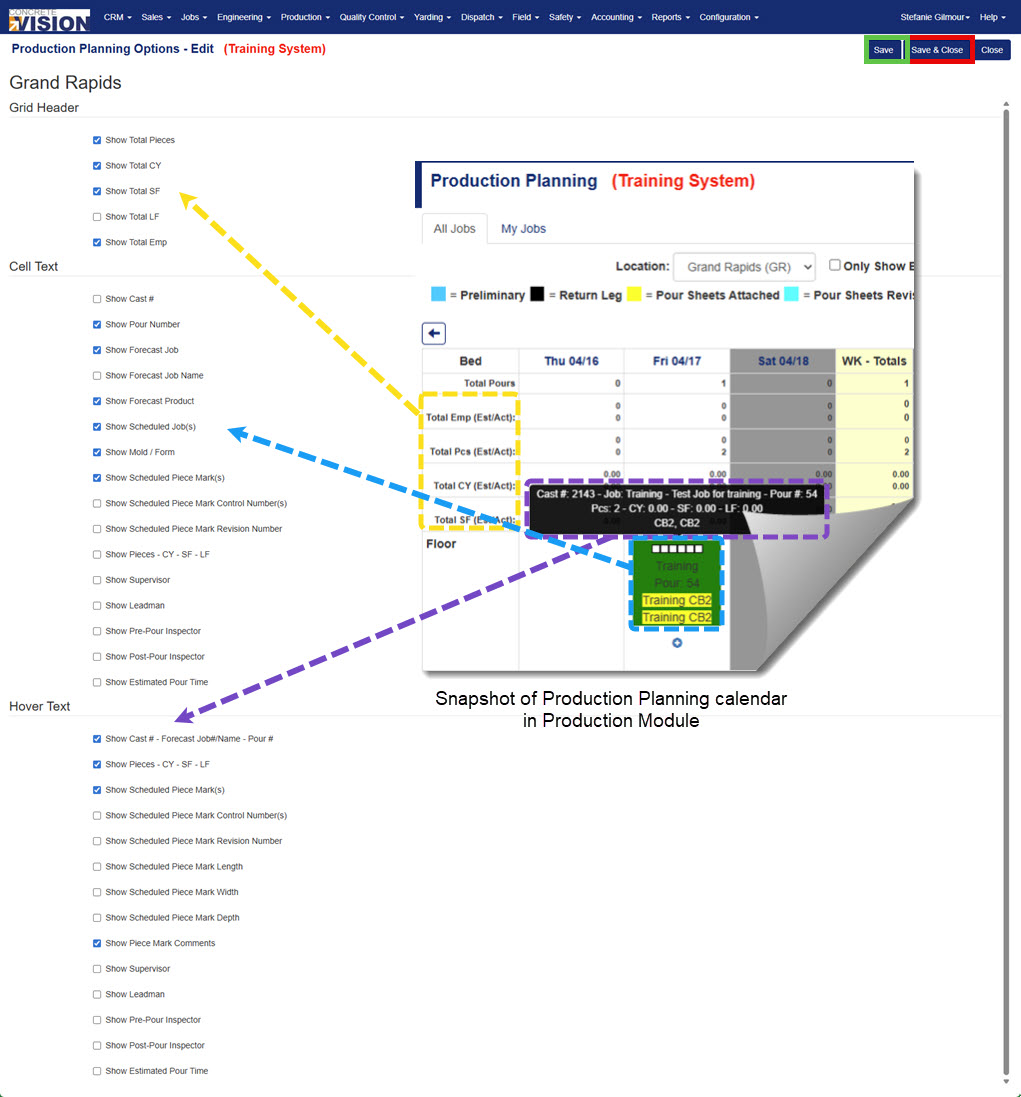
Figure 3
Was this article helpful?
That’s Great!
Thank you for your feedback
Sorry! We couldn't be helpful
Thank you for your feedback
Feedback sent
We appreciate your effort and will try to fix the article