Overview
The Cylinder Break Unit of Measure Defaults page allows you to configure default units of measurement for creating new Cylinder Break Batches. You can specify both the measurement system (Imperial or Metric) and individual unit types for various break detail parameters.
Accessing the Feature
- Navigate to the Configuration tab in the main menu
- Select Quality Control Setup
- Click Break Unit Defaults (Figure 1)
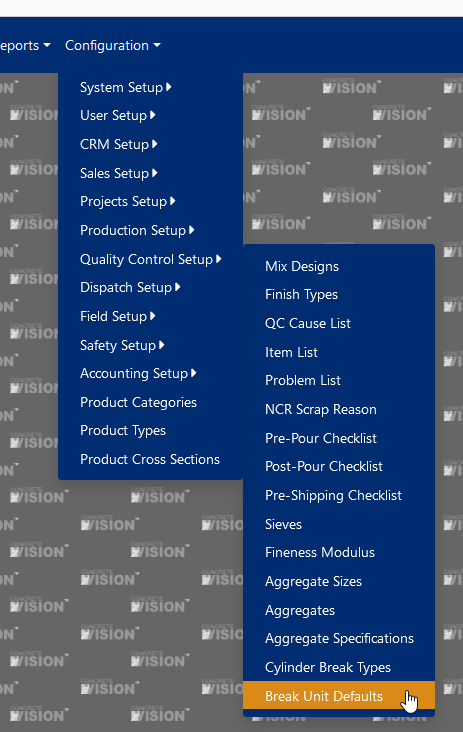
Figure 1
Available Fields
Configure default units for the following measurements (Figure 2):
- Plant (Required) - Select the plant location
- UOM Type - Choose between Imperial or Metric measurement systems
- Air Volume Unit Type
- Unit Weight Unit Type
- Yield Unit Type
- Water Ratio Unit Type
- Water Reducer Unit Type
- Release Strength Unit Type
- Design Strength Unit Type
- Concrete Temperature Unit Type
- Air Temperature Unit Type
- Slump Unit Type
- Spread Unit Type
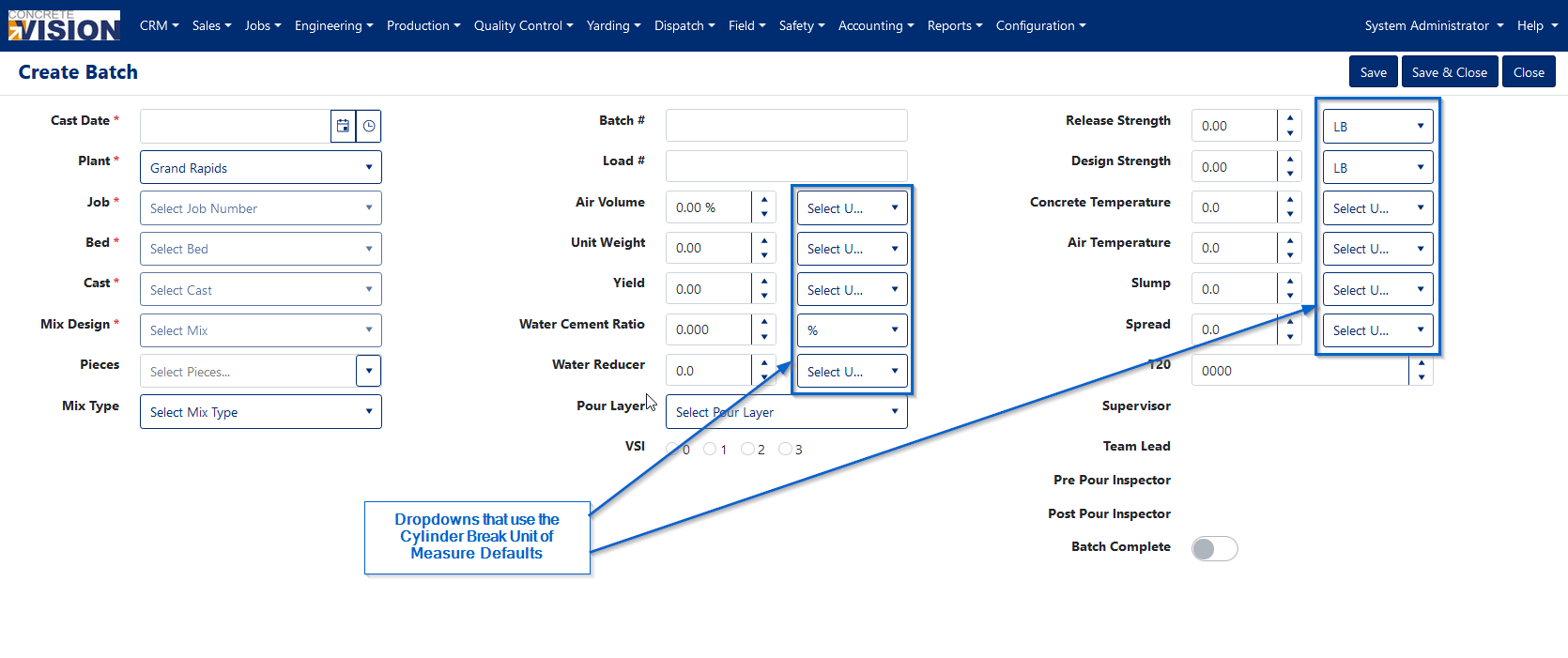
Figure 2
Managing Records
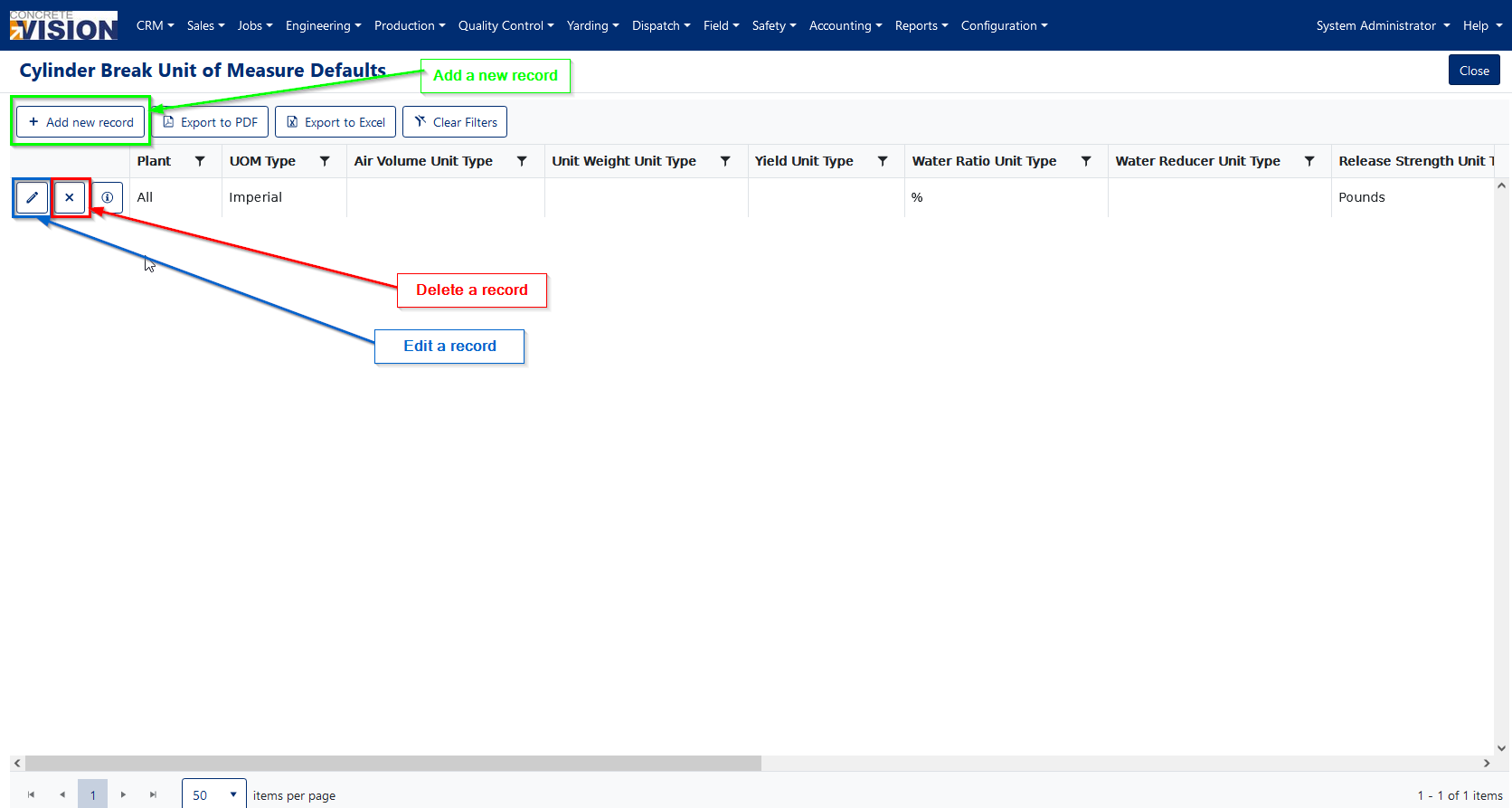 Figure 3
Adding a New Record
- Click the Add new record button (Green box, Figure 3)
- Select a Plant from the dropdown (required field, Figure 4)
- Choose your preferred UOM Type (Imperial or Metric)
- Configure unit types for any fields where you want default values
- The Active checkbox is selected by default
- Click Save to save your new configuration
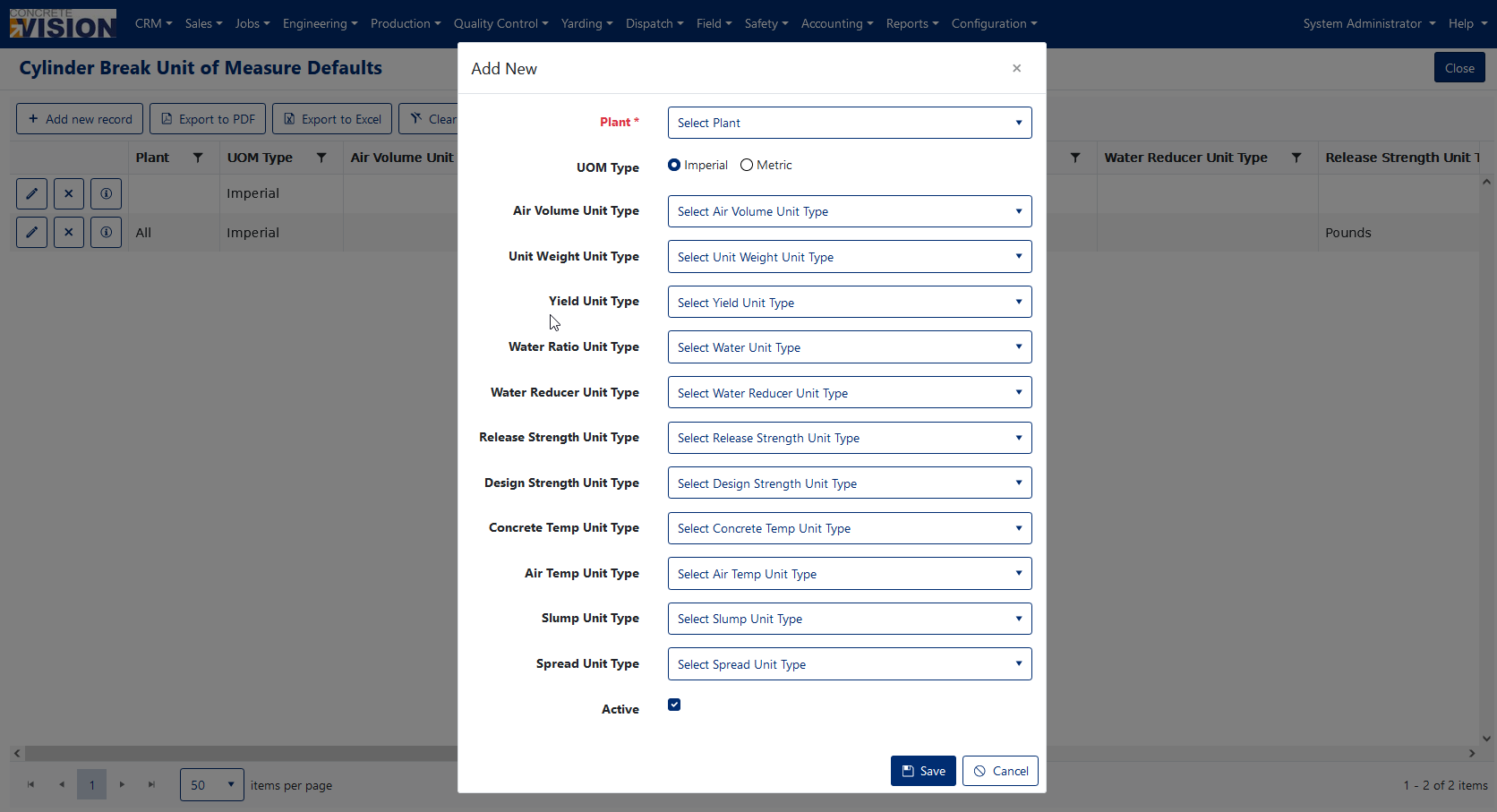
Figure 4
Editing an Existing Record
- Click the pencil icon next to the record you want to modify (Blue box, Figure 3)
- Make your desired changes
- Click Save to save changes
Deleting a Record
- Click the [X] delete button to the left of the record (Red box, Figure 3)
- Confirm deletion by clicking [OK] in the confirmation dialog (Figure 5)
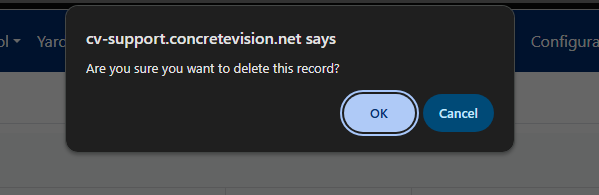
Figure 5
Note: Deleting a record will not affect existing batches that used these default values. New batches will simply have no pre-selected default units and will default to Imperial unit nomenclature in Batch Details.
Important Considerations
Plant Configuration Limits
- One record per plant: Each plant can only have one active configuration
- "All" option: If you select "All" in the plant dropdown, a popup alert letting you know that all other plant-specific records will be marked as inactive (Figure 6)
Unit Type Configuration
- The UOM Type setting determines the terminology displayed on the Break Details page (Imperial vs. Metric)
- Unit Type dropdown options are populated from the Unit Types page, accessible via:
- Configuration menu → Accounting Setup → Unit Types
Impact on Existing Data
- Changes to default settings only affect new batches created after the modification
- Previously created batches retain their original unit settings
- Deleting a default configuration does not alter any existing batch data
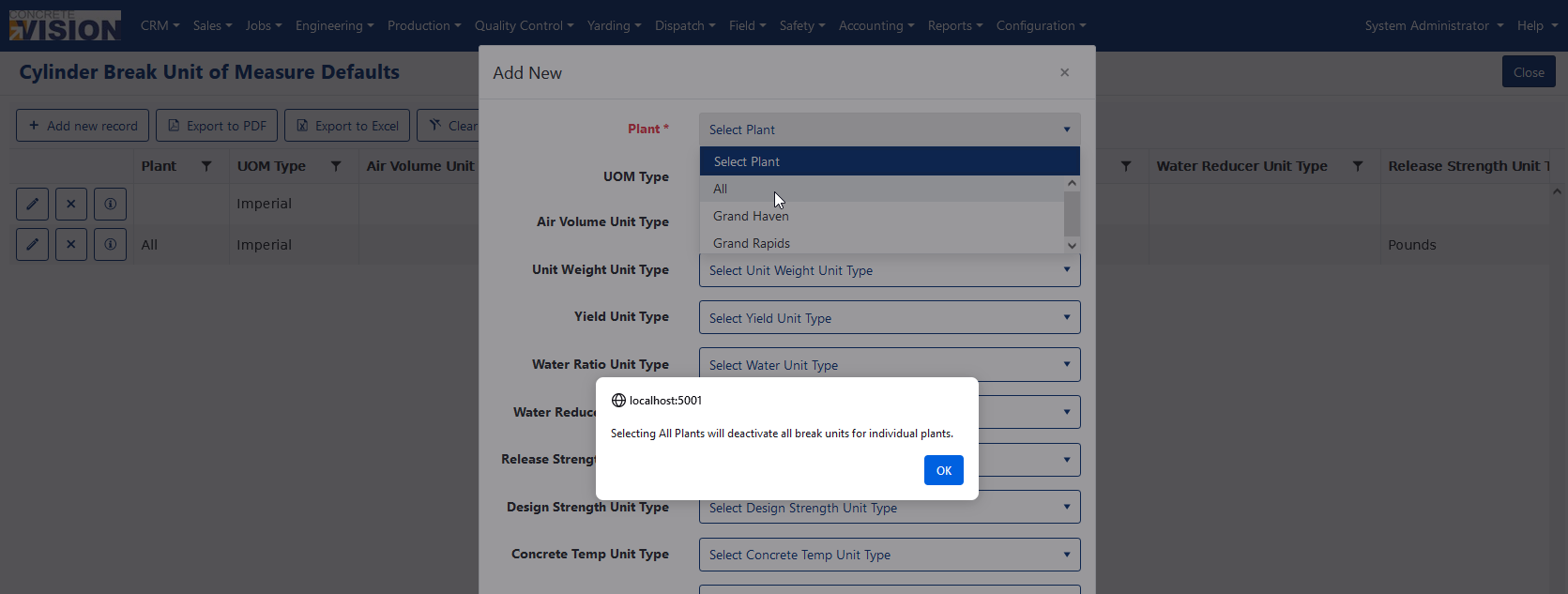
Figure 6
Related Documentation
For more information on configuring unit types, refer to the Unit Types configuration page under Configuration menu > Accounting Setup > Unit Types.
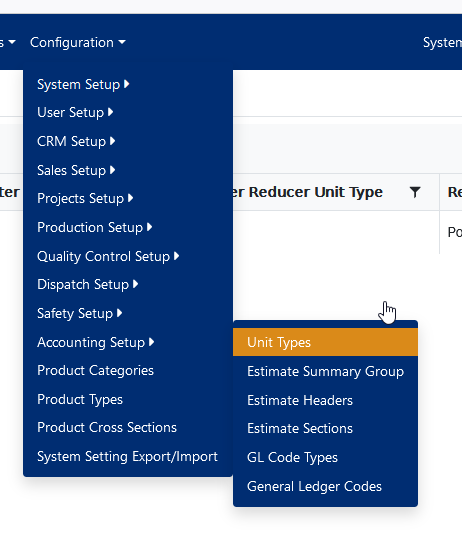
Figure 7
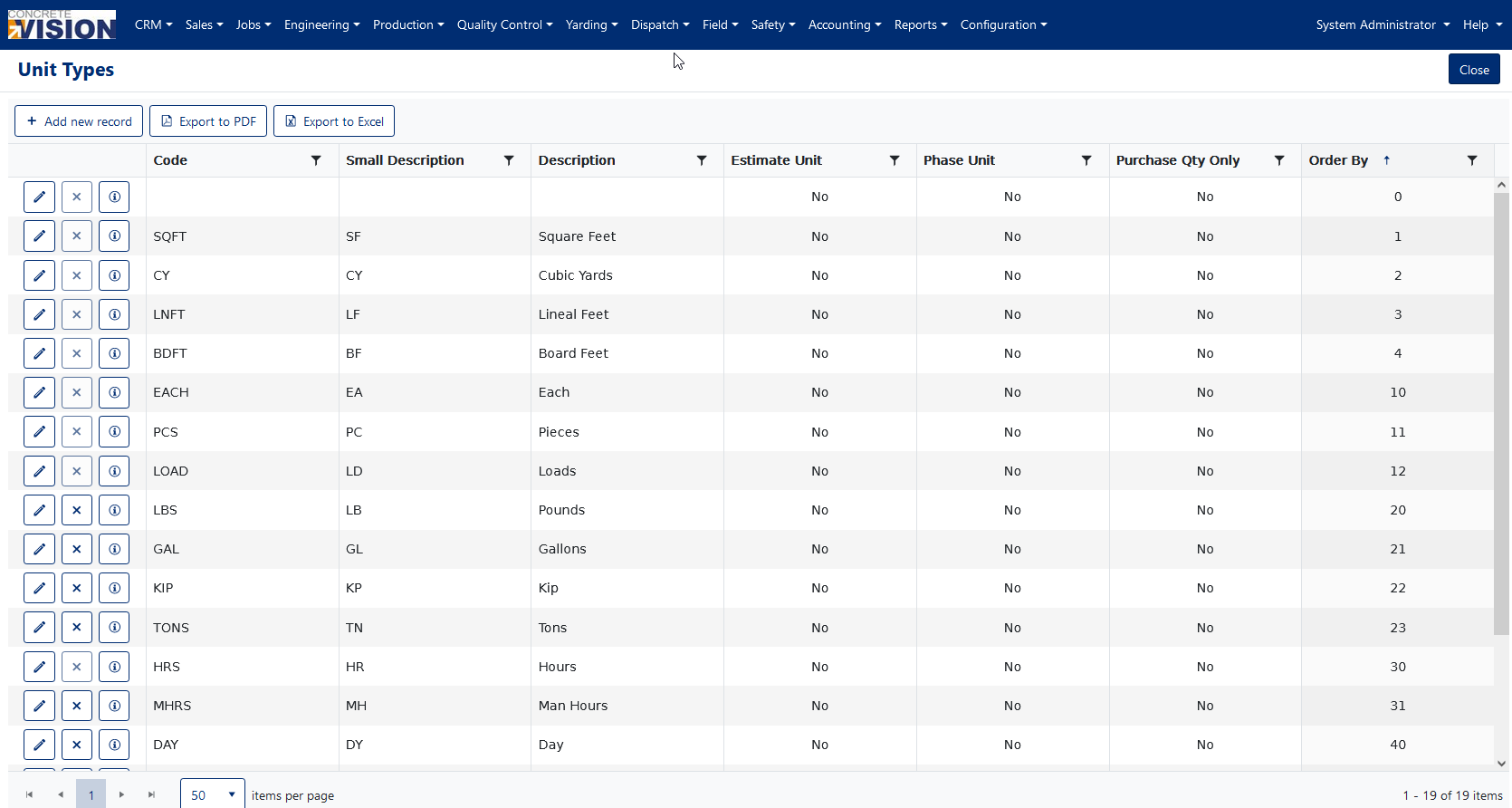
Figure 8
Was this article helpful?
That’s Great!
Thank you for your feedback
Sorry! We couldn't be helpful
Thank you for your feedback
Feedback sent
We appreciate your effort and will try to fix the article