Overview
The Move to Job module allows you to:
- Convert approved Sales Opportunities into active Jobs
- Export lists of pending Sales Opportunities for review
This feature streamlines your workflow by transitioning estimates from the sales phase to the production phase with all relevant information intact.
Accessing Move to Job
- Navigate to the Sales tab in the main menu
- Select Move to Job from the dropdown menu
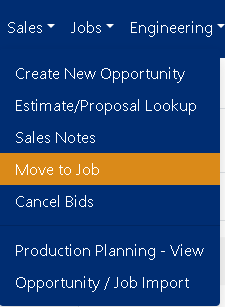
Figure 1
Finding Sales Opportunities
Use the built-in search and filter tools to locate specific opportunities:
- Estimate Number: Search by the unique estimate identifier
- Job Name: Filter by project or opportunity name
- Sales Person: View opportunities assigned to specific team members
The interface displays all available opportunities in a sortable table format for easy browsing.
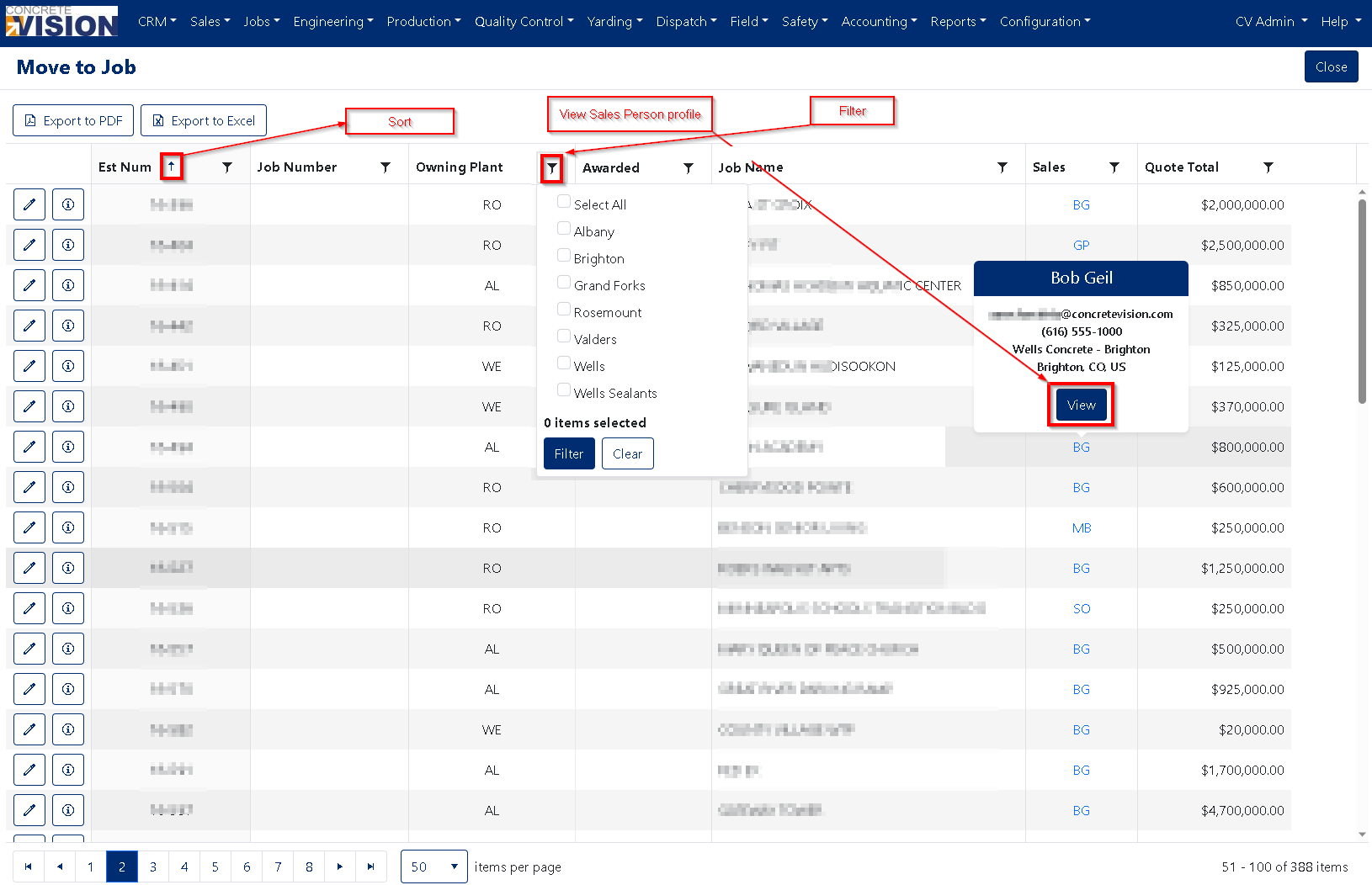
Figure 2
Converting a Sales Opportunity to Job
To move a Sales Opportunity to a Job.
- To move a Sales Opportunity to a job, click the Edit icon (Orange box, Figure below) to the left of the Sales Opportunity.

- A window will open (see Figure below)
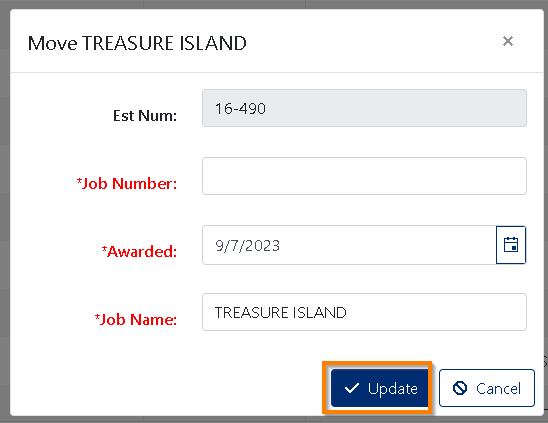
- The Job Number is either auto-generated or manually entered based upon the two following requirements:
- System Settings → Sales Settings → JobNoCreated selected value.
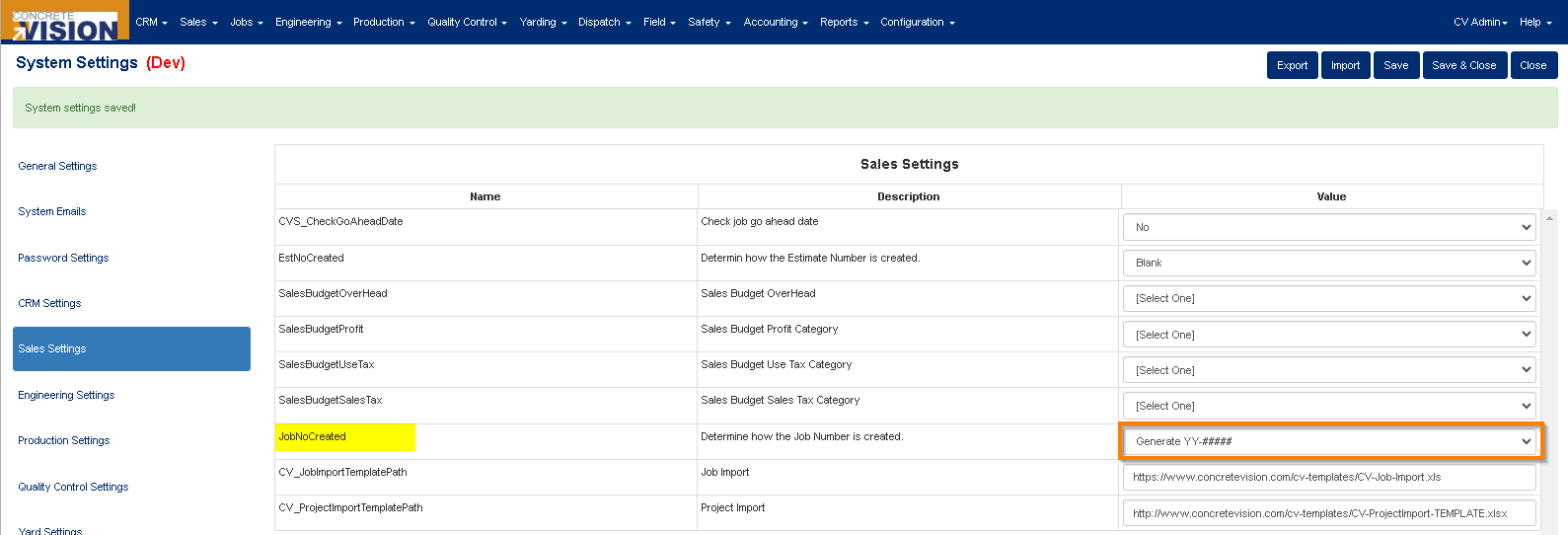
- When JobNoCreated is set to "Manual":
- Enter the required 'Job Number' (Must be unique, Required)
- System Settings → Sales Settings → JobNoCreated selected value.
- Set the 'Awarded' date. (Required)
- Modify or keep the Sales opportunity name as the 'Job Name'. (Required)
- Once you've entered the three necessary items, click on the √ Update button (Orange box, Figure above)
- A success message will appear at the top of the screen as soon as the move is finished, and an email notification will be sent out.
Confirmation and Notifications
Upon successful conversion:
- A success message appears at the top of your screen
- An automated email notification is sent to relevant team members
- The opportunity is now available in the Jobs module for production planning
Was this article helpful?
That’s Great!
Thank you for your feedback
Sorry! We couldn't be helpful
Thank you for your feedback
Feedback sent
We appreciate your effort and will try to fix the article