Overview
The Bids Tab on the Sales - Proposals screen allows the creation of bids and bid groups for a job opportunity. Bids include takeoff and estimate information for a proposal.
How to Access the Bids Tab
- In the Sales module, select the Estimate / Proposal Lookup menu item (Figure 1).
- On the Estimate / Proposal Lookup screen (Figure 2), locate the desired job and click its Edit button in the Actions column (Green box, Figure 2).
- Click on the Bids tab (Yellow box, Figure 3) to access the Sales - Proposals screen where bids can be added or edited.
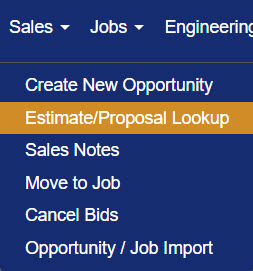
Figure 1
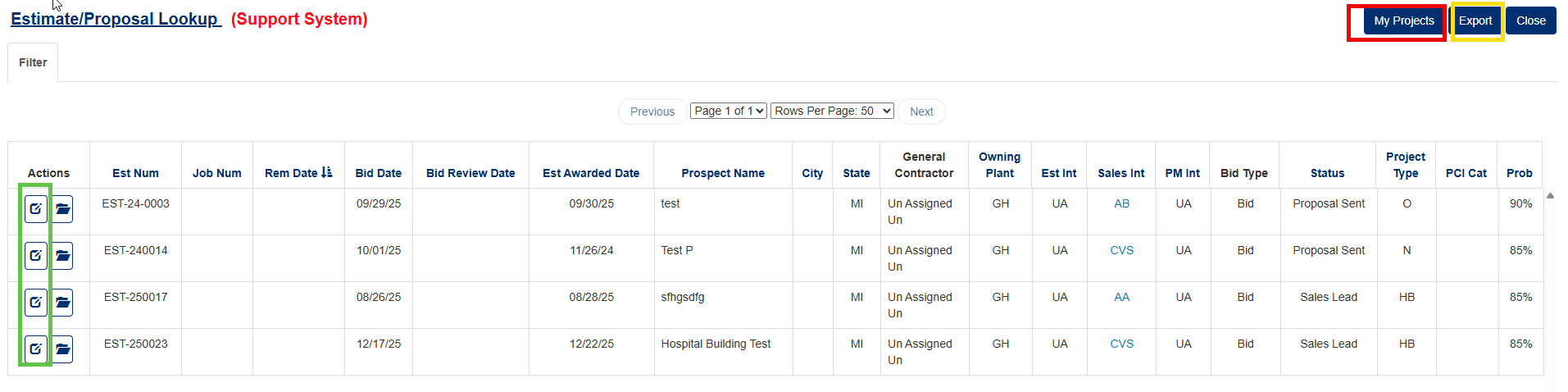
Figure 2
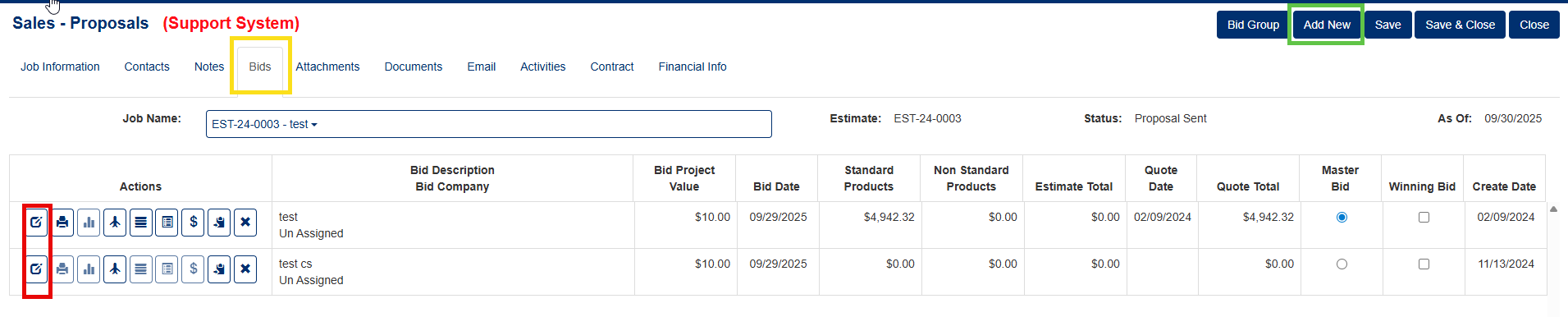
Figure 3
Adding a New Bid to a Proposal
- Click on the Add New button (Green box, Figure 3).
- A pop up window will appear (Figure 4). Type a bid description in the field.
- Click the Add New button in the pop up (Red box, Figure 4) to save the description. A success message will appear and the new bid will display as a row in the Bids tab (Green box, Figure 5).
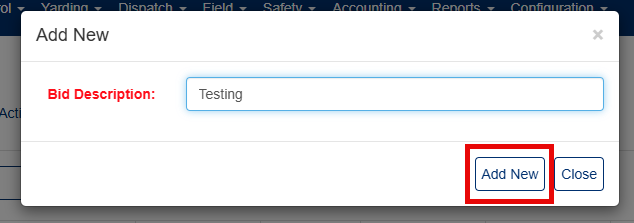
Figure 4
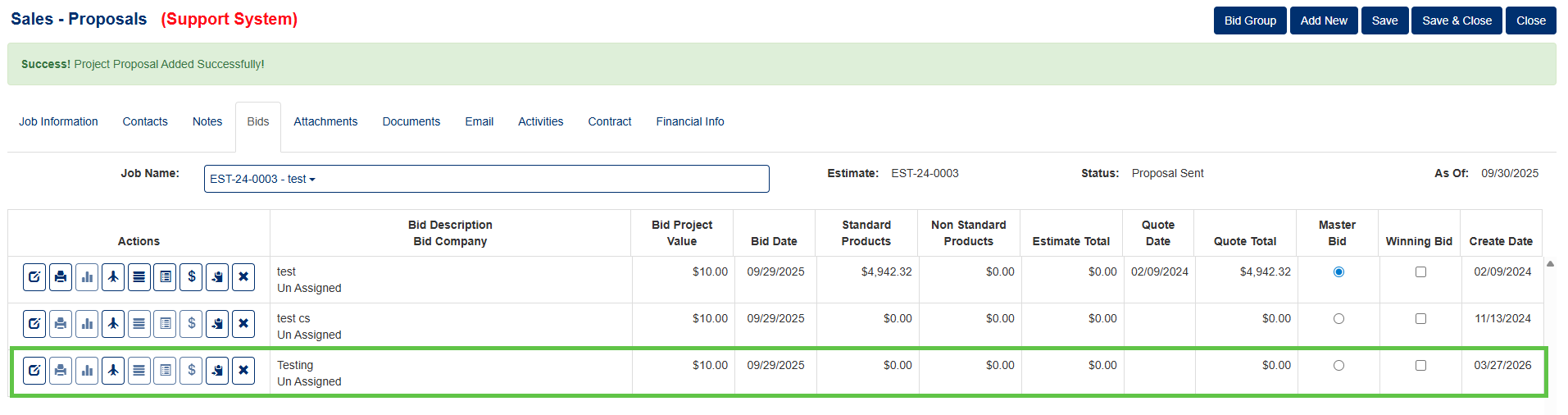 Figure 5
Editing a New Bid
- Click on the Edit button of the corresponding Bid record (Red box, Figure 3).
- The Sales - Edit Proposal screen opens
- Proposal Details Form —Modify the bid description, quote date, quote amount, and address the proposal to a specific contact associated with the project.
- Quote Type Selection — This links the proposal to a predefined quote template. You can modify the quote type
- Proposal & Alternate Notes — Text field notes printed on the proposal document, with checkboxes to control whether they print (Red box, Figure 6).
- Email — Builds and sends the proposal as an email with a PDF attachment (auto-generated from a report template), using a modal with To/CC/BCC fields, subject, body, and importance settings.
- Report — A "Report" button opens the proposal as a PDF for printing or download (Green box, Figure 6)
- Notes & Attachments — You can add file attachments and pictures related to the proposal.
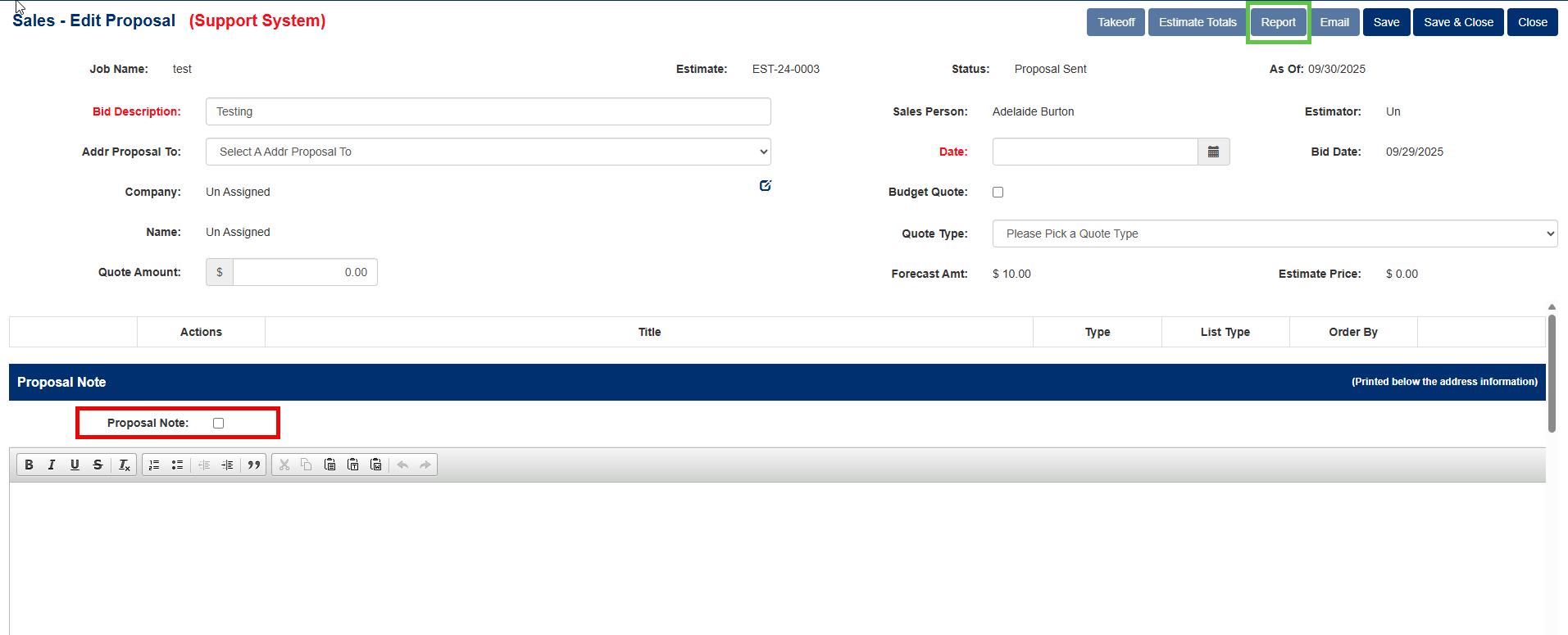
Figure 6
Accessing Your Projects Only
- Click the My Projects button (Red box, Figure 2).
- The system returns only projects where you are listed as a Project contact.
Was this article helpful?
That’s Great!
Thank you for your feedback
Sorry! We couldn't be helpful
Thank you for your feedback
Feedback sent
We appreciate your effort and will try to fix the article