Overview
The Production Piece Marks Move screen is used to move pieces from one job to another as long as two requirements are met:
- the piece mark being moved must have the same cross section as the piece mark being replaced
- the piece mark being moved must be the same size or larger than the piece mark being replaced
Accessing the Screen
Access the Production Piece Marks Move screen by navigating to Engineering > Production Piece Moves from the main menu (Figure1).
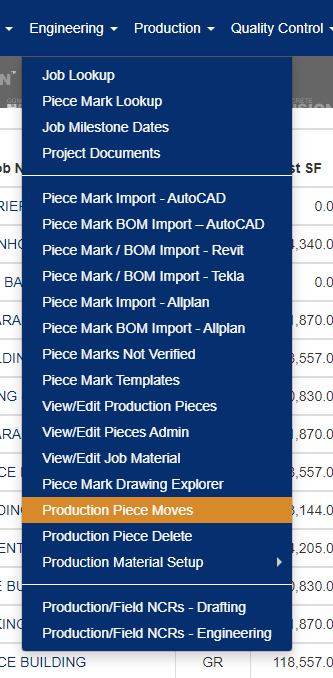
Figure 1
Using the Production Piece Marks Move Screen
To view pieces in a job available to move on the Production Piece Marks Move screen:
- Select the job name from the dropdown (Green box, Figure 2) that includes the piece to move.
- Click the Search button (Yellow box, Figure 2). A list of pieces on the job will appear, divided by phases and plant location.
- Click on the Move icon (Blue box, Figure 3) beside the piece mark to be moved. The selected piece mark will appear with a gray background at the top of the screen (Figure 4).
- Click on the Move icon beside the piece to be replaced in the destination job (Figure 4).
- The screen will reload (Figure 5). Click the Save button to confirm the move.
- The screen will reload with a success message (Figure 6).

Figure 2
Note: If the Move icon is deactivated, the piece is unavailable to be moved (Green box, Figure 3).
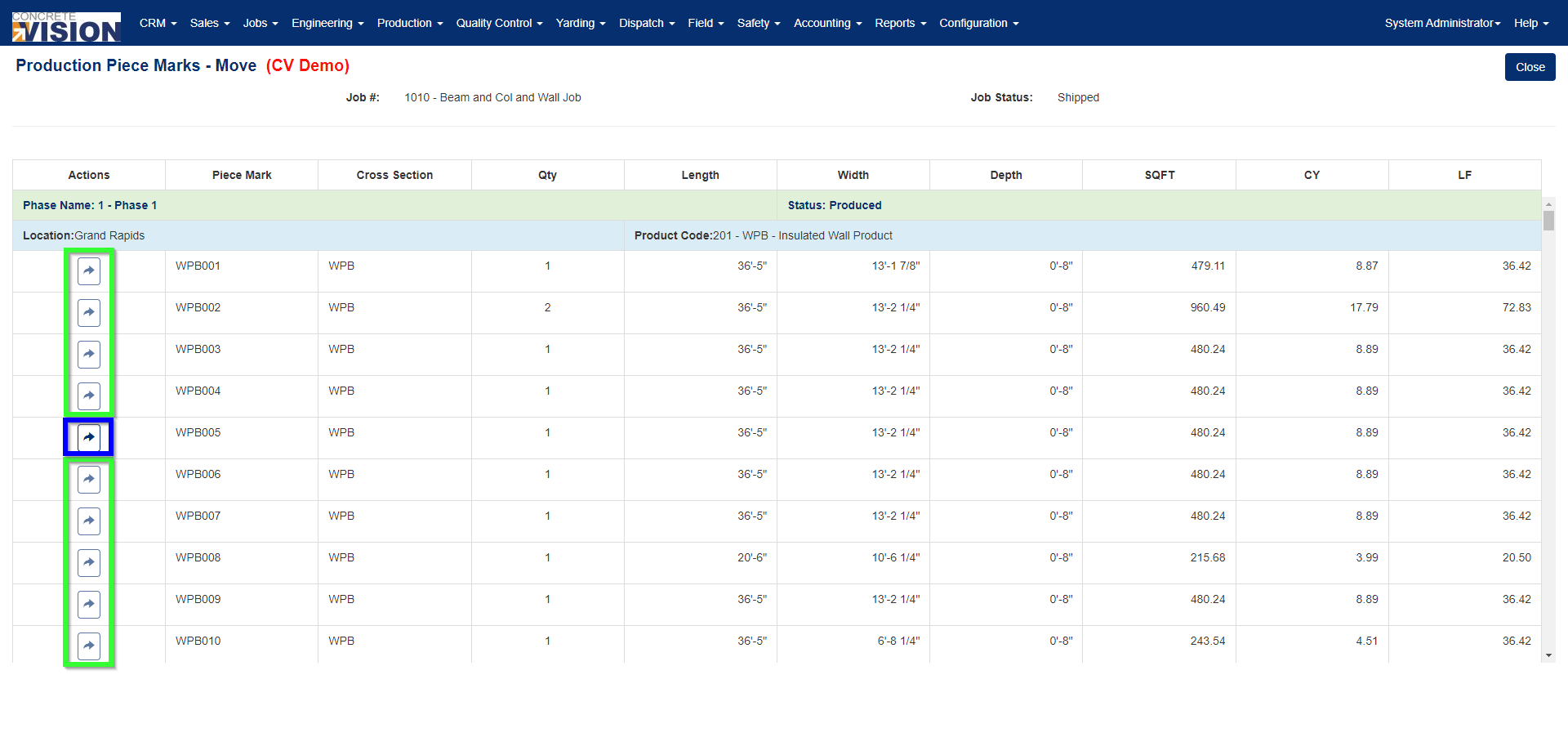
Figure 3
The piece is only moveable to another job if the destination job has a phase with the same product defined (Green box, Figure 4).
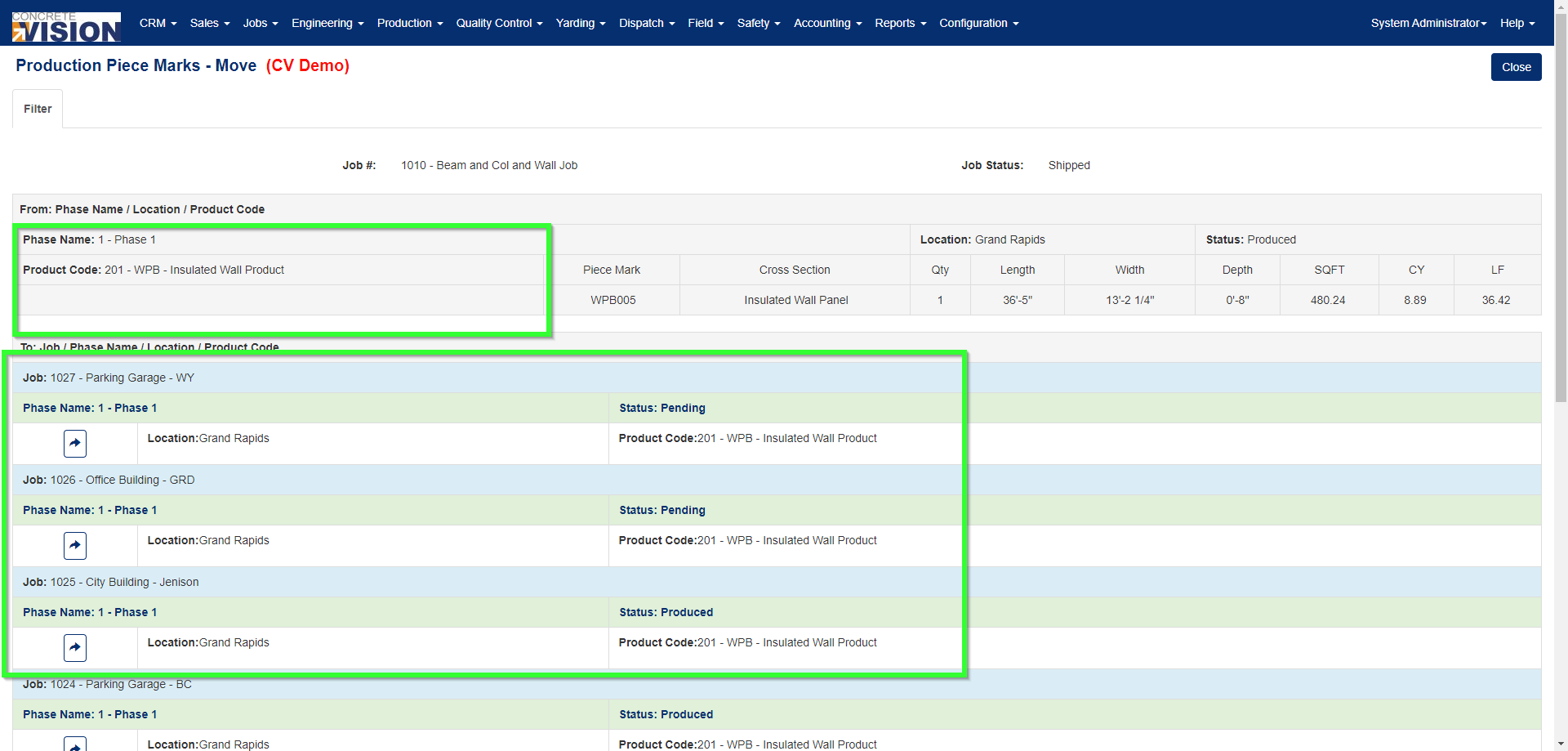
Figure 4
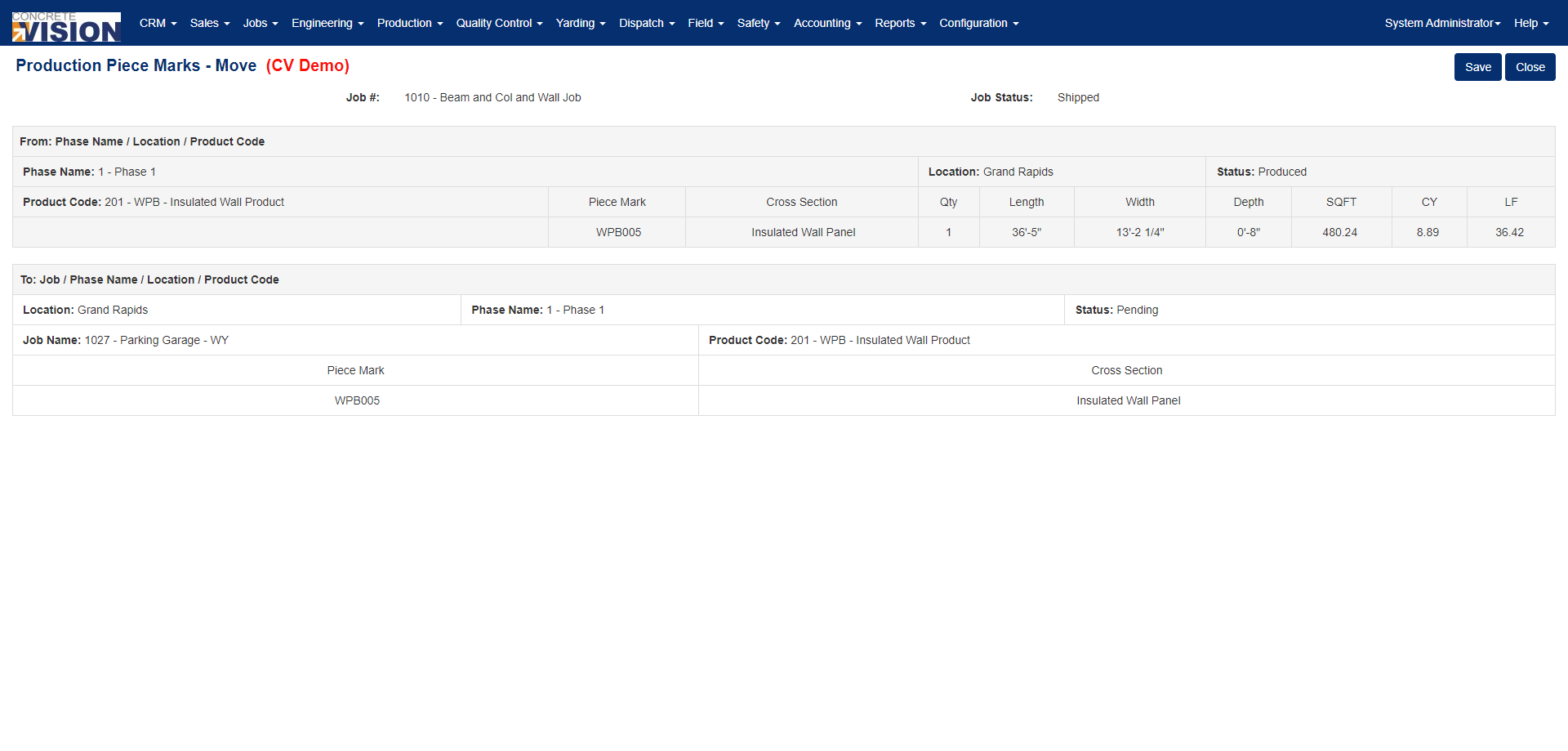 Figure 5
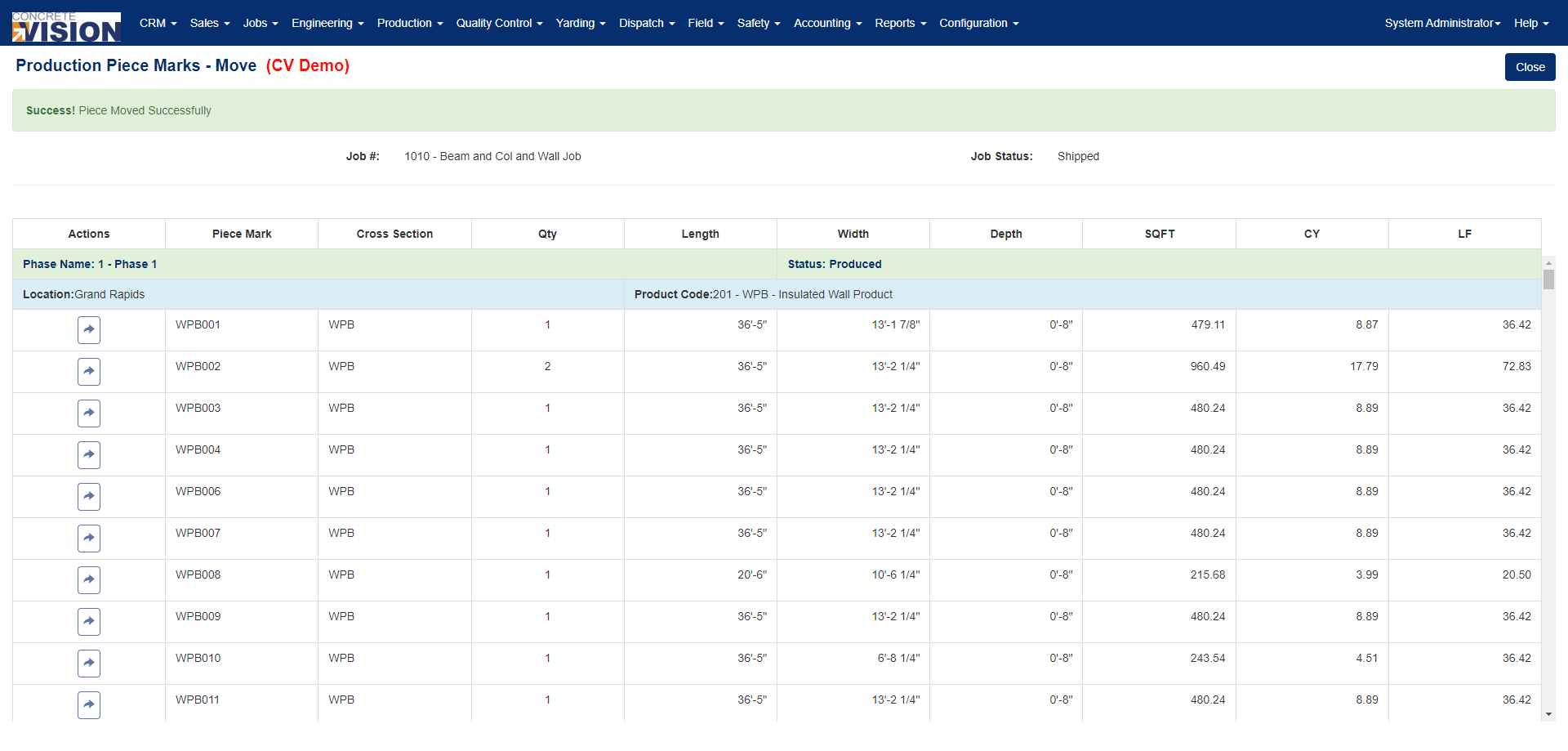
Figure 6
Overriding Requirements for Production Piece Marks Move
The Production Piece Marks Move screen will not allow pieces to be moved from one job to another unless two requirements are met:
- the piece mark being moved must have the same cross section as the piece mark being replaced
- the piece mark being moved must be the same size or larger than the piece mark being replaced
Use Strict Inv. Piece Move Validation
On the Jobs - Contract Information of every job, there are overrides available (Green box, Figure 7). By default, the box for Use Strict Inventory Piece Move Validation is checked.
To remove the safeguard requirements of the Production Piece Marks Move screen:
- Navigate to the Jobs - Contract Information screen of the job.
- Uncheck the Use Strict Inv. Piece Move Validation box.
- Click the Save button or the Save & Close button.
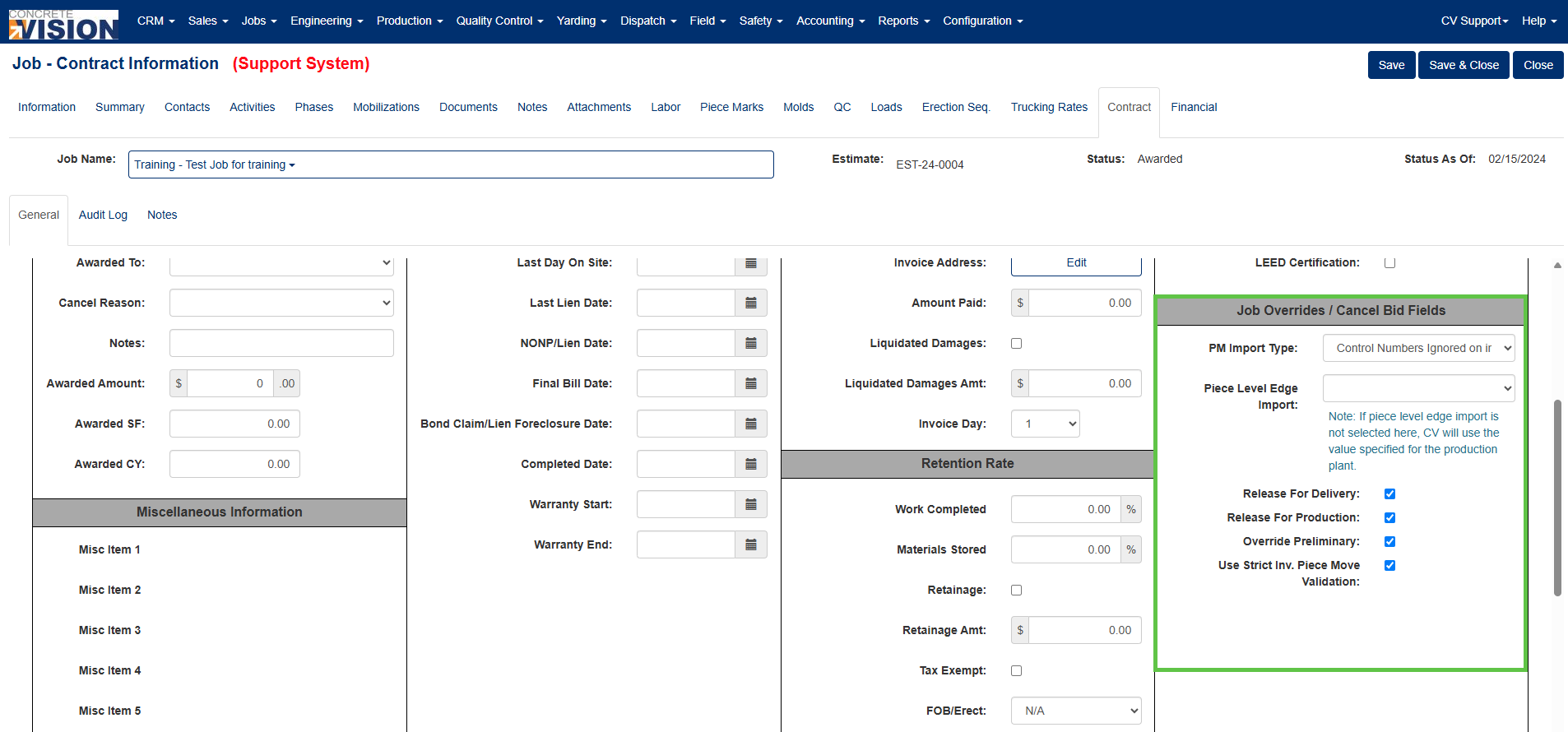 Figure 7
Was this article helpful?
That’s Great!
Thank you for your feedback
Sorry! We couldn't be helpful
Thank you for your feedback
Feedback sent
We appreciate your effort and will try to fix the article