Mix Designs are used in cast mixes, piece mark mixes, and project product code mixes.
To get to the Mix Designs screen, use the Configuration tab on the main menu at the top of the screen, click on Quality Control Setup, then Mix Designs (Figure 1 below).
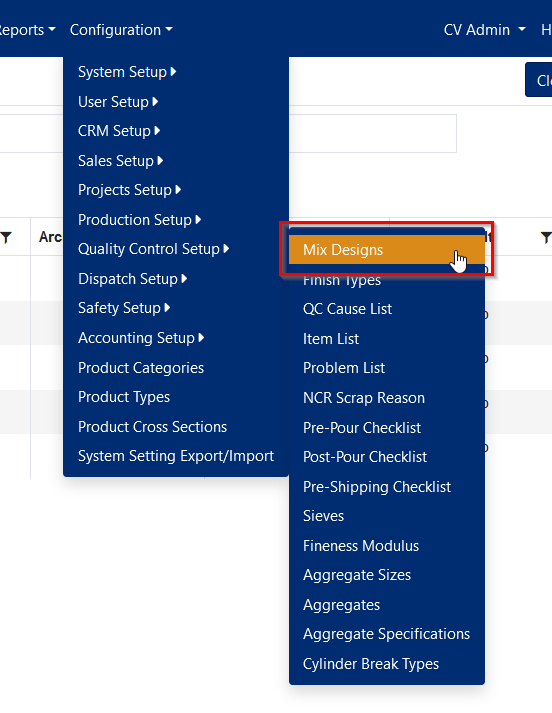
Figure 1
Maintaining Mix Designs
When you navigate to the Mix Designs screen from the menu, you will first be presented with a list of Mix Locations (plants) (Figure 2 below). Each plant has its own mix designs. Click the folder next to the plant you want to add or edit mix designs for.
You can add, edit, delete, export to Excel, export to PDF, filter, and sort the records on the Mix Design page.
Click the “+ Add new record” button to add a new mix design. The description and mix type are required fields. If you enter a material & delivery cost, they will be added together in the total cost column of the list of mix designs (Figure 3 below). Mix designs that have been assigned to a cast, a piece mark, or a project product code can't be deleted.
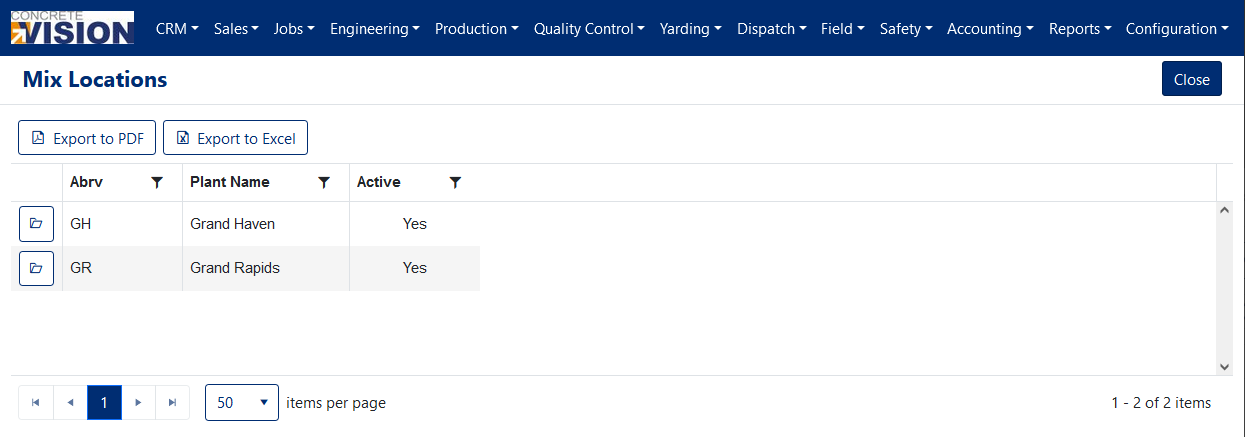
Figure 2
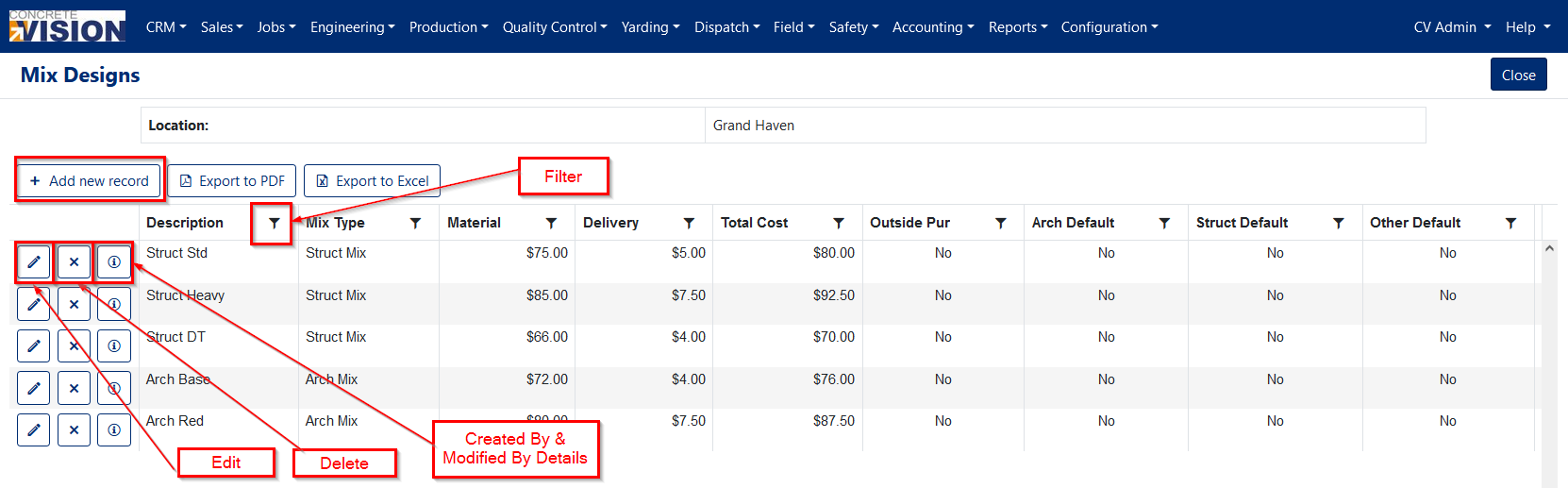
Figure 3
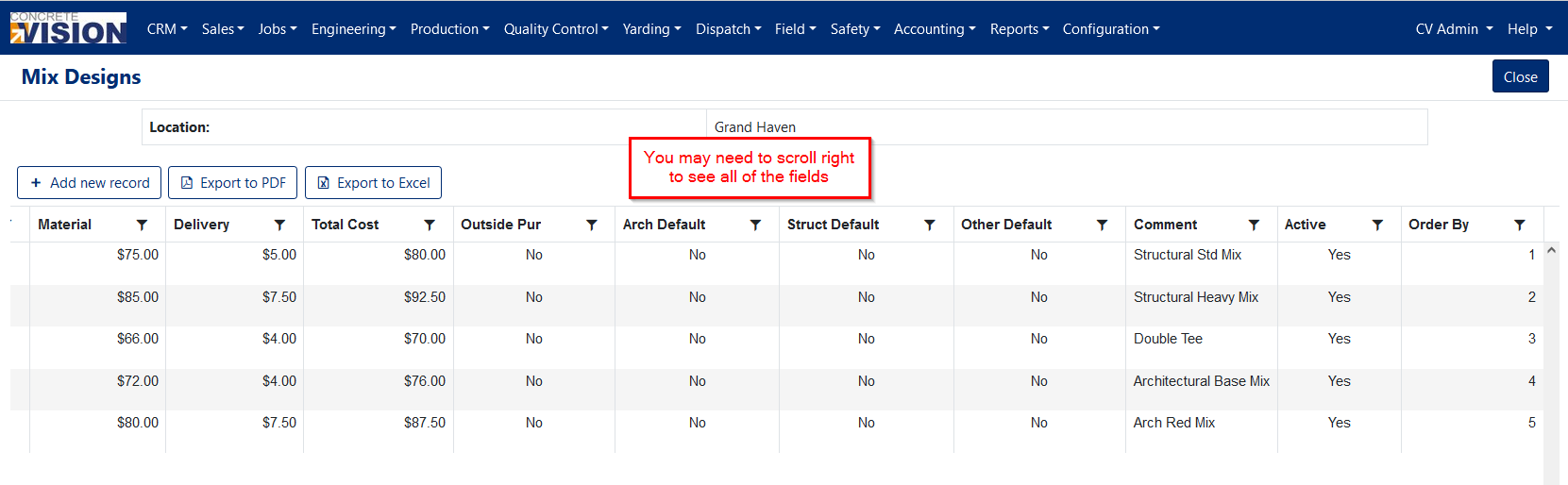
Figure 4
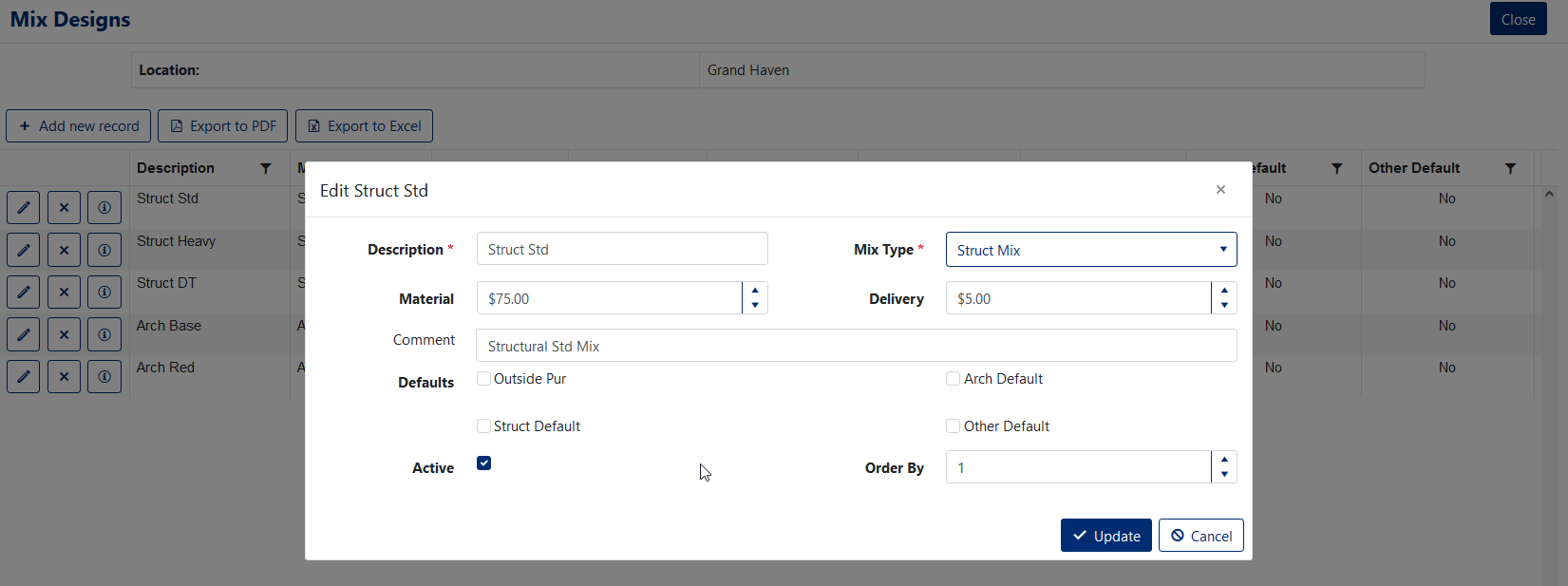
Figure 5
Was this article helpful?
That’s Great!
Thank you for your feedback
Sorry! We couldn't be helpful
Thank you for your feedback
Feedback sent
We appreciate your effort and will try to fix the article