Overview
Configure Missed Pour Descriptions for use when a production bed pour is marked as missed.
Missed Pours in Concrete Vision
For multiple reasons, a scheduled pour could be missed. From the Production Planning screen, double click the pour to be marked as missed (green box in Figure 1).
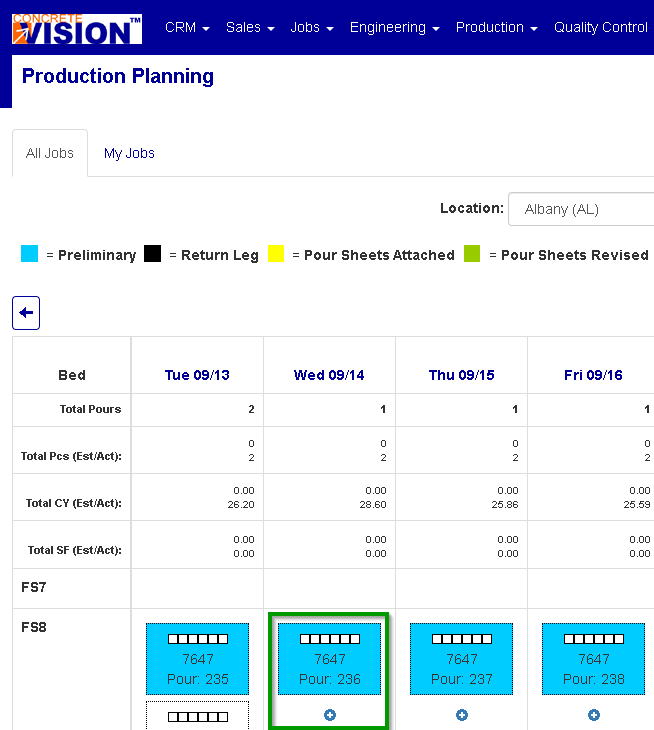
Figure 1
From the Schedule Bed - Edit page, click on the Missed Pour button (green box in Figure 2).

Figure 2
The reasons for the missed pour, configured on the Missed Pour Descriptions screen, will be found as a drop list option box labelled Description (Figure 3).
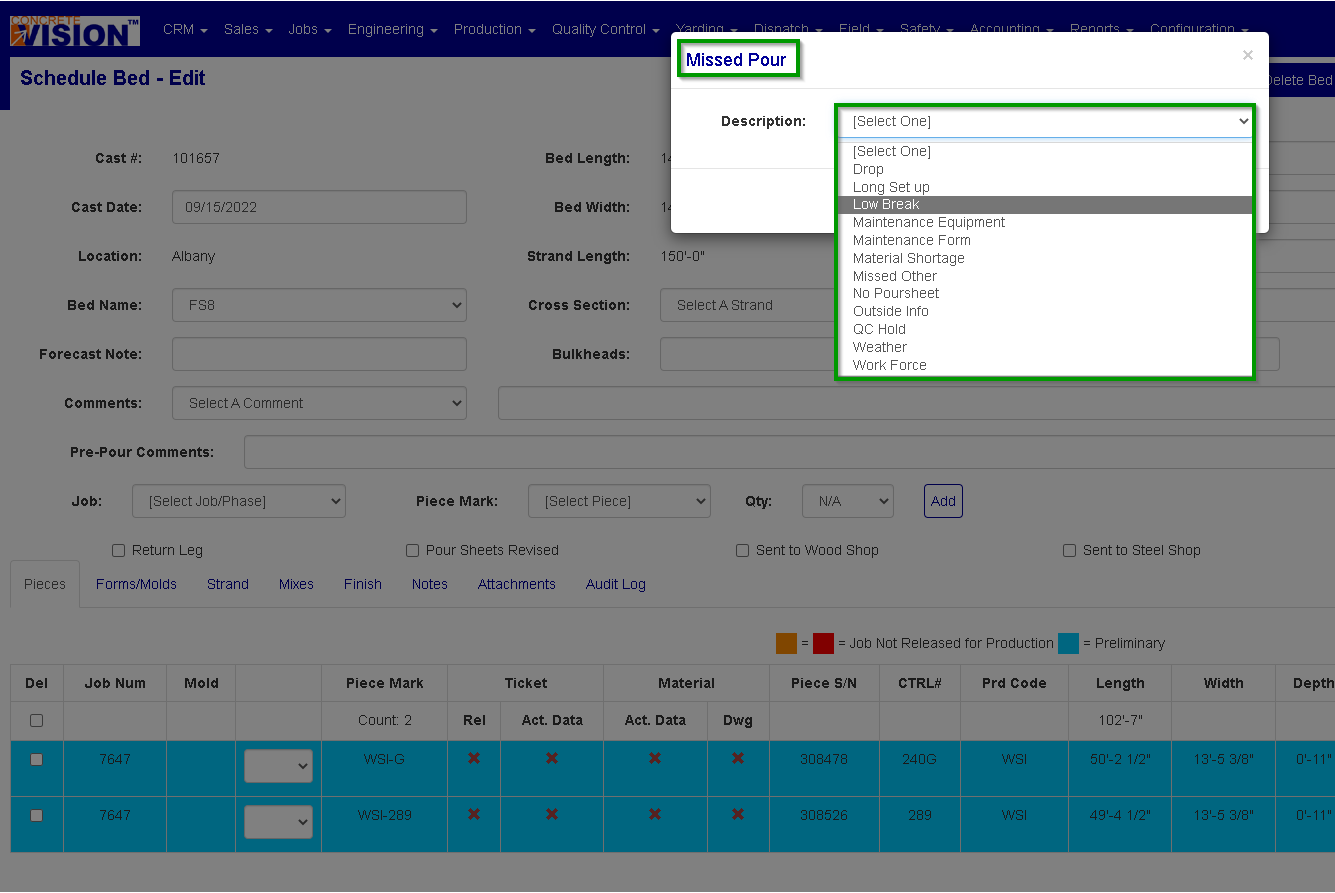
Figure 3
Accessing the Missed Pour Descriptions Screen
Navigate to Configuration > Production Setup > Missed Pour Descriptions from the main menu (Figure 4).
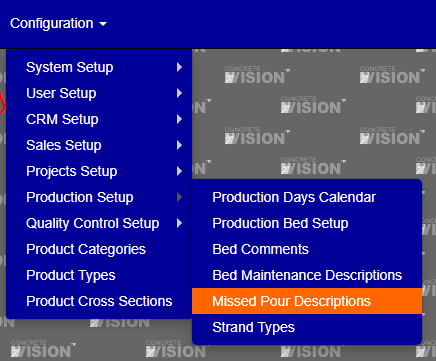
Figure 4
Add a Missed Pour Description
On the Missed Pour Descriptions screen (Figure 4):
- Click the Add new record button (orange box in Figure 5). The Add New popup will display (Figure 6).
- Enter a missed pour description.
- You can mark the missed pour description as active or inactive .
- Click the Update button (green box in Figure 6).
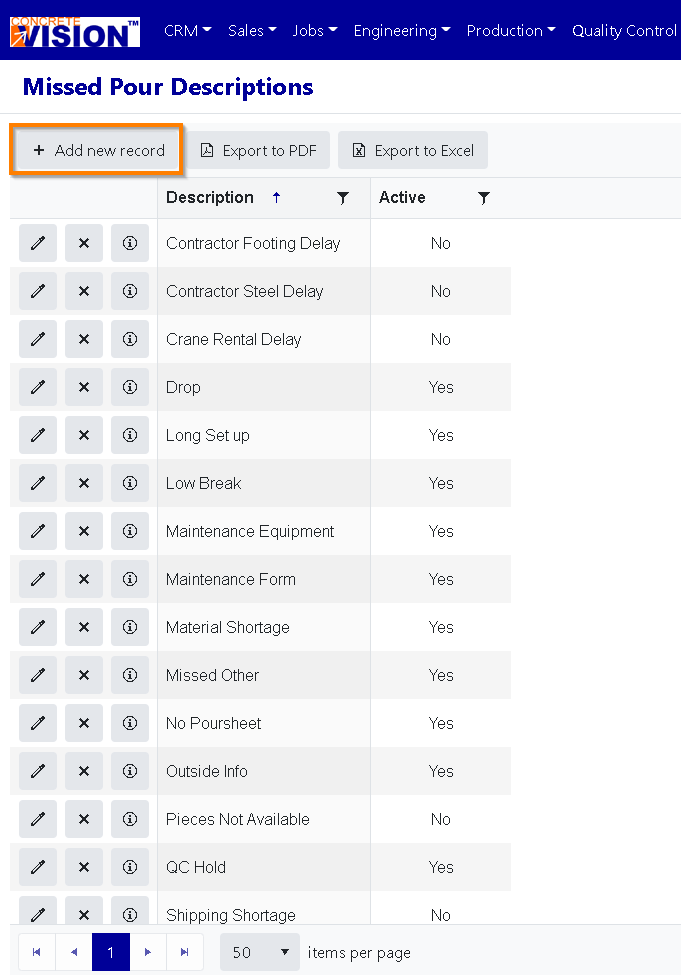
Figure5
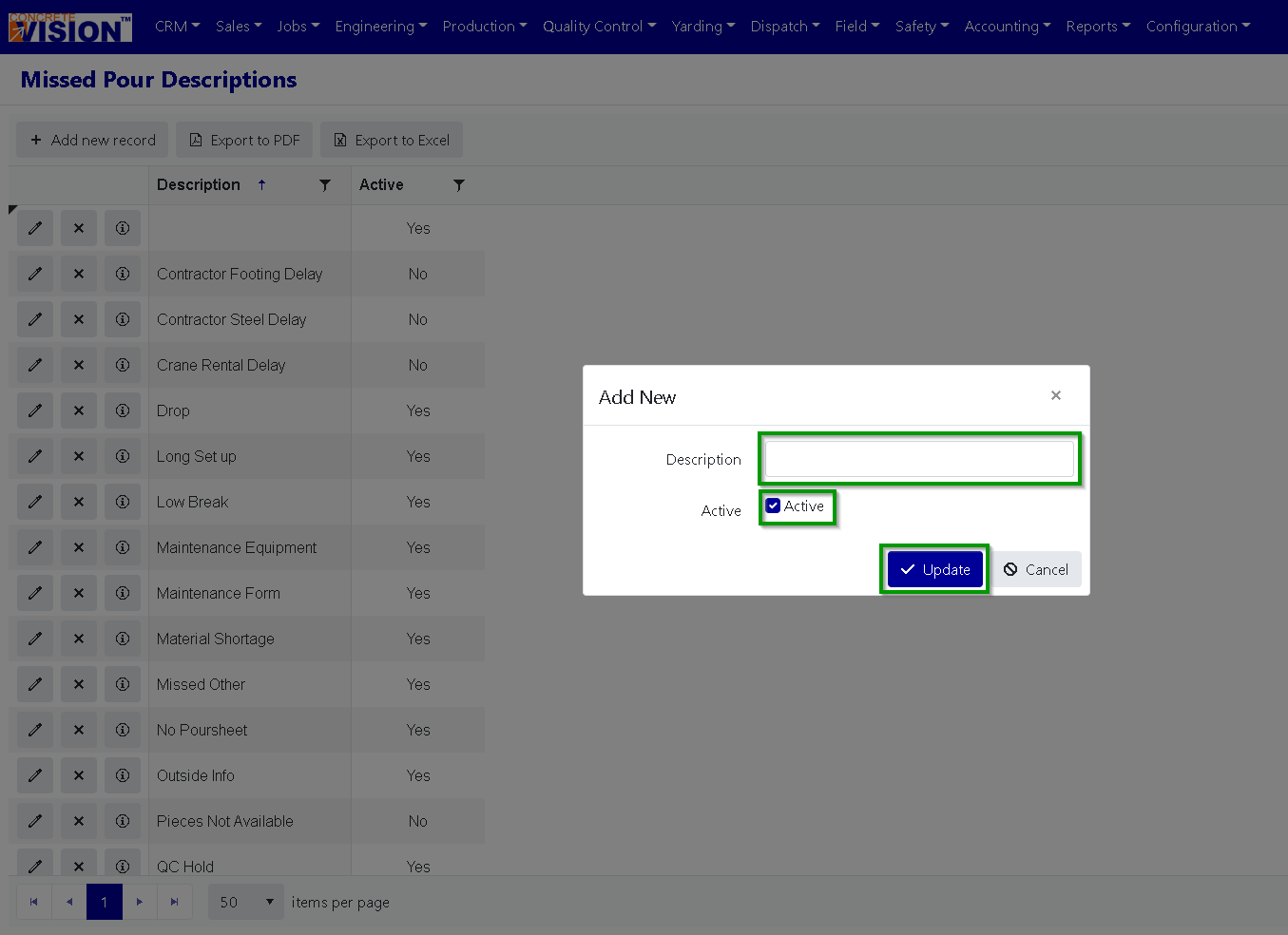
Figure 6
Edit a Missed Pour Description
On the Missed Pour Descriptions screen (Figure 7):
- Click on the Edit icon (Green box in Figure 7) beside the description to edit. The Edit popup will display (Figure 8).
- Make any needed edit.
- To save the Missed Pour Description changes, click the Update button (Green box in Figure 8).
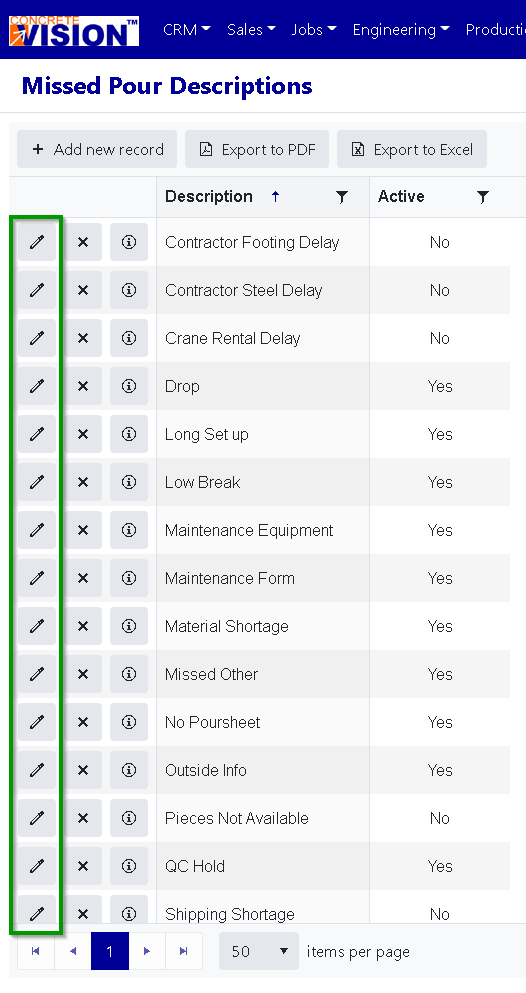
Figure 7
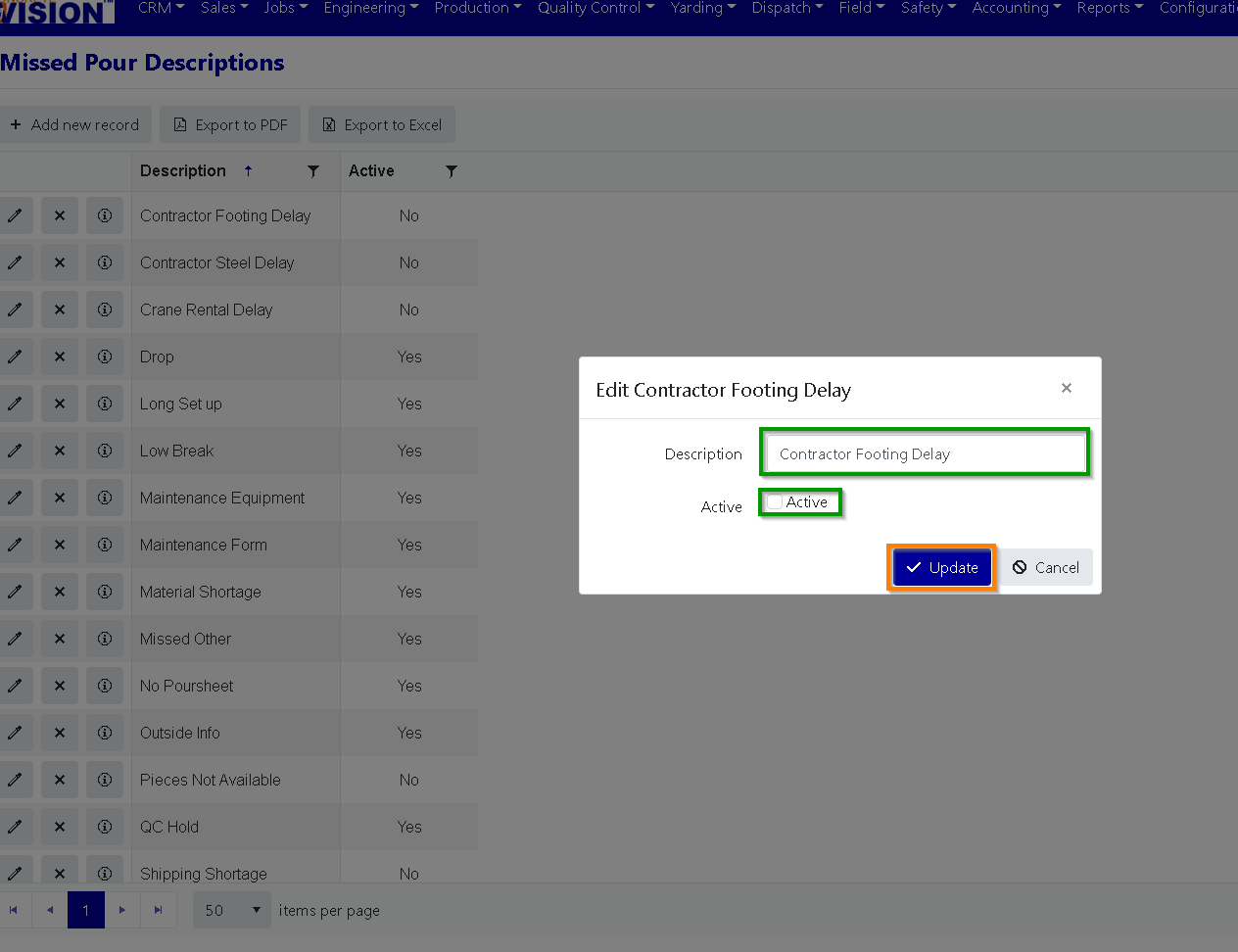
Figure 8
Delete a Missed Pour Description
On the Missed Pour Descriptions screen (Figure 9):
- Click the Delete button (red box in Figure 9) beside the description to delete.
- Click OK in the dialogue box that appears to confirm deletioon.
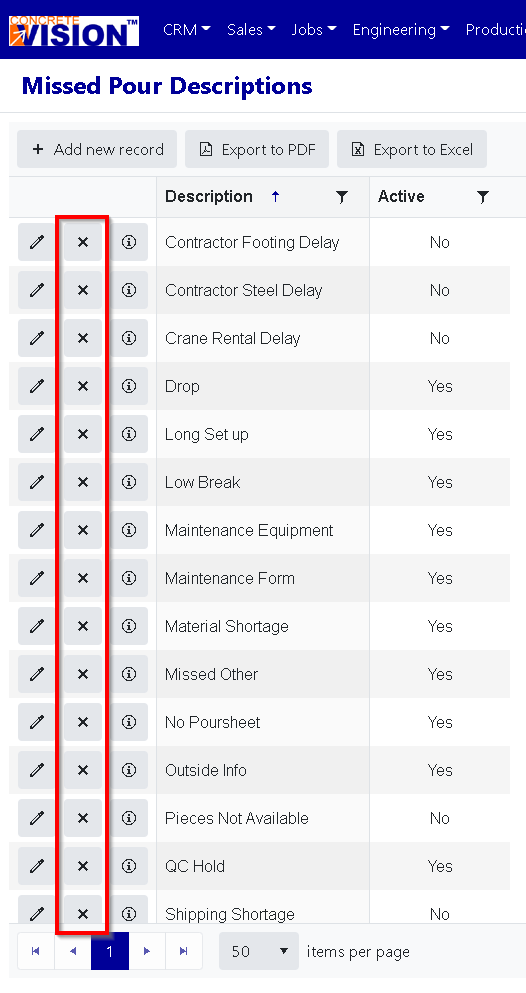
Figure 9
Was this article helpful?
That’s Great!
Thank you for your feedback
Sorry! We couldn't be helpful
Thank you for your feedback
Feedback sent
We appreciate your effort and will try to fix the article