Aggregate tests can either be based on data collected at your plant or supplied by the quarry. Each aggregate can only have one quarry test. If new data is supplied by the quarry, edit the existing test.
Access this feature by selecting Quality Control menu > Aggregate Tests (see Figure 1 below).
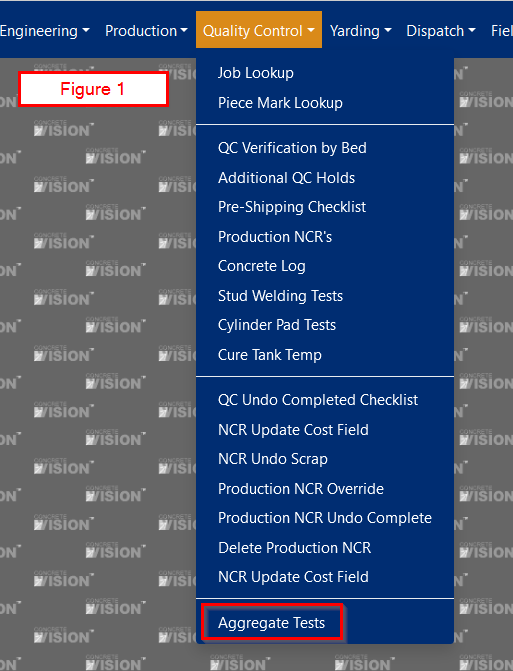
Figure 1
Test Results
Here you can Add New test or Edit an existing one (see Figure 2 below).
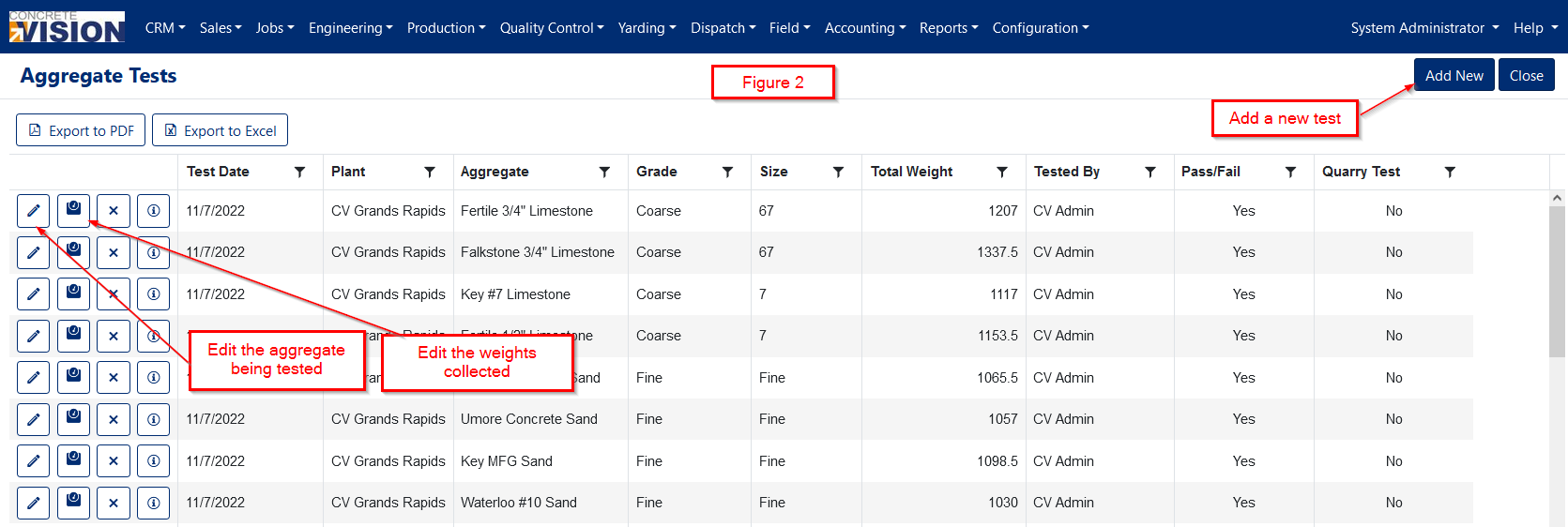
Figure 2
Add a New Test (see Figure 3 below)
Fields
- Total Weight: Numeric field. Required
- Test Date: Defaults to today's date. Required
- Plant: Searchable dropdown. The plant of the logged-in user will be selected by default. Filters the list of available aggregates. Required
- Aggregate Grade: Dropdown. Filters the list of available aggregates. Required
- Aggregate: Searchable dropdown. Required (see Figure 4 below)
- Base FM: The base fineness modulus. Disabled until a fine aggregate is chosen.
- Fineness Modulus Spec: Required if testing a fine aggregate. *
- Quarry Test: Checkbox. Only one test can be the quarry test.
* You may have multiple fineness modulus specifications as of Dec. 2023. ASTM C33 is the default specification.
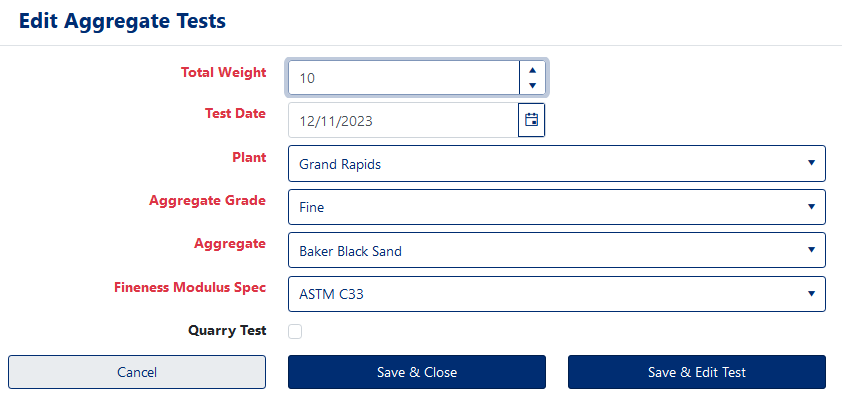
Figure 3
The dropdown lists for Plant and Aggregate are searchable. (see Figure 4 below)
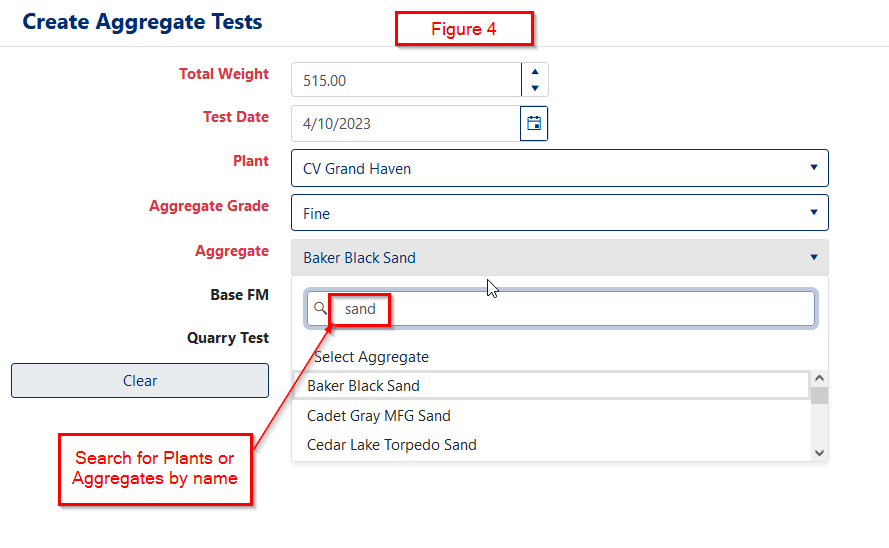
Figure 4
Test Results
Click Start Test to begin. The only data entry fields on the Aggregate Test Results page are the Retained Weights. The test will fail if any of the weights fall outside the scale variance range (see Figure 5 below).
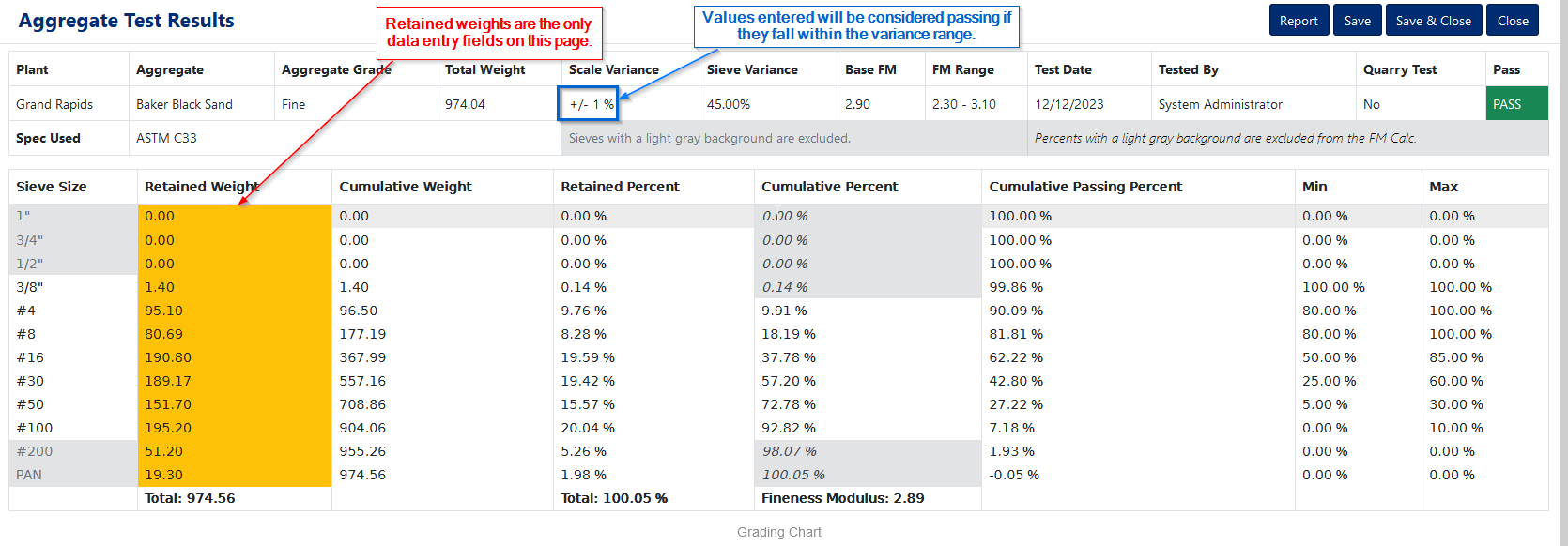
Figure 5
Scale Variance
Scale variance gives you a +/- range where a value within that range but outside of the spec will still pass. The variance applies to the Cumulative Passing Percent and Total Retained Weight (Figure 6).
Scale variance is set on a per plant basis. It's a plus/minus value that is not variable. IE, plus must equal minus. At this time, the scale variance has no data entry field. Contact Concrete Vision support for more details.
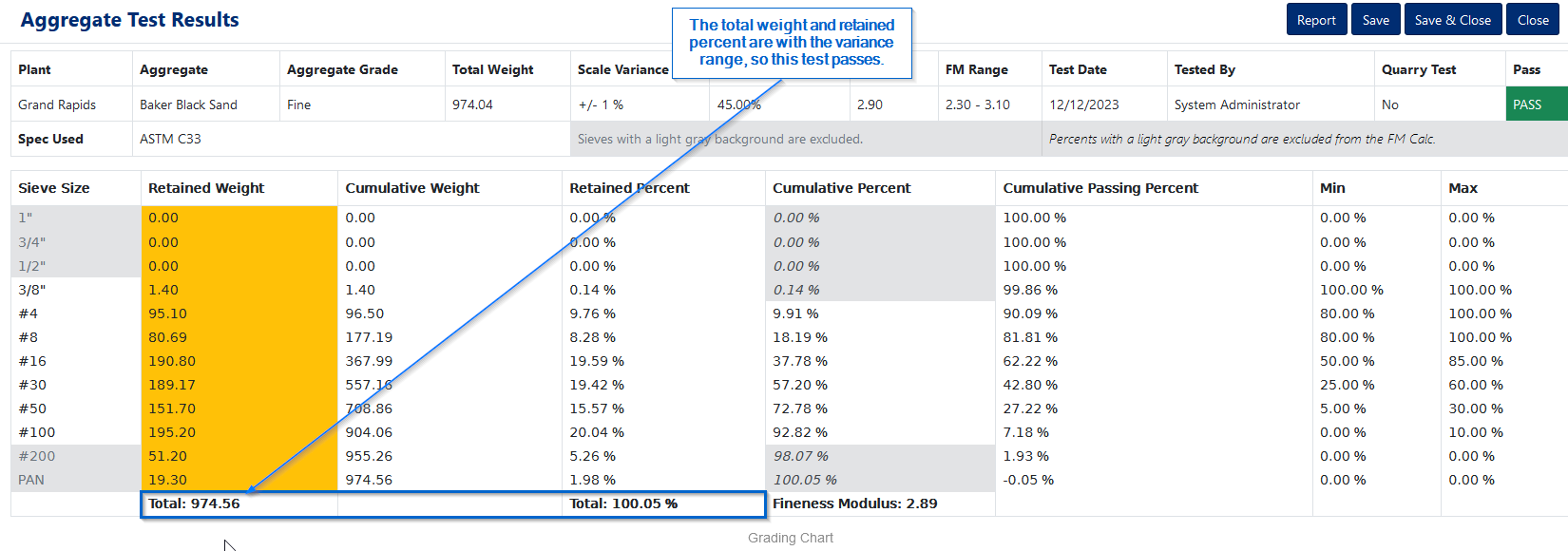
Figure 6
Here's another example of a test that passes with minor deviations acceptable within the scale variance range (see Figure 7 below).
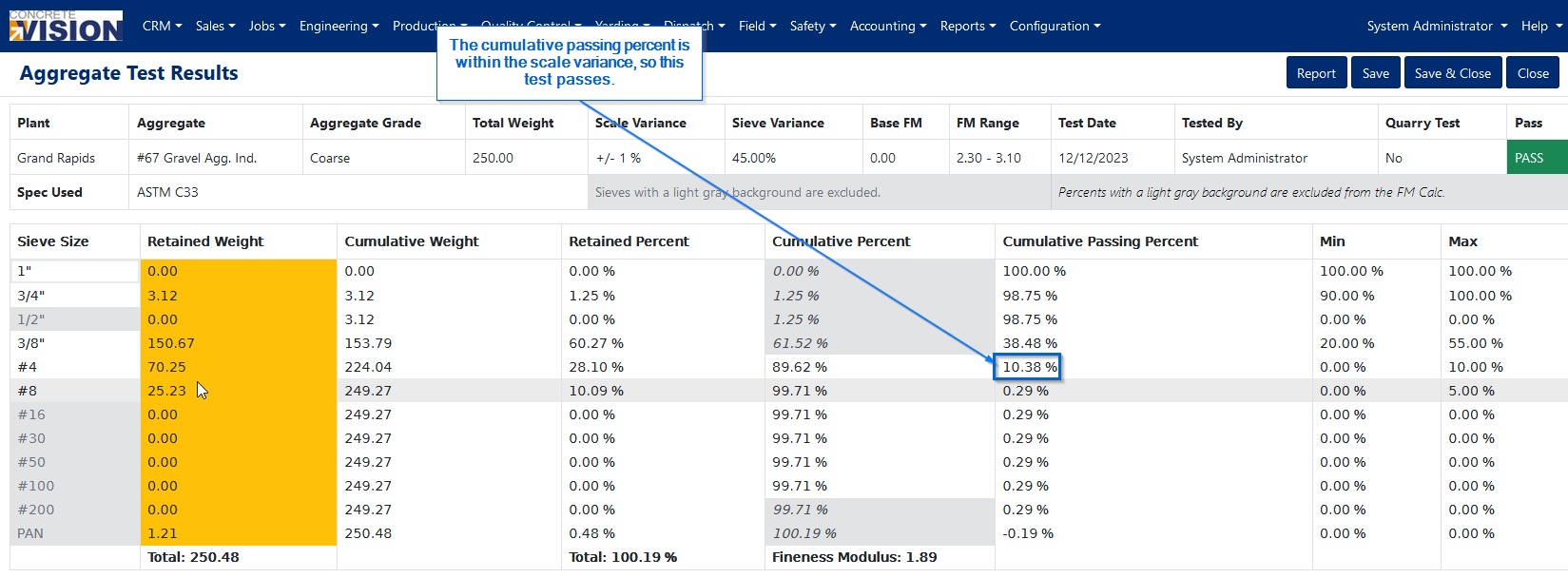
Figure 7
Excluding Sieves
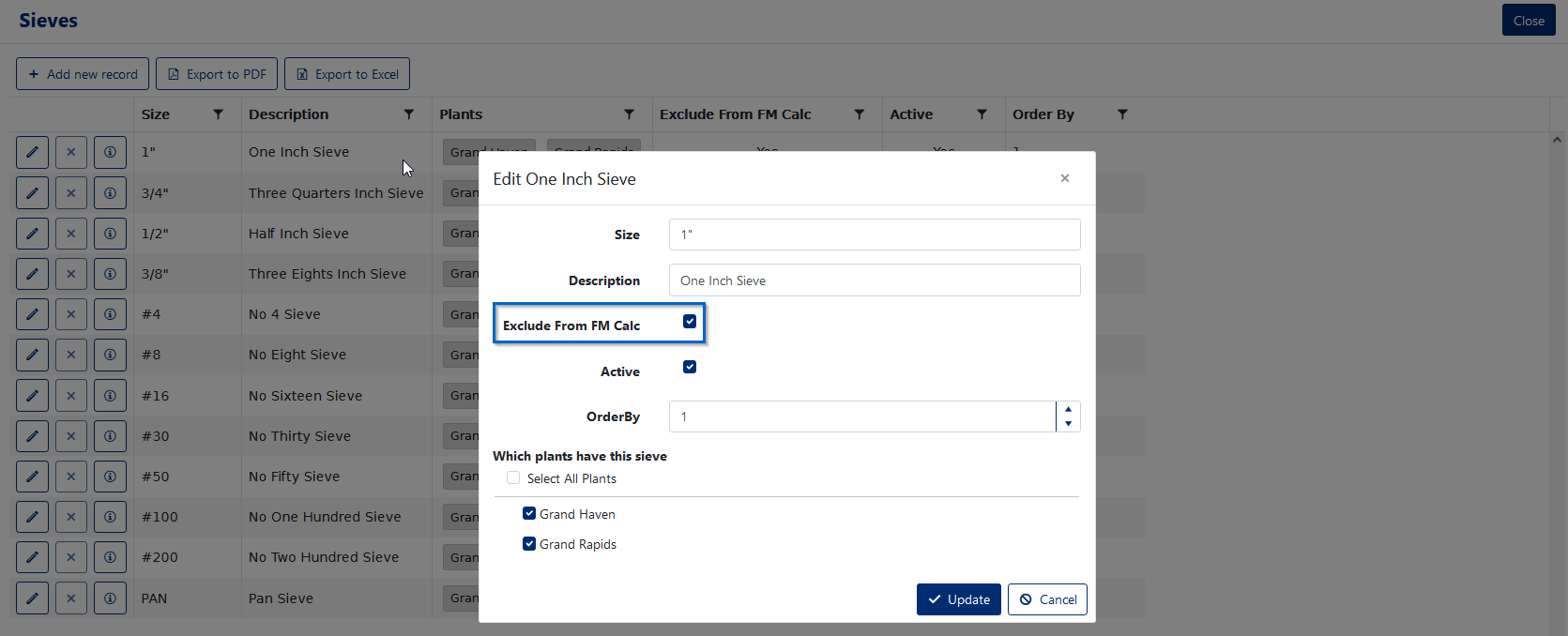
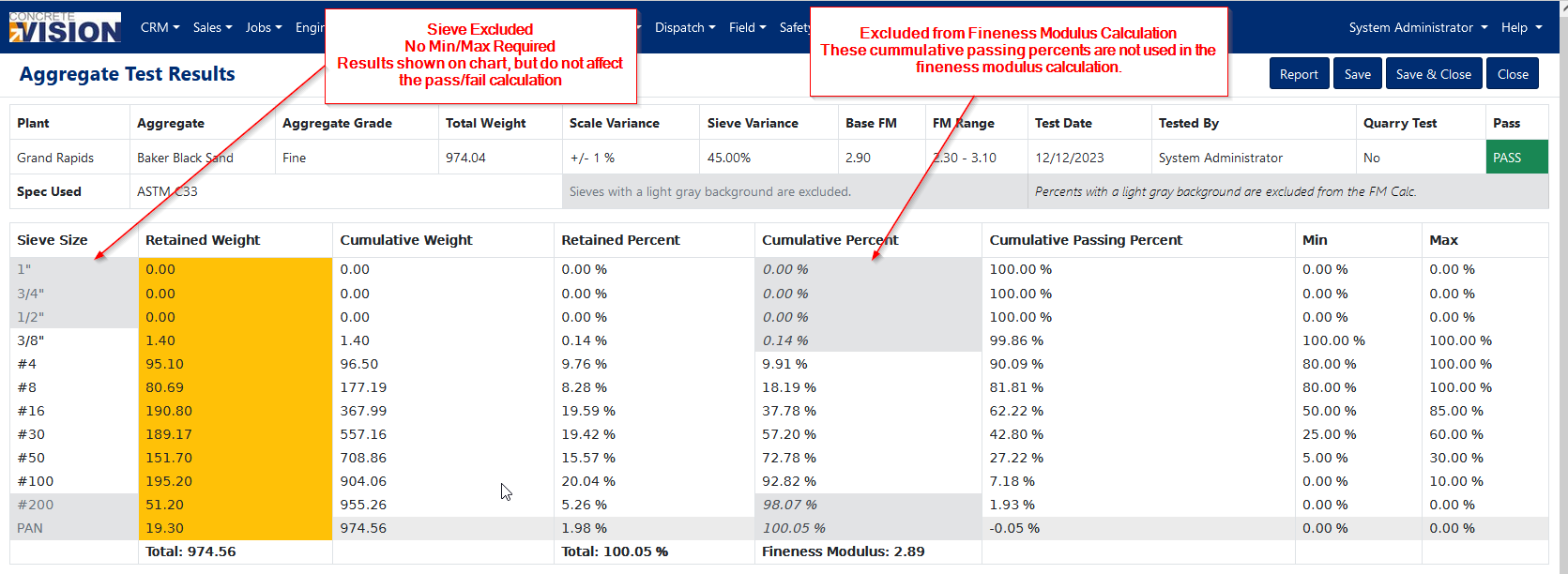
Sieves can be excluded from the stack using the aggregate specification for the aggregate size. This example excludes the 1" sieve from all aggregates marked as "FA".
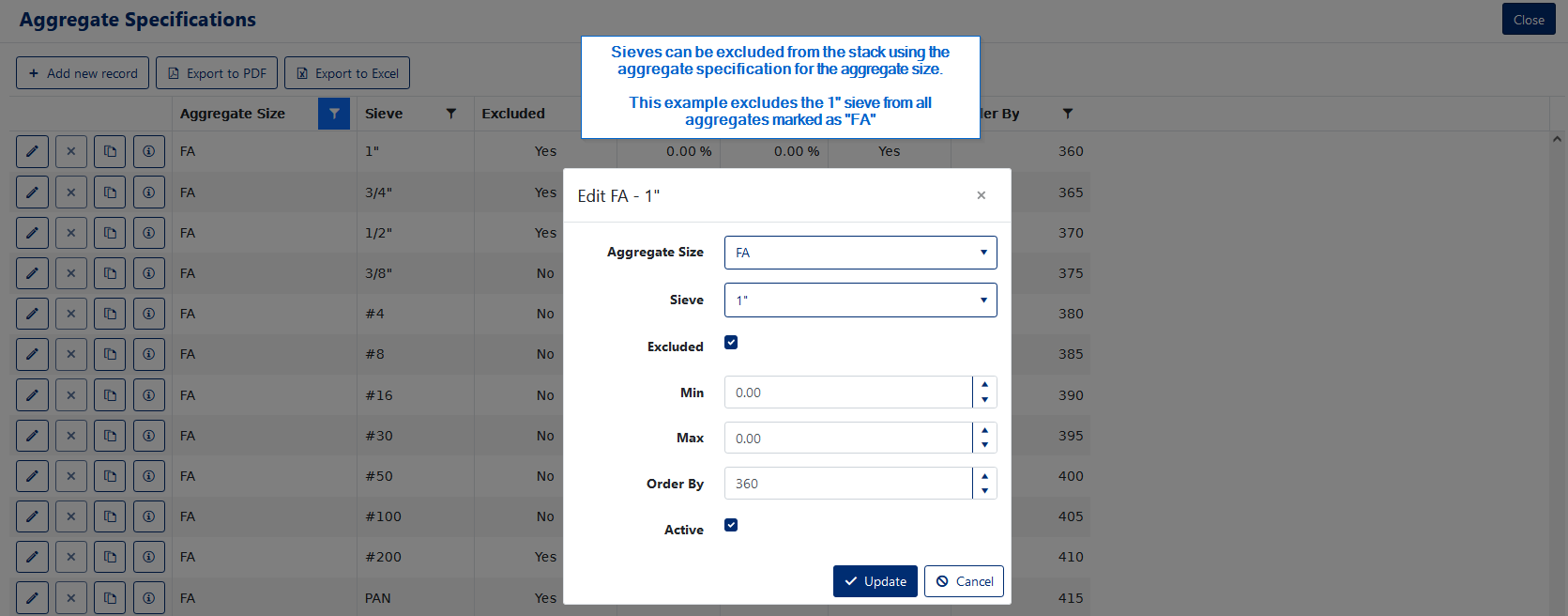
Sieves can be excluded from the Fineness Modulus Calculation.
Grading Chart
The results are graphed in a chart at the bottom of the page. Sieves that are marked "Excluded" are not shown in the chart (see Figure 8 below).
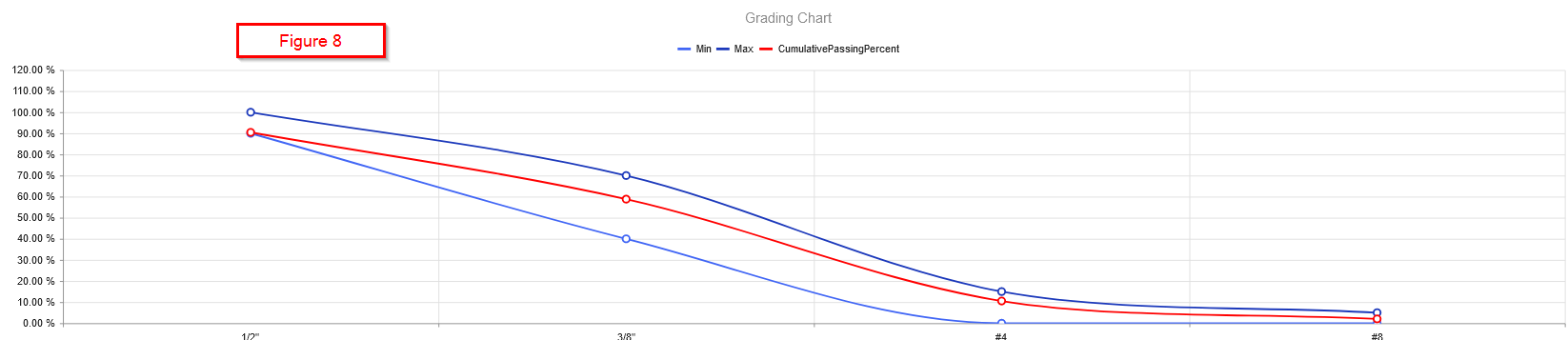
Figure 8
Was this article helpful?
That’s Great!
Thank you for your feedback
Sorry! We couldn't be helpful
Thank you for your feedback
Feedback sent
We appreciate your effort and will try to fix the article