The purpose of the Gradations module is to track and report on the results of aggregate testing.
Setup
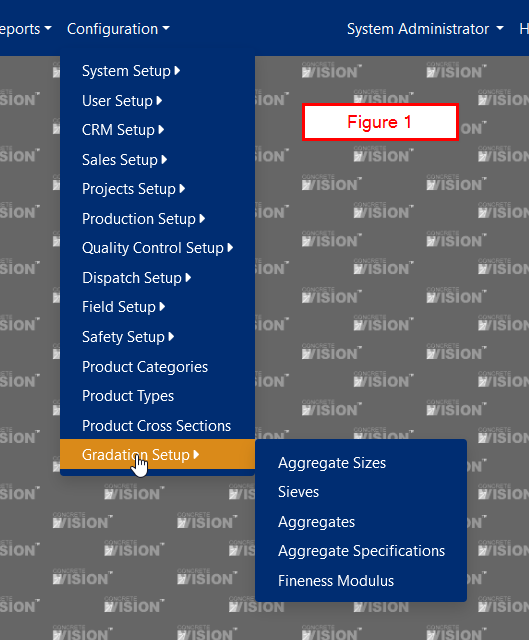
There are several configuration items that must be created before entering aggregate testing data. To add these items, access the Gradations Setup menu under Configuration. (Figure 1)
Sieves
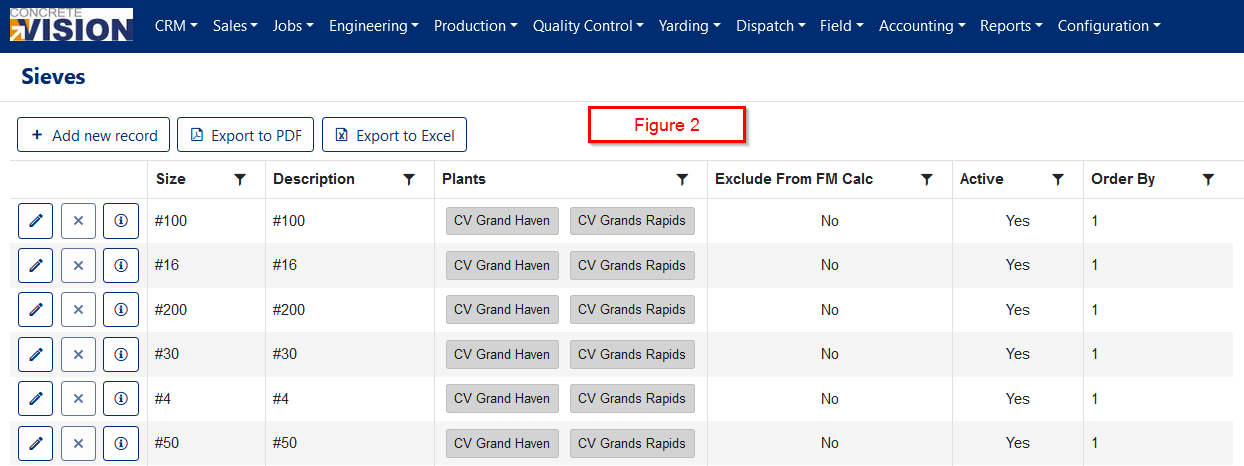
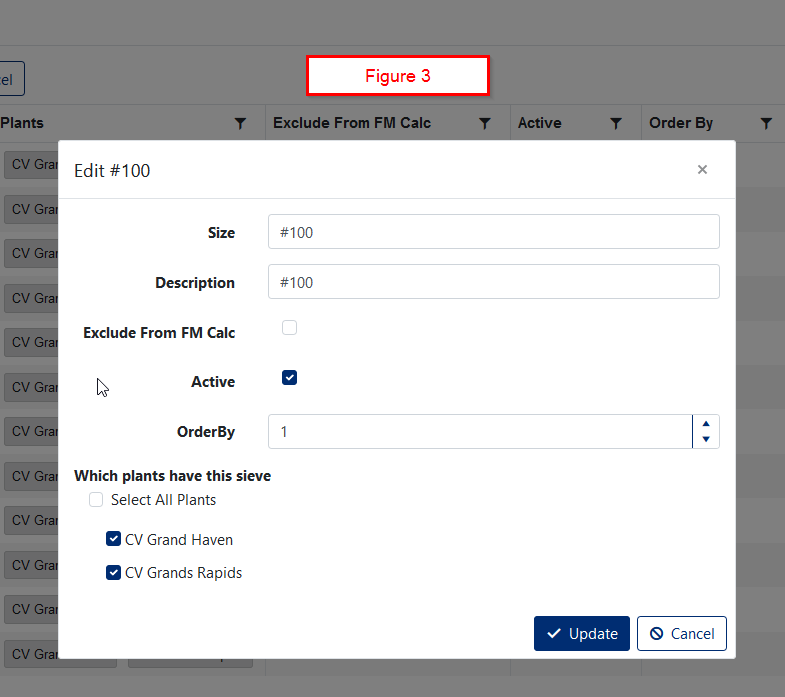
Sieves are used to separate aggregates into sizes (Figures 2 & 3)
Fields
- Size: Describes the maximum size of aggregate that can exit the sieve. 10 characters. Required.
- Description: Generally the same as the size, but this field must start with a letter. This field is used in the aggregate test results report column headings. It's best to keep this field as short as possible while spelling out the sieve size. 50 characters. Required.
- Exclude from FM Calc: Exclude from the Fineness Modulus calculation. This should typically only be applied to the pan or whatever you have called the last tray in the stack.
- Active: Checked (yes) or unchecked (no).
- Order By: Numeric
- Plants: Select the plants that have this size sieve.
Sieve List
Add or Edit a Sieve
Click the Add new record button to add a new sieve or the pencil icon to edit a sieve.
Aggregate Sizes
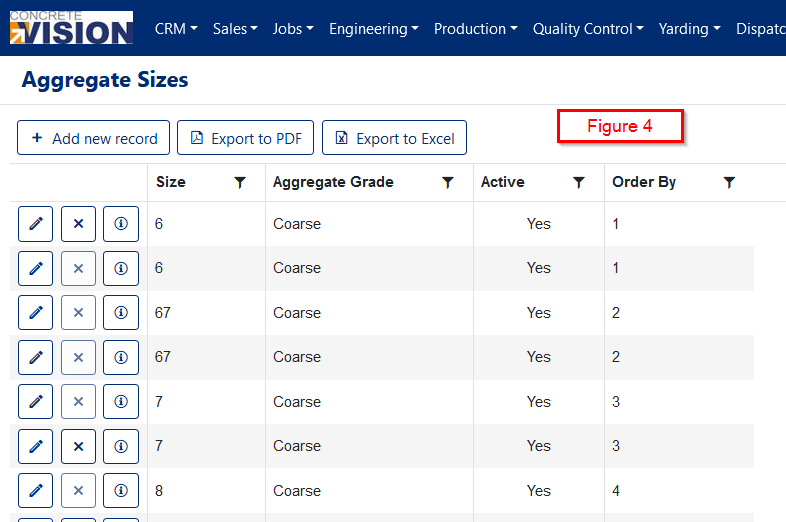
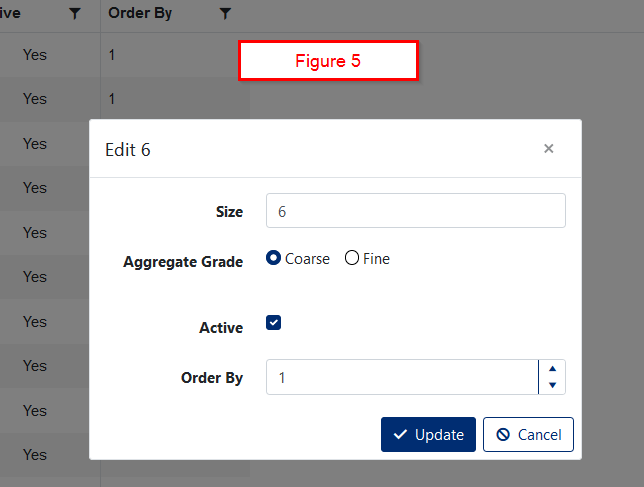
The specifications are based on the aggregate size, rather than having to create a spec for individual aggregates (Figures 4 & 5).
Fields
- Size: Text field with a maximum length of 32 characters. Required.
- Aggregate Grade: You have the choice of Course or Fine. Required.
- Active: Checked (yes) or unchecked (no).
- Order By: Numeric
Aggregate Size List
Add a New Aggregate Size
Aggregates
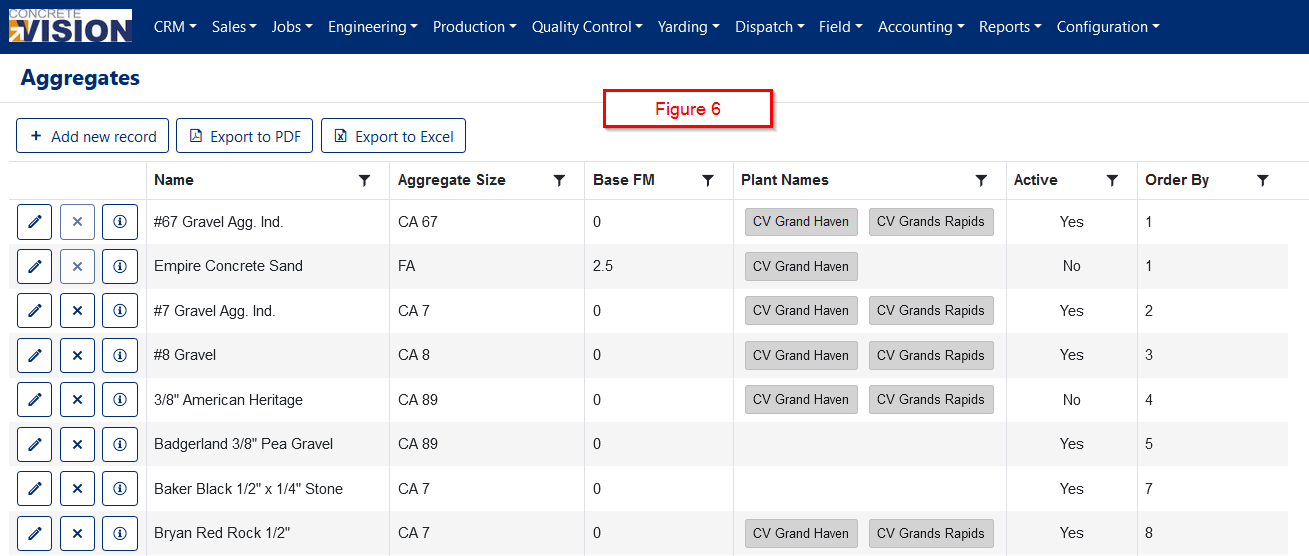
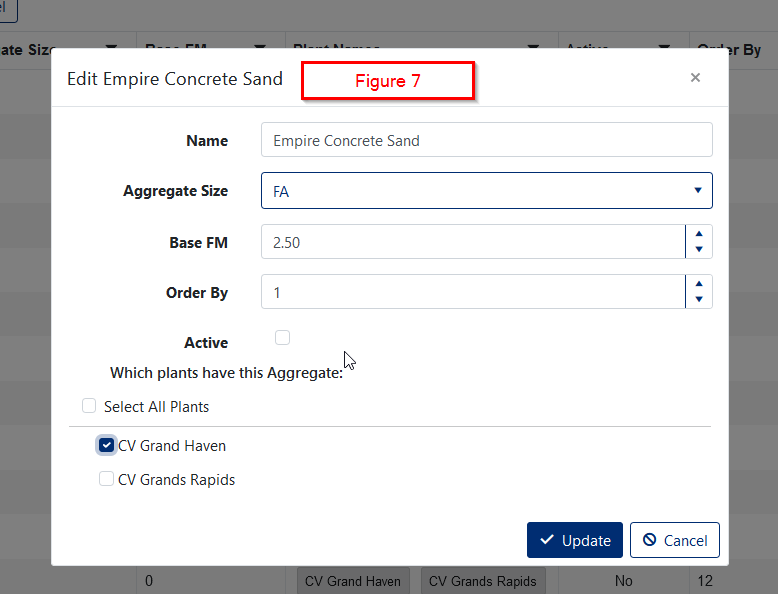
A list of aggregates that are available for testing (Figures 6 & 7).
Fields
- Name: 50 characters. Required.
- Aggregate Size: A dropdown list of sizes. Required.
- Base Fineness Modulus: Numeric. Only available for Fine Aggregates
- Order By: Numeric
- Active: Checked (yes) or unchecked (no).
- Plants: A list of plants.
Aggregate List
Edit an Aggregate
Aggregate Specifications
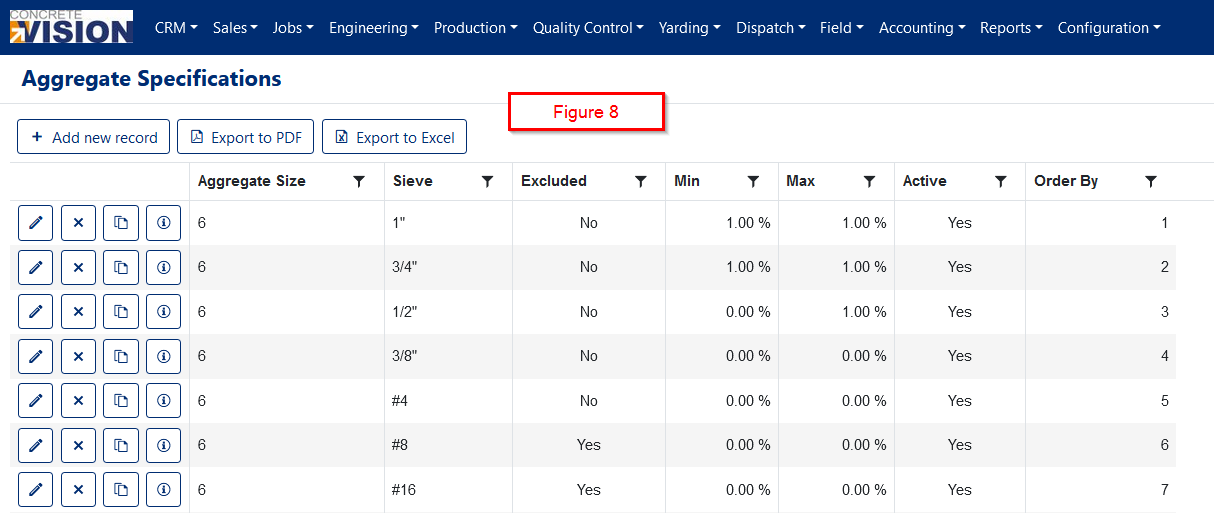
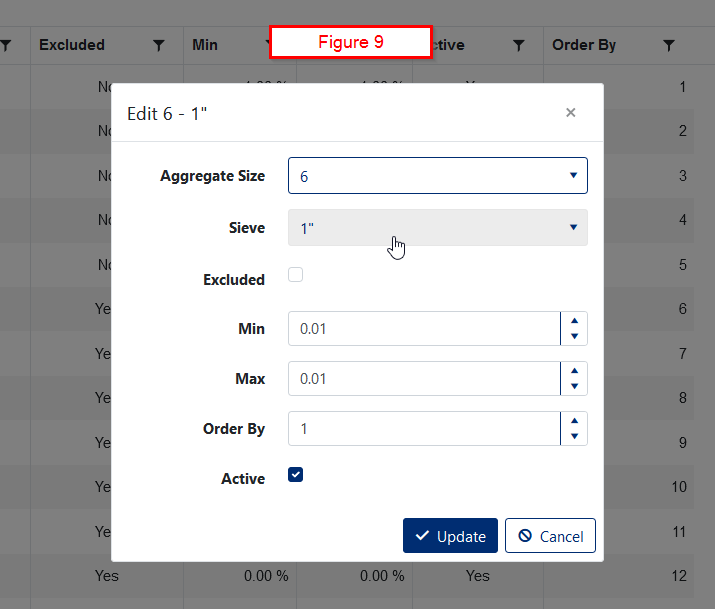
Here is where you tie the other aggregate setup items together to create the specifications that will determine if an aggregate test passes. When you are testing an aggregate, these specifications are what determine if the test passes or fails (Figures 8 & 9)
Fields
- Aggregate Size: Dropdown list. Required.
- Sieve: Dropdown list. Required.
- Excluded: A sieve can be added to a specification but excluded from determining if a test passes or fails. This allows you to record any material collected in a sieve that isn't required by the specification standard. If any value is entered for the Min and Max when Excluded is checked, they will be reset to 0.
- Min: Decimal representing a percentage between 0 and 1. This value must be less than or equal to the Max.
- Max: Decimal representing a percentage between 0 and 1. This value must be greater or equal to the Min.
- Order By: Numeric
- Active: Checked (yes) or unchecked (no)
Aggregate Specification List
Add or Edit Aggregate Size
Special Actions
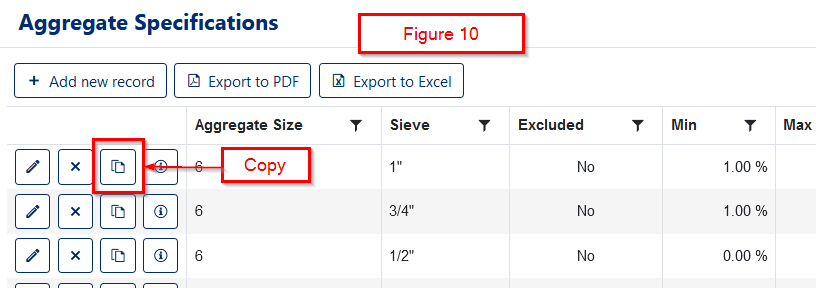
Copy
There may be many aggregate specifications for each aggregate size. In order to speed up data entry, you can copy an aggregate specification by clicking the Copy icon. You will then only need to change the Min and Max fields and possibly the Excluded checkbox (Figure 10).
Fineness Modulus
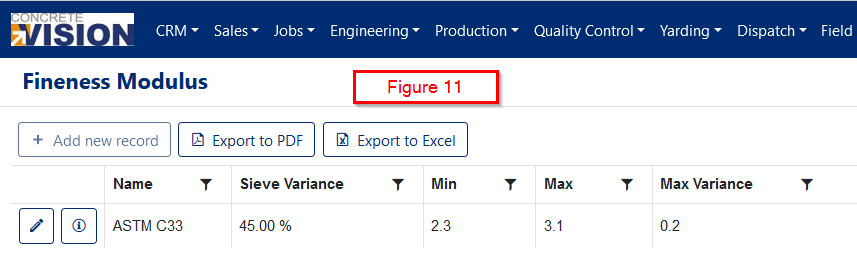
Values used to determine is the fineness modulus of a fine aggregate is considered passing (Figure 11).
Fields
Name: The name of the specification being followed.
Sieve Variance: The maximum difference between sieves that is allowed.
Min: The minimum fineness modulus.
Max: The maximum fineness modulus.
Max Variance: The maximum amount that the fineness modulus may vary from the base fineness modulus.
Was this article helpful?
That’s Great!
Thank you for your feedback
Sorry! We couldn't be helpful
Thank you for your feedback
Feedback sent
We appreciate your effort and will try to fix the article