This report allows you to report on aggregate test results over time. You can run the report for more tests than you may have in the system for a given date range, to spread the average over a larger number of tests. If a quarry test is available, this is the test that is repeated in order to reach the required number of tests. If there is no quarry test, and the number of tests is less than the total tests entered, there will be no repeated tests.
Access this report from the Reports > Reports - Gradations (see Figure 1 below).
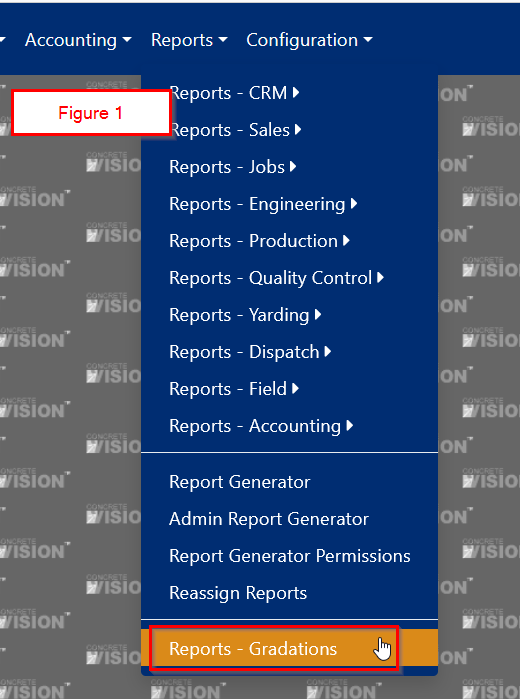
Figure 1
Report Criteria
The default date range will default to 1 year, with the end date being the current date (see Figure 2 below).
Fields
- Start Date: Defaults to today's date minus 1 year. Required
- End Date: Defaults to today’s date. Required
- Plant: Dropdown. The plant of the logged-in user will be selected by default. Filters the list of available aggregates. Required
- Aggregate Grade: Dropdown. Filters the list of available aggregates. Required
- Aggregate: Dropdown. Required
- Total Tests: Numeric. The total number of tests to be used for the average. Required
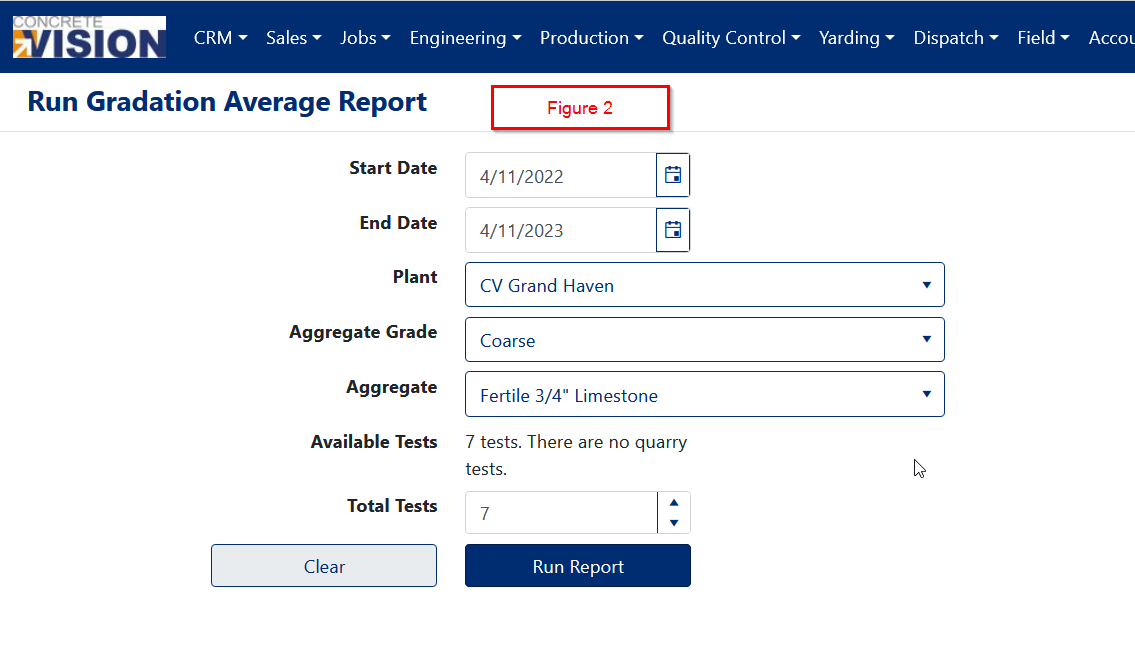
Figure 2
Report Results
The results are displayed on a new page. If there are no quarry tests available, no tests will be repeated to make up the total number of tests requested (see Figures 3 & 4 below).
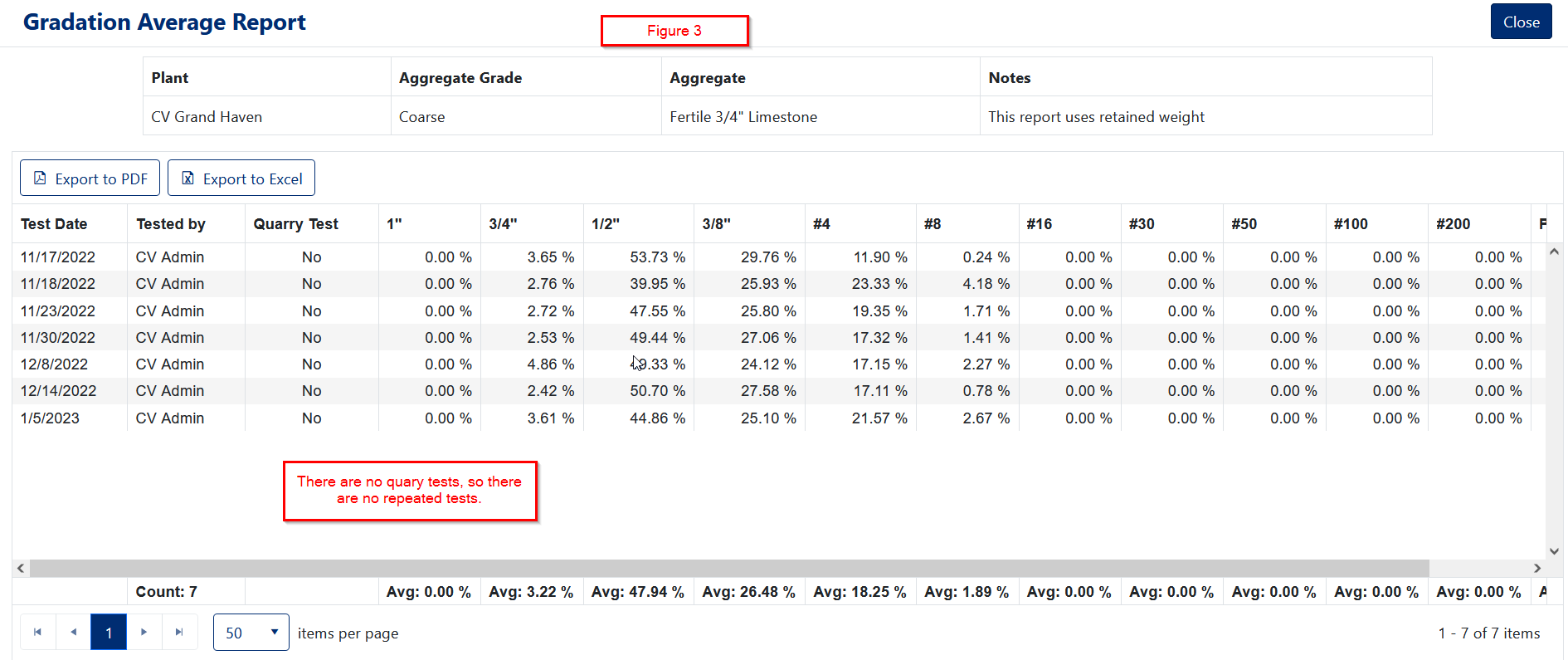
Figure 3
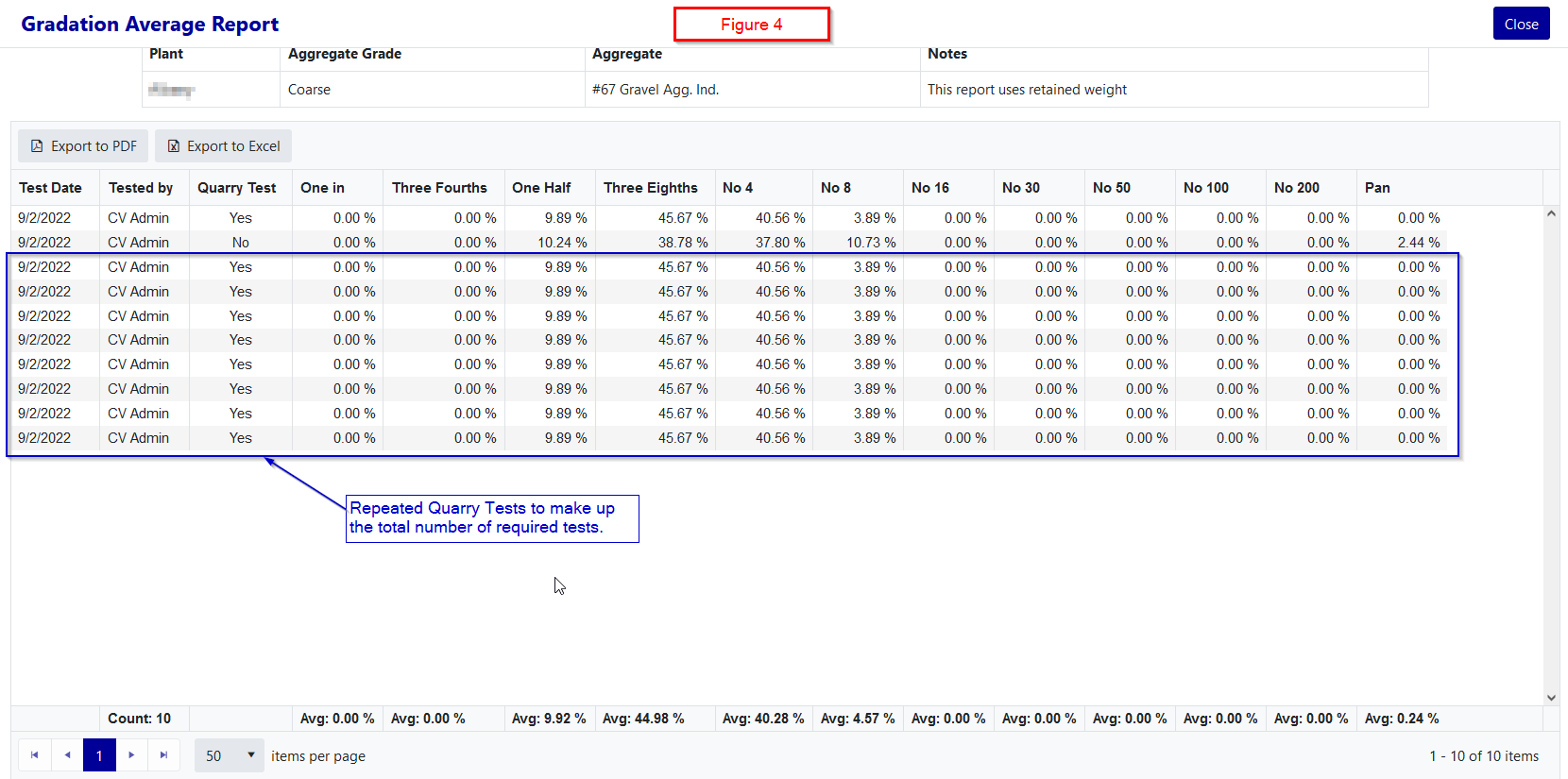
Figure 4
Was this article helpful?
That’s Great!
Thank you for your feedback
Sorry! We couldn't be helpful
Thank you for your feedback
Feedback sent
We appreciate your effort and will try to fix the article