Overview
The Job – Summary Stats tab provides a breakdown of pieces belonging to a job, grouped by product code (product type). The table offers a snapshot of piece quantities across various production statuses, giving users a quick view of job progress.
Accessing the Job – Summary Stats Screen
Select Job Lookup from the Jobs menu item (Figure 1).
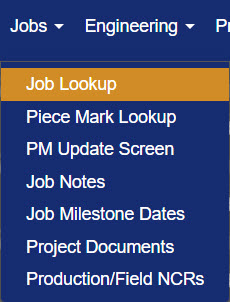
Figure 1
NOTE: Job Lookup is also available through the Engineering, Production, Quality Control, Yarding, Dispatch, Fielding, Accounting, and Reports menu items.
On the Job Search screen (Figure 2), click the Edit button (Green box, Figure 2) beside the desired job to open it.
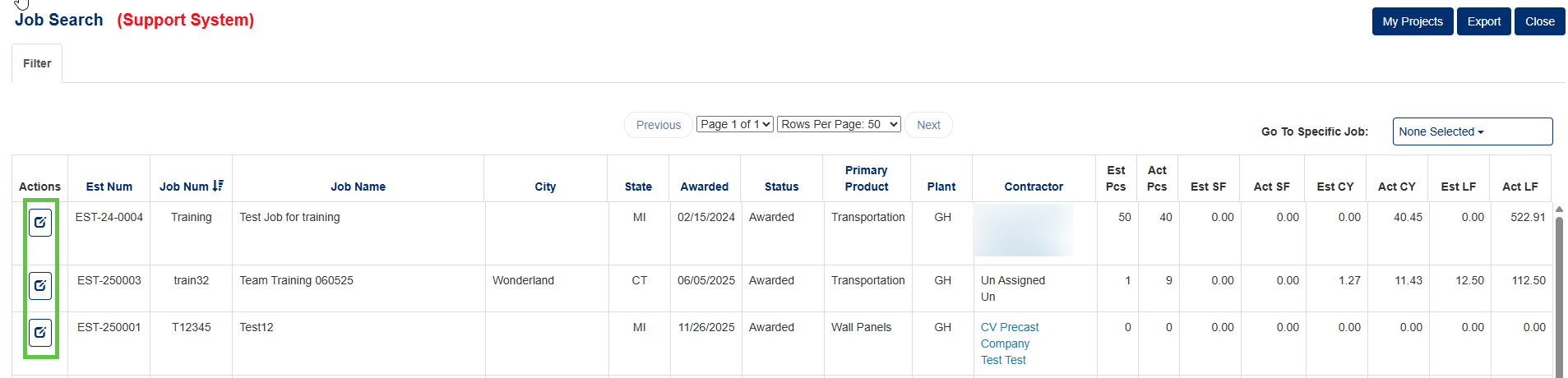
Figure 2
Once inside the job record, click the Summary tab (Green box, Figure 3) from the row of available tabs to view the Summary Stats table.
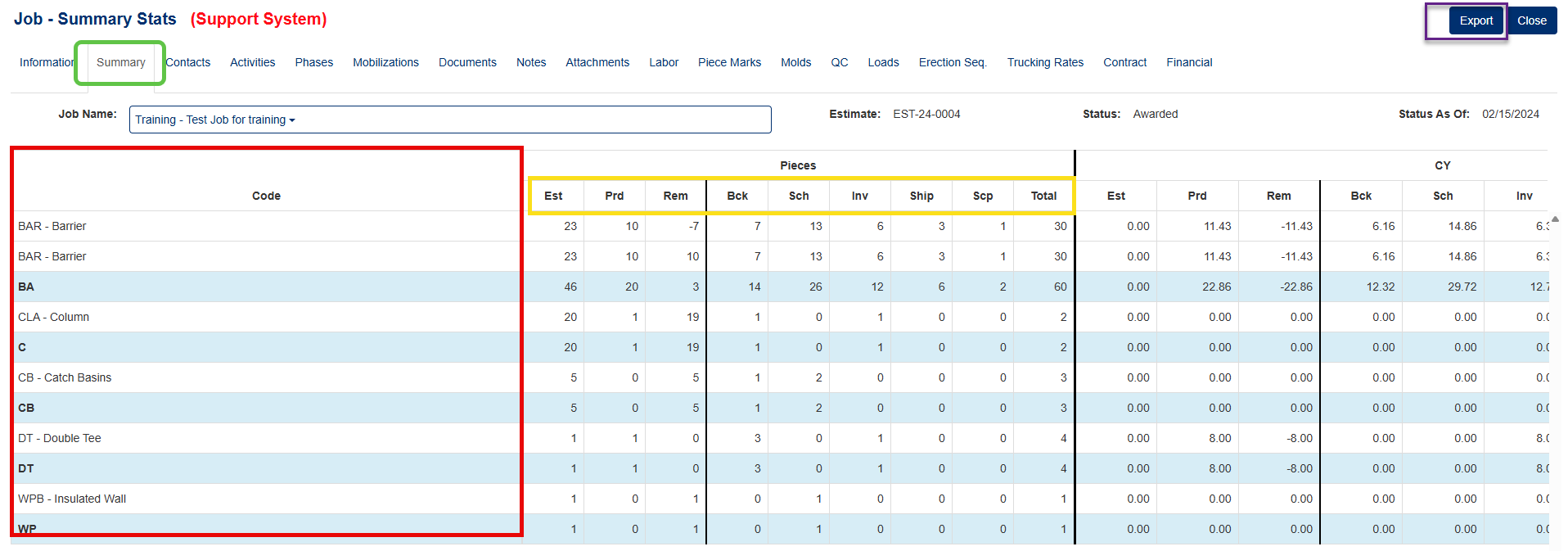
Figure 3
Job – Summary Stats Table
The table is organized into five sections, each representing a different measurement category. The Code column (Red box, Figure 3) lists the product code (product type) for each group of pieces in the job. The remaining four sections display quantities broken down by production status:
- Code: Product code (product type) of pieces in job (Red box, Figure 3).
- Pieces: Quantity of pieces in the job.
- CY: Cubic yards of pieces in the job.
- SQ: Square feet of pieces in the job.
- LF: Lineal feet of pieces in the job.
Column Headings
Each section shares the same set of column headings (Yellow box, Figure 3) which reflect the production status or count of pieces:
| Column | Description |
|---|---|
| Est | Estimated number of pieces |
| Prd | Number of pieces produced |
| Rem | Number of pieces remaining to be produced |
| Bck | Number of pieces in backlog status |
| Sch | Number of pieces scheduled to be poured |
| Inv | Number of pieces in inventory status |
| Ship | Number of pieces in shipped status |
| Scp | Number of pieces in scrapped status |
| Total | Total number of pieces in the job |
Export Job Summary Stats
The Export button (Purple box, Figure 3) located in the upper-right corner of the screen, allows users to export the Summary Stats data as an excel file for reporting or record-keeping purposes.
Was this article helpful?
That’s Great!
Thank you for your feedback
Sorry! We couldn't be helpful
Thank you for your feedback
Feedback sent
We appreciate your effort and will try to fix the article