Employee Time Allocation screen allows you to View all records of existing Employee's time sheet.
You access the Employee Time Allocation screen from the Accounting menu > Employee Time and Labor > Employee Time Allocation as shown below in Figure 1.
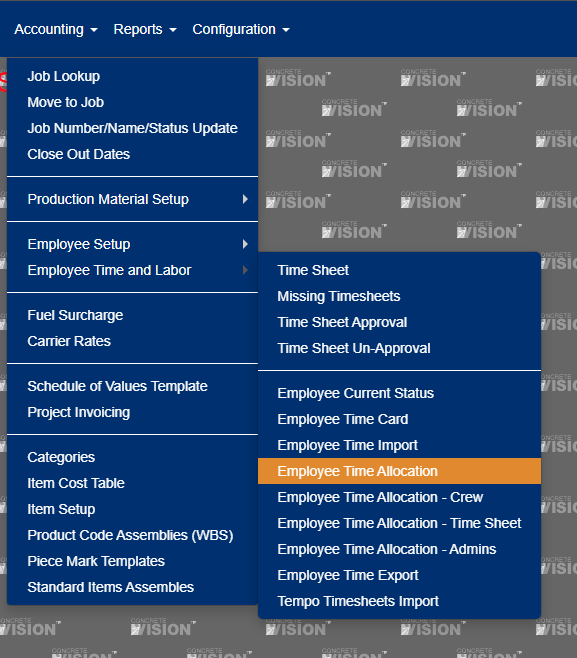
Figure 1
This will bring you to the Employee Time Allocation list screen shown in Figure 2 below. From this screen, you can View all records of existing Employee's time sheet. You can also print out the list Report or Export to Excel.
The filter section allows you to Filter down the list by the various criteria as seen in Figure 2.
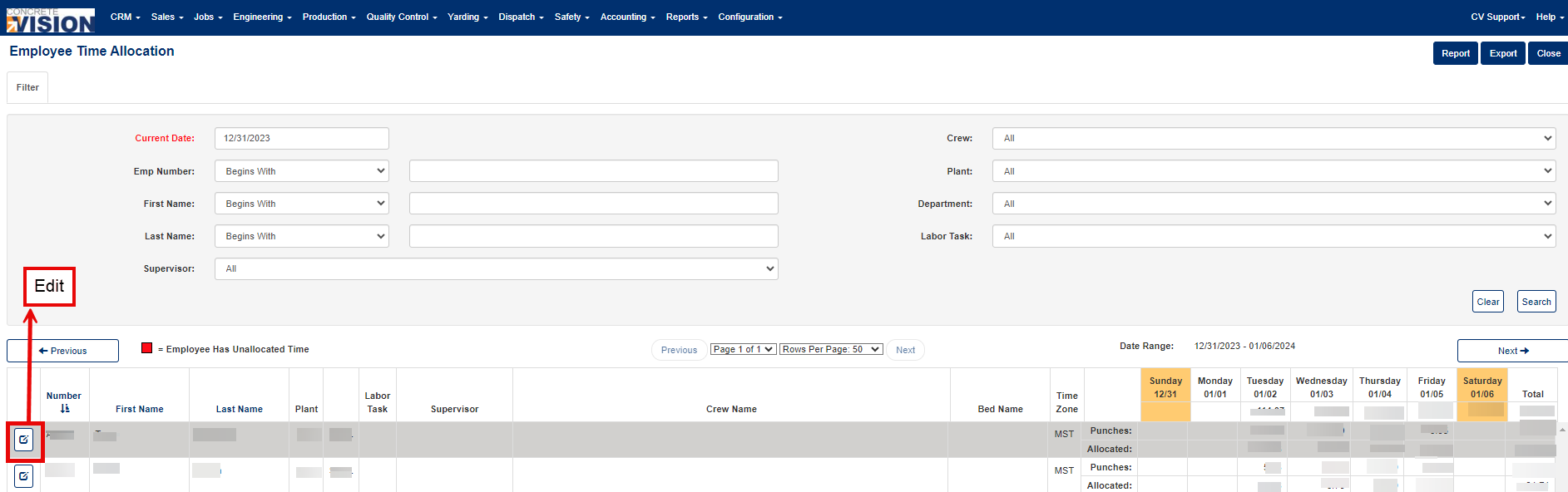
Figure 2
Edit Employee Time Allocation
Click the "Edit" button from the Employee Time Allocation list screen (see the Red box in Figure 2) to open the record of an employee (see Figure 3).
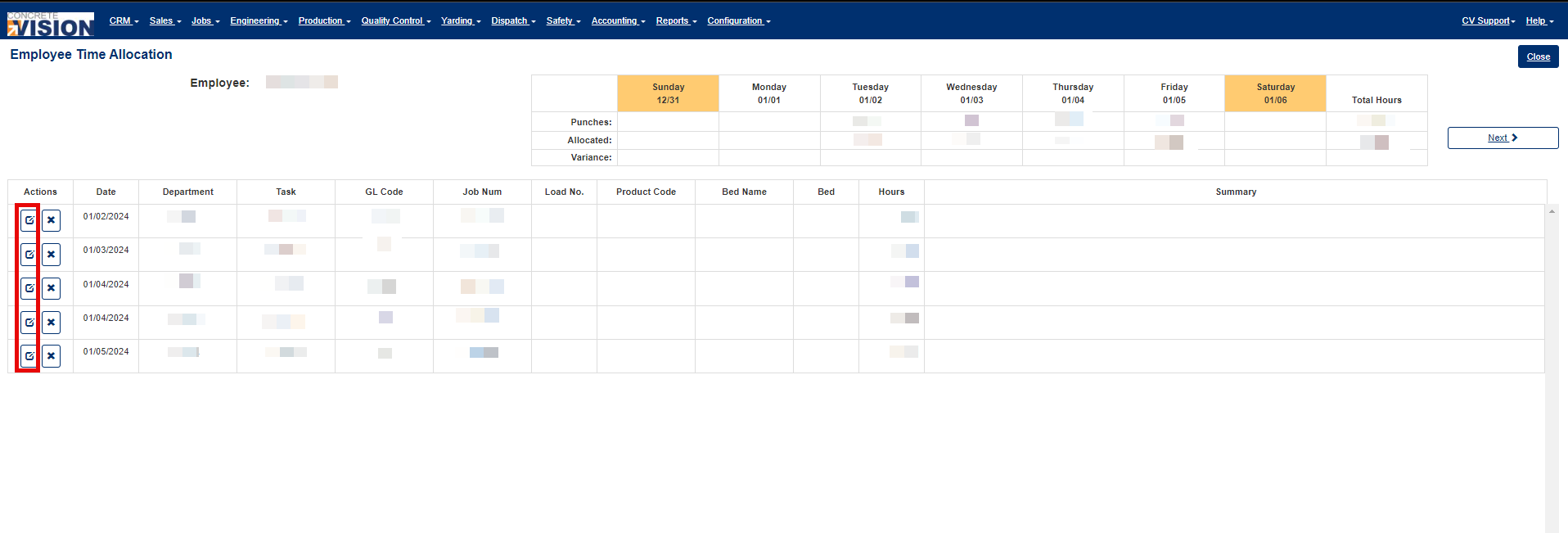
Figure 3
Click the 'Edit' button to edit the Employee's Time Allocation (Red box in Figure 3). This screen allows you to edit an employee time allocation. The following is a brief description of each field on Time Allocation.
- Location - The plant location of employee (This is a required field).
- Department - Department employee is assigned to (This is a required field) .
- Labor Task. (This is a required field).
- GL Number. (This is a required field).
- Total Hours - Number of hours worked
- Allocated Hours - Number of hours allocated to work
- Hours. (This is a required field).
- Summary - Additional notes.
- Type - The type of work done, e.g Job, Bed, Product or Load. (This is a required field).
- Job Name - A combination of Job name and the Job number. (This is a required field).
- Load Number
- Product Code
- Bed Name
- Cast
- Select 'Save' or 'Save & Close' to save changes made as seen in Red boxes Figure 4.
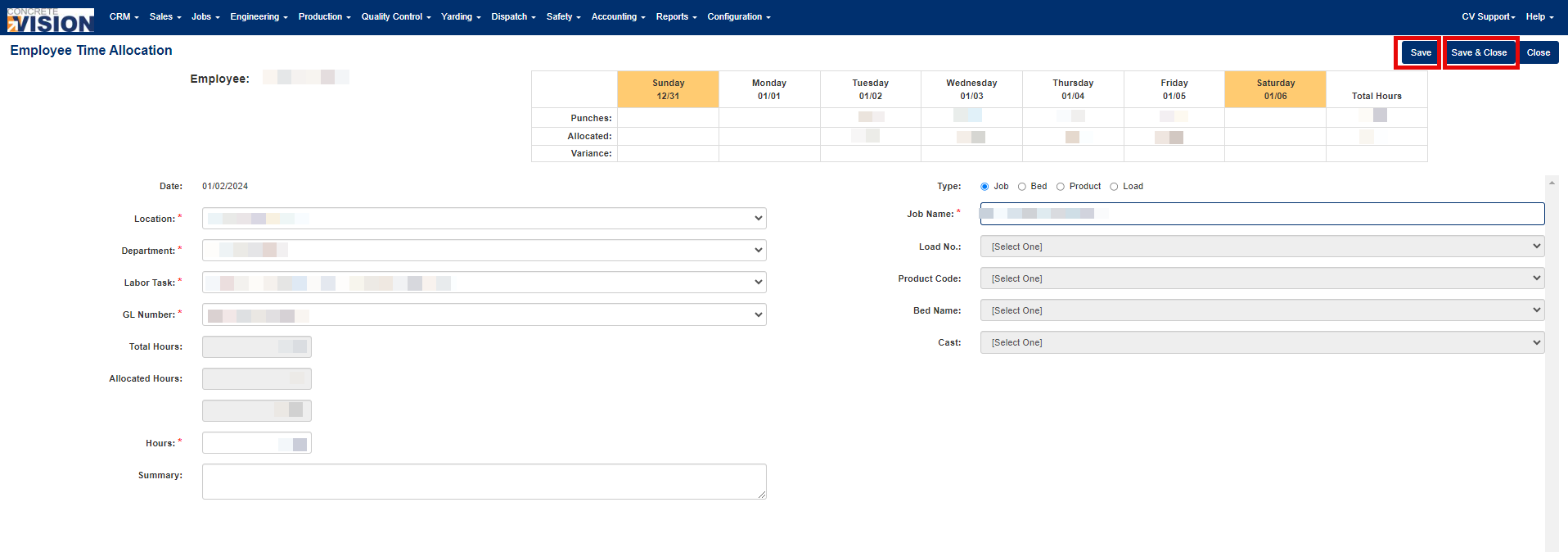
Figure 4
Was this article helpful?
That’s Great!
Thank you for your feedback
Sorry! We couldn't be helpful
Thank you for your feedback
Feedback sent
We appreciate your effort and will try to fix the article