The finishing repair NCR list screen (shown below in Figure 2) lists any production NCRs in finishing repair status.
You can access the Production NCRs - Finishing Repair screen from the Production menu > Production NCRs - Production Repair (see Figure 1 below).
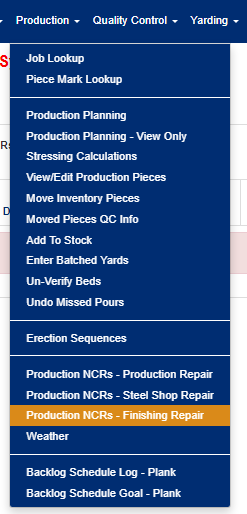 Figure 1
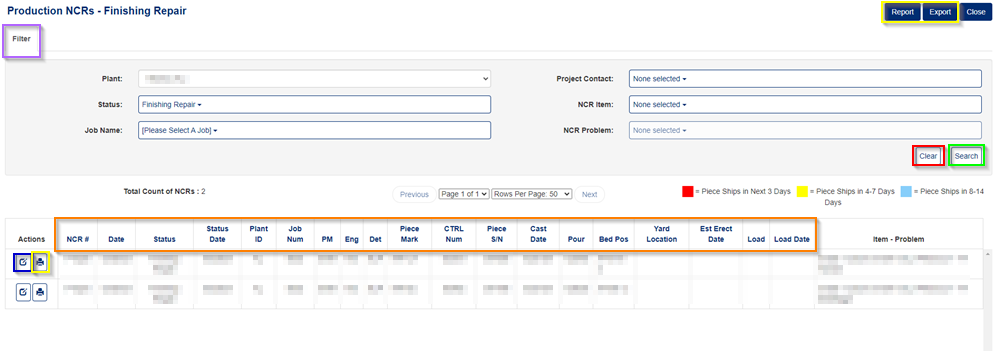
Figure 2
Filter Production NCRs - Finishing Repair
To modify the list shown on the screen, use the "filter" button (Purple box in figure 2).
- You can adjust, enter, change, select any of the inputs/items to obtain specific results or fewer.
- Click on 'Search' button (Green box in figure 2).
- Click on 'Clear' button to restore the original filter criteria. (Red box in figure 2).
Print or Export
To print or export the list of finish NCRs, click on the "Report" or "Export" buttons at the top of the screen (shown in the yellow box in Figure 1). To print an individual finishing repair NCR, click on the "print icon next to the NCR you wish to print (Yellow box in detail section in Figure 1).
Edit a Finishing Repair NCR
To edit/view a specific finishing repair NCR, click on the "edit" button next to it (Blue box in Figure 1). This will bring you to the screen shown below in Figure 3.
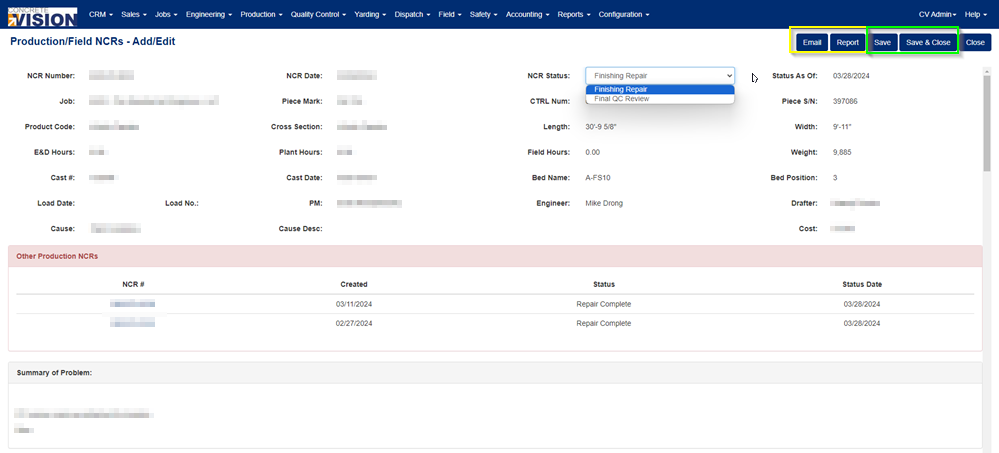
Figure 3
The "Edit" screen will have limited permissions, depending on the permissions set by your organization, but for the most part, you should still be able to add attachments and/or notes (Orange box in Figures 4 & 5), and usually change the status after the finishing repair is complete.
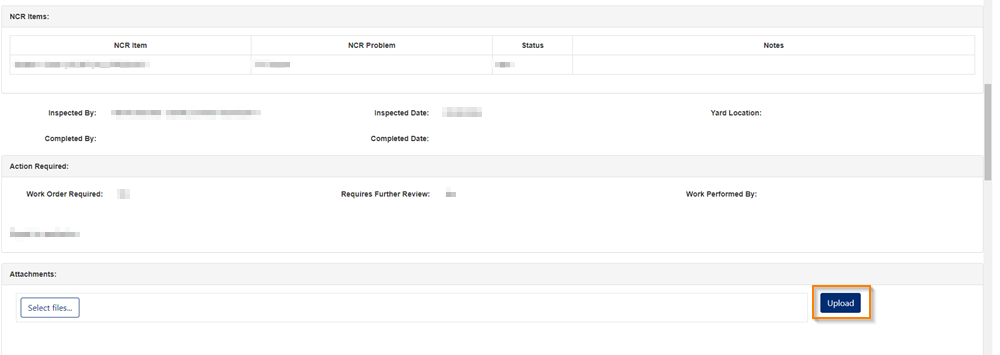
Figure 4
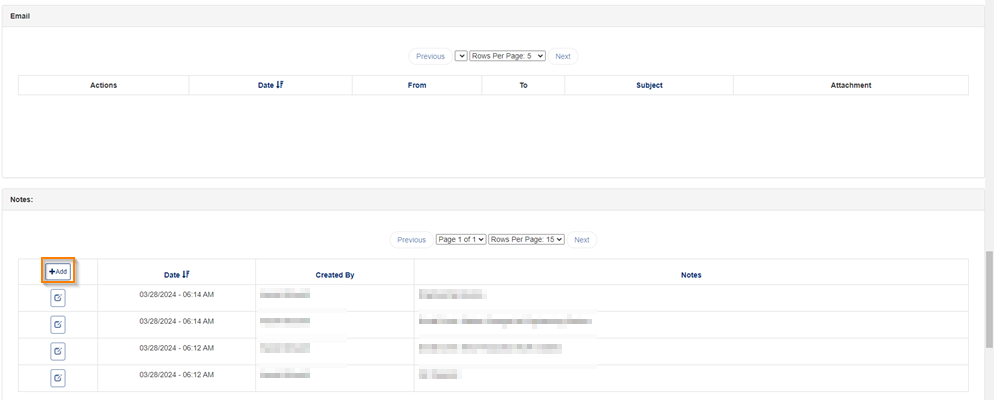
Figure 5
To save your changes, click on the "Save" or "Save & Close" buttons at the top of the screen (Green box in Figure 3). You may also wish to print or email the finishing repair NCR by clicking on the "Email" or "Print" buttons at the top of the screen (Yellow box in Figure 3).
Was this article helpful?
That’s Great!
Thank you for your feedback
Sorry! We couldn't be helpful
Thank you for your feedback
Feedback sent
We appreciate your effort and will try to fix the article