You access the Permissions – Document Menu from the Configuration > System Setup > Permissions – Document Menu, shown below in Figure 1
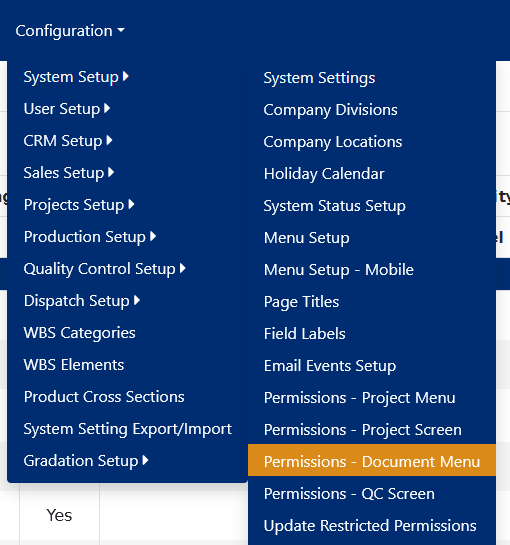
Figure 1
This menu item brings up the project document permissions list screen, shown in Figure 2. This screen lists the various project document permissions, by module.
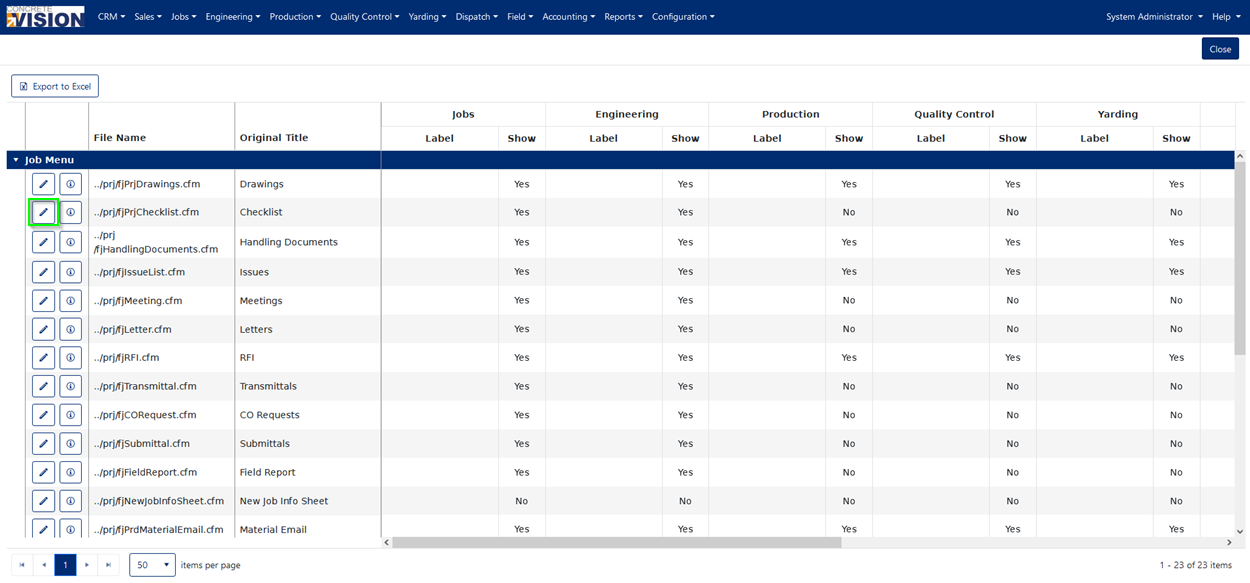
Figure 2
This screen is used to modify the Menu (Green Box on Figure 3) that is Displayed in the Job Lookup Screens and Estimate / Proposal Lookup.
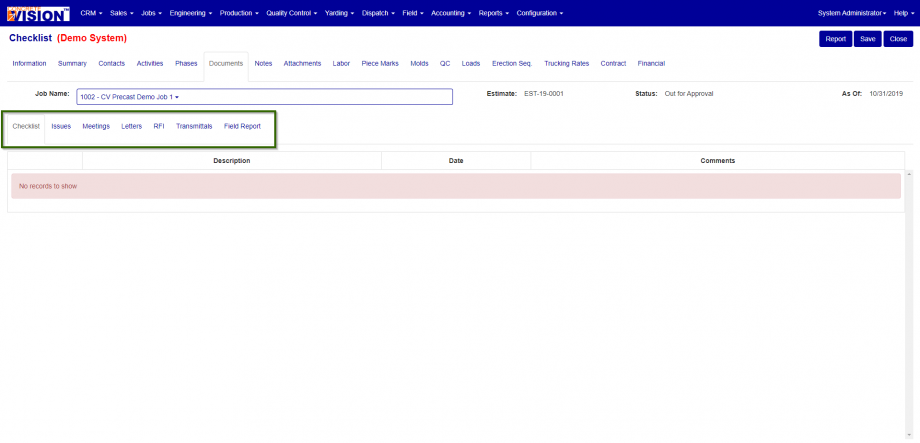
Figure 3
To modify a specific documents tab for the Jobs module:
- Find the project document tab (row) you want to modify.
- Click on the edit icon for that project document tab you want to edit (Green box in Figure 2)
- In the edit popup dialog that pops up (Figure 4),you can:
- Change the label for each document, by module, by entering a value for “Label”, under that module.
- Grant/Revoke access to a document by module by checking/un-checking the “Show” checkbox for that module.
- Change order of the tab for all modules by changing the “Order By” value.
- Disable the tab for all modules by un-checking the “Active” checkbox.
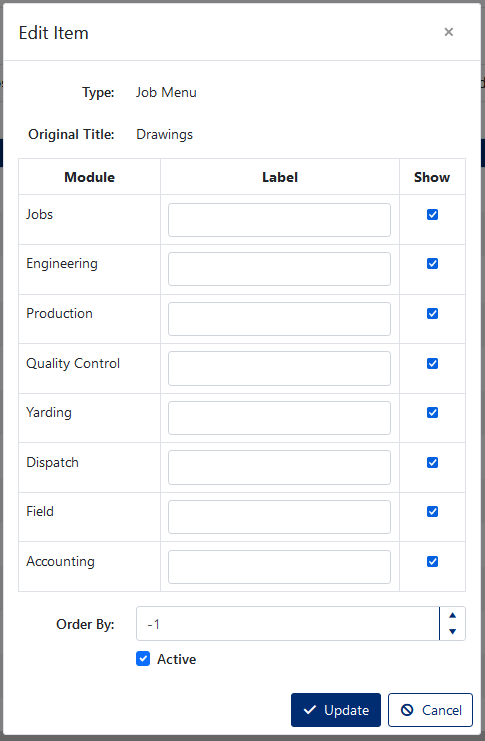
Figure 4
Was this article helpful?
That’s Great!
Thank you for your feedback
Sorry! We couldn't be helpful
Thank you for your feedback
Feedback sent
We appreciate your effort and will try to fix the article