The Countries module is where countries of the world are defined and managed. These defined countries are used throughout the Concrete Vision application as options which can be selected. Example uses for these defined countries include adding locations for contacts, plants and project contacts.
You access the Countries screen from the Configuration > System Setup menu, shown in Figure 1 below.
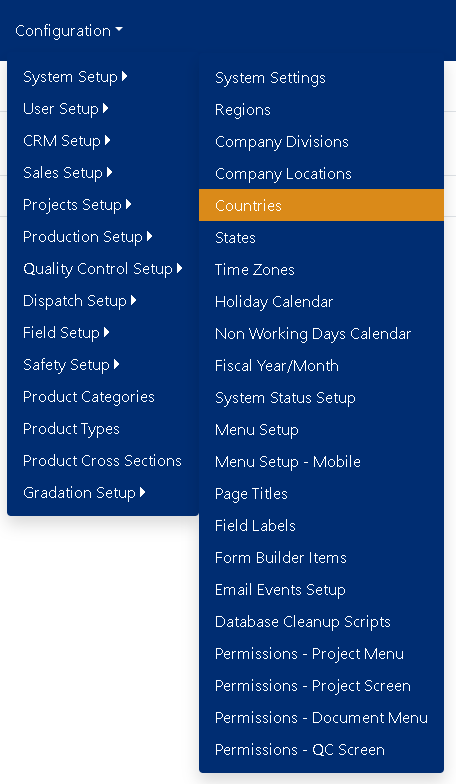
Figure 1
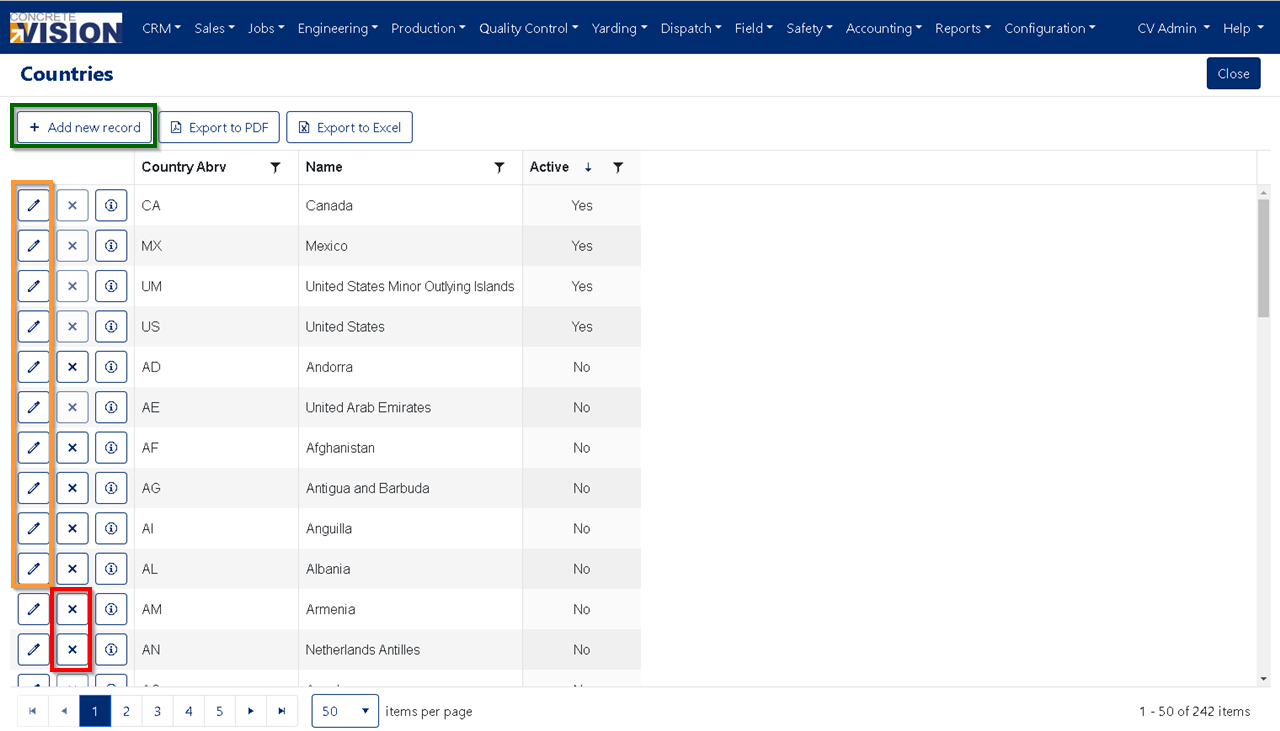
Figure 2
Add Country
Click the "Add new record" button from the main Countries screen (see the Green box in Figure 2) to open the Country Add Item window (see Figure 3).
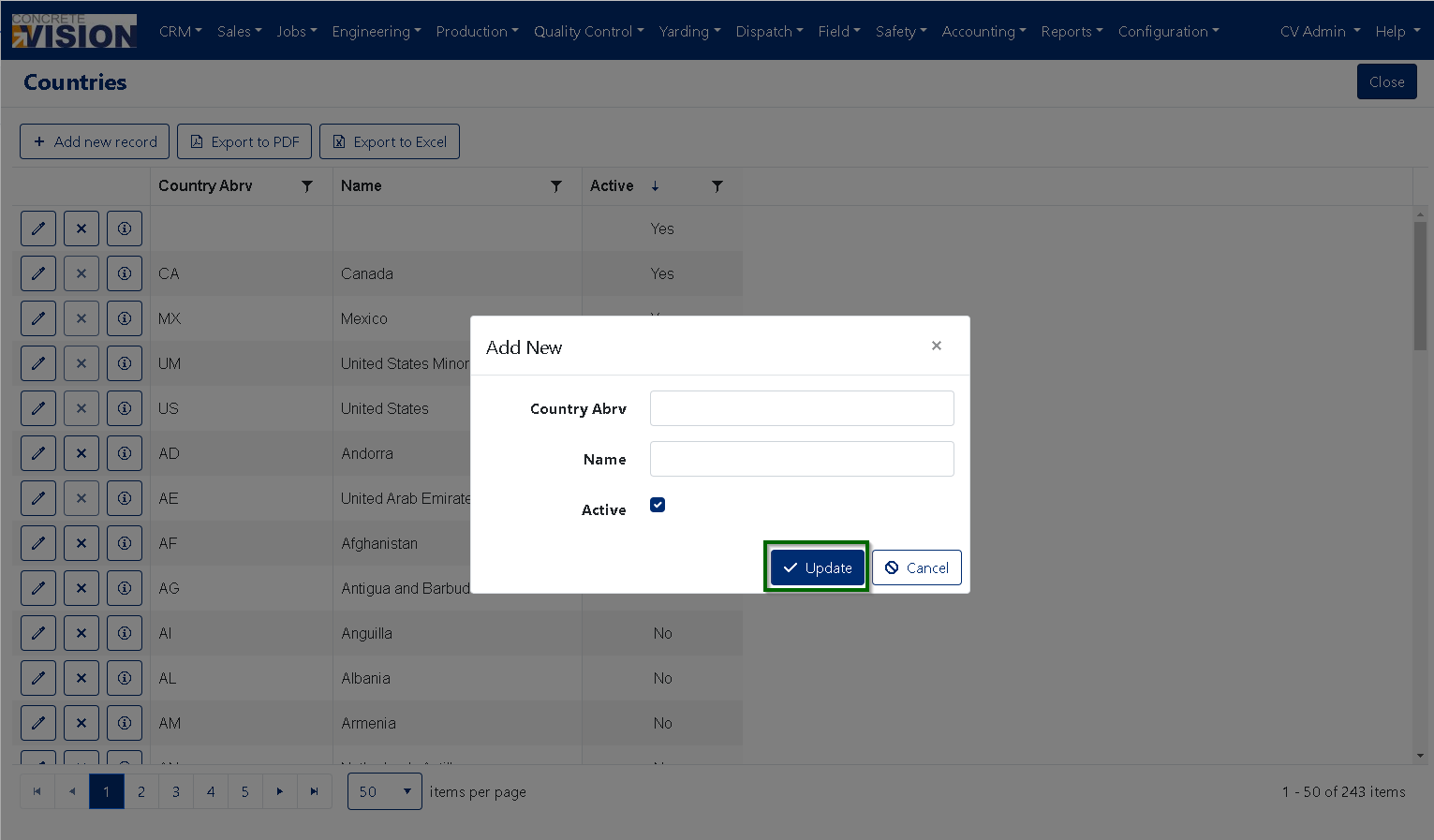
Figure 3
- Enter a Country Abbreviation. (Character Max: 50)
- Enter a Name. (Character Max: 100)
- Specify if the new Country is [ Active ] for use in the application by checking it ON/OFF .
- Click on the “Update” button to Add the new Country (see the Green box in Figure 3).
Edit Country
Click on the “Edit” button to the left the Country you’d like to edit (see the Orange box in Figure 2) this will bring up the Edit Item window (see Figure 4).
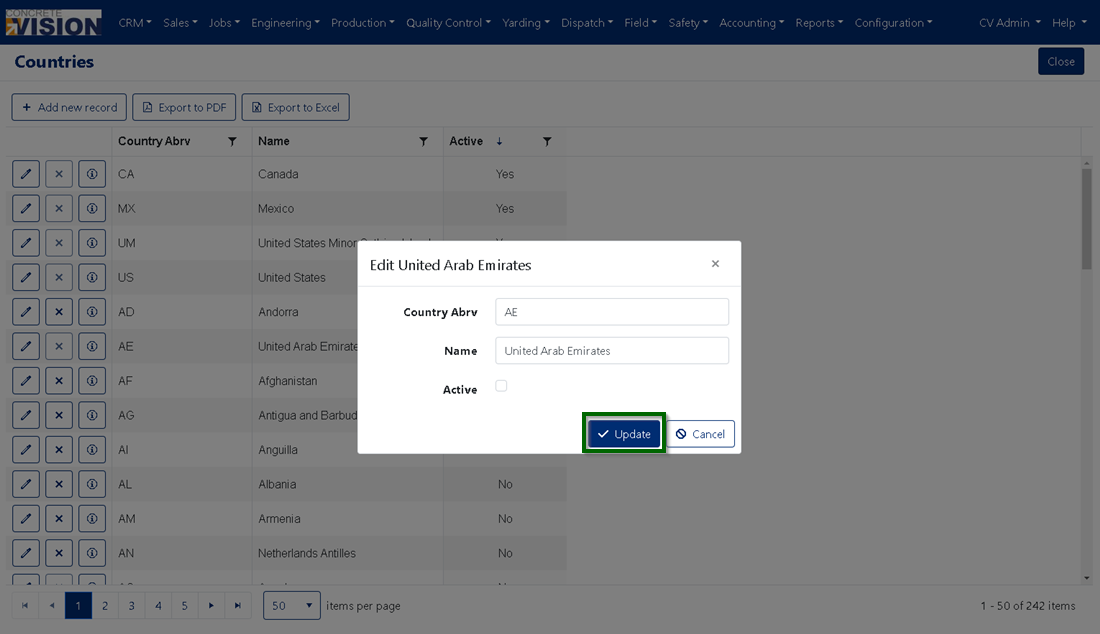
Figure 4
- You can change the Country's Abbreviation. (Character Max: 50)
- You can change the Country's Name. (Character Max: 100)
- Specify if the Country is [ Active ] for use in the application by checking it ON/OFF .
- Click on the “Update” button to Add the new Country (see the Green box in Figure 4).
Remove Country
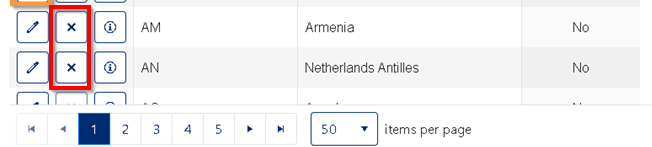
Figure 5
- Click the "Delete" button in the corresponding row of the Country you wish to remove (see Red box in Figure 5). Please note: You cannot delete a Country if it is in use
- Click "OK" in the dialogue box that appears to confirm you wish to delete the record.
Was this article helpful?
That’s Great!
Thank you for your feedback
Sorry! We couldn't be helpful
Thank you for your feedback
Feedback sent
We appreciate your effort and will try to fix the article