The Permissions-Project Menu screen is used to modify the Menu (Green Box on Figure 2) that is Displayed in the Job Lookup Screens.
You access the Permissions – Project Menu from the Configuration menu > System Setup > Permissions – Project Menu, shown below in Figure 1.
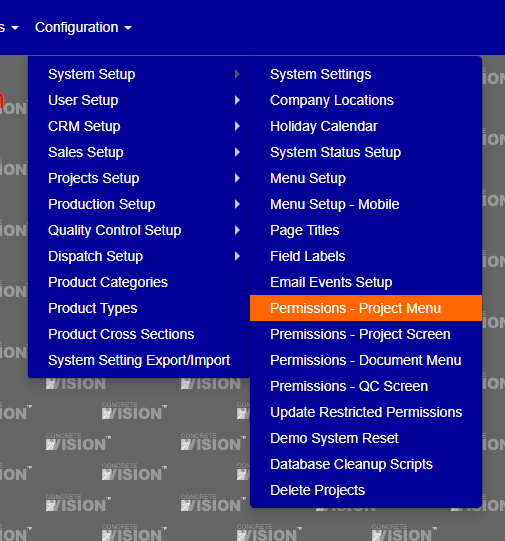
Figure 1
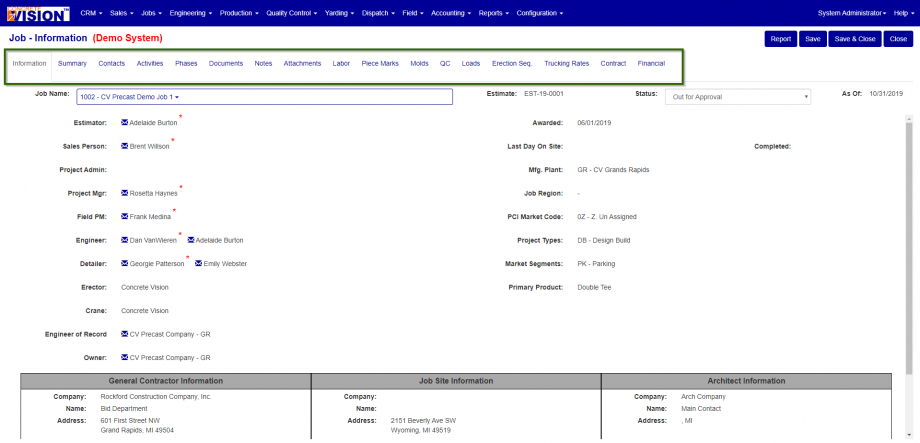
Figure 2
To modify the Information tab for the Jobs module.
- Click the Pencil icon to edit the File Name for the Information tab jfJobInfo.cfm. (Orange Box in Figure 3)
- Verify you must correct row by looking for at the Original Tile column. (Blue Box in Figure 3).
- To change the name of the tab simple, enter the new title for the tab in the text area. (Red Box in Figure 3)
- To suppress the tab, uncheck the check box. (Orange Box in Figure 3).
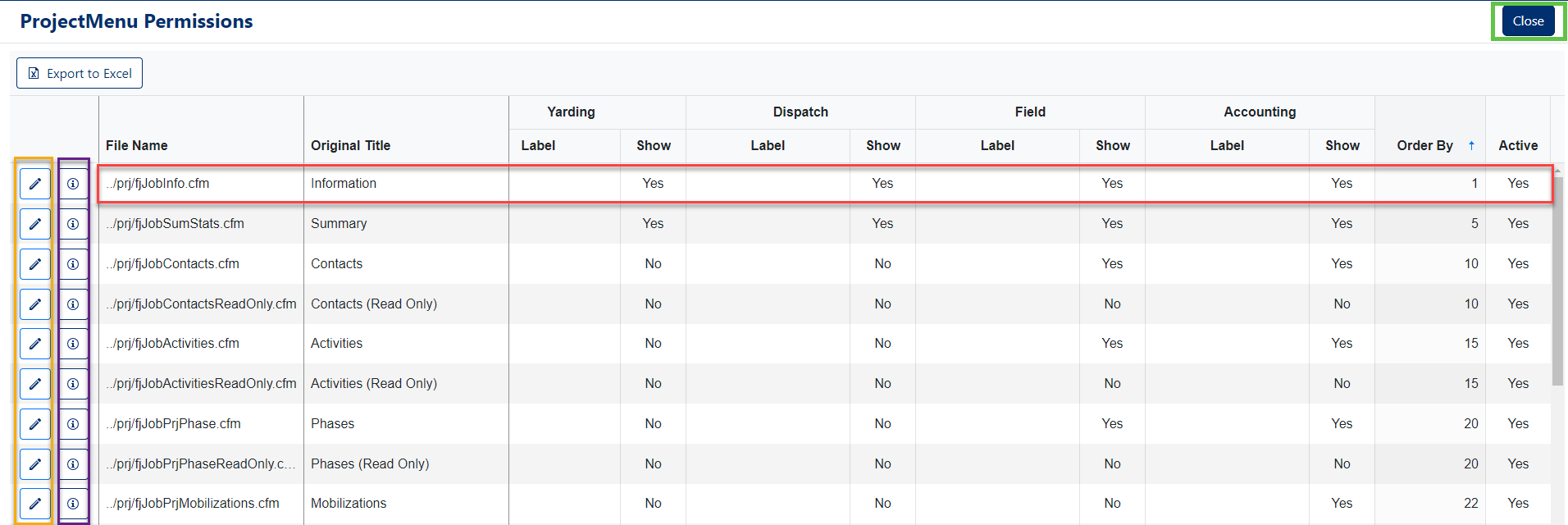
Figure 3
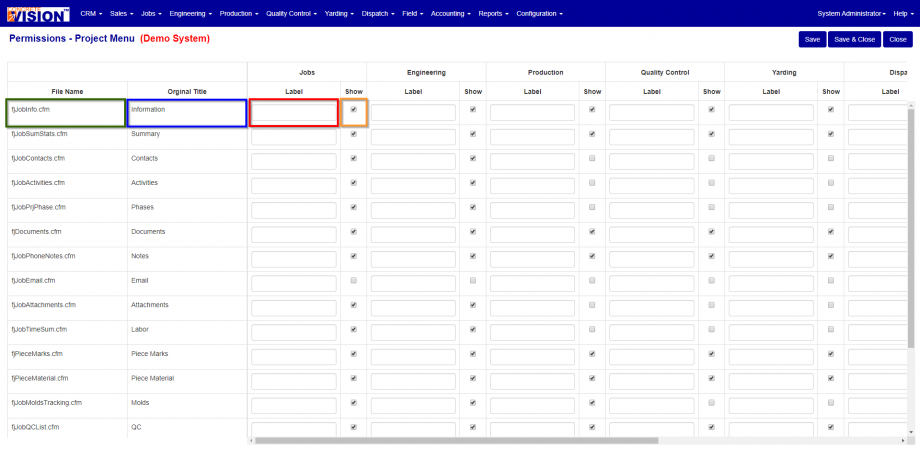
Figure 3
- If you would like to change the order of the tabs, scroll to the far right of the screen. (Red Box in Figure 4)
- IF you would like to have the tab not show up in any of the modules, simple check on the check. (Yellow Box in Figure 4)
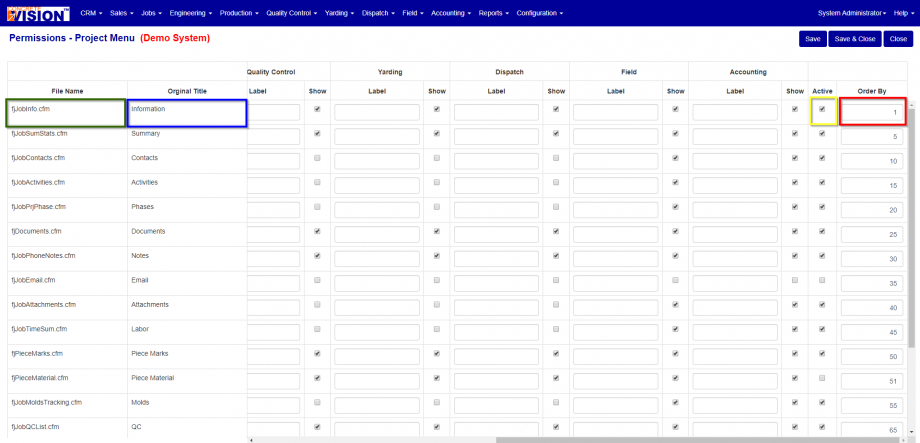
Figure 4
Was this article helpful?
That’s Great!
Thank you for your feedback
Sorry! We couldn't be helpful
Thank you for your feedback
Feedback sent
We appreciate your effort and will try to fix the article