The contact drop down setup screen, shown below in figure 2, can be accessed from the "Setup > CRM Setup > Contact Dropdown Setup" menu (figure 1).
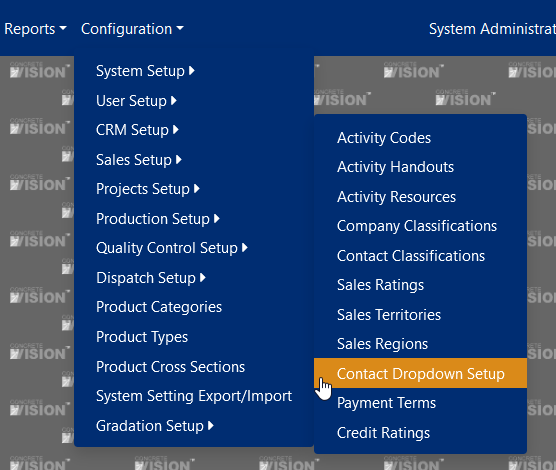
Figure 1

Figure 2
Add/Edit/Delete a Contact Drop Down List
- To add a contact drop down list, click on the "Add new record" (green box in figure 1). This will bring up the contact drop down list edit dialog (figure 2), which will allow you to enter the contact drop down list information.
- To edit a contact drop down list, click on the edit button (yellow box in figure 2). This will bring up the contact drop down list edit dialog (figure 3), that will allow you to enter the contact drop down list information.
- To delete a contact drop down list, click on the delete button (red box in figure 3) for the desired contact list. (Note that you can only delete a contact drop down list if it has no assigned contacts).
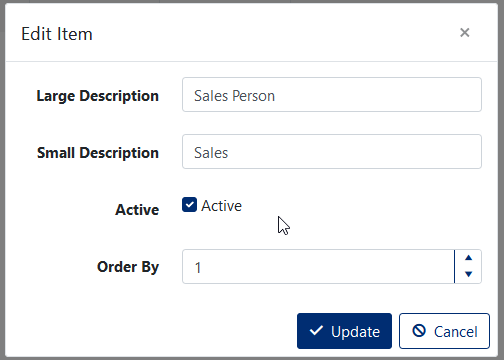
Figure 3
Maintain Drop Down List Contacts
To maintain contacts for a drop down list, click on folder icon (orange box in figure 2) next to the desired drop down list. This will bring up the contact drop down list details screen (figure 4).
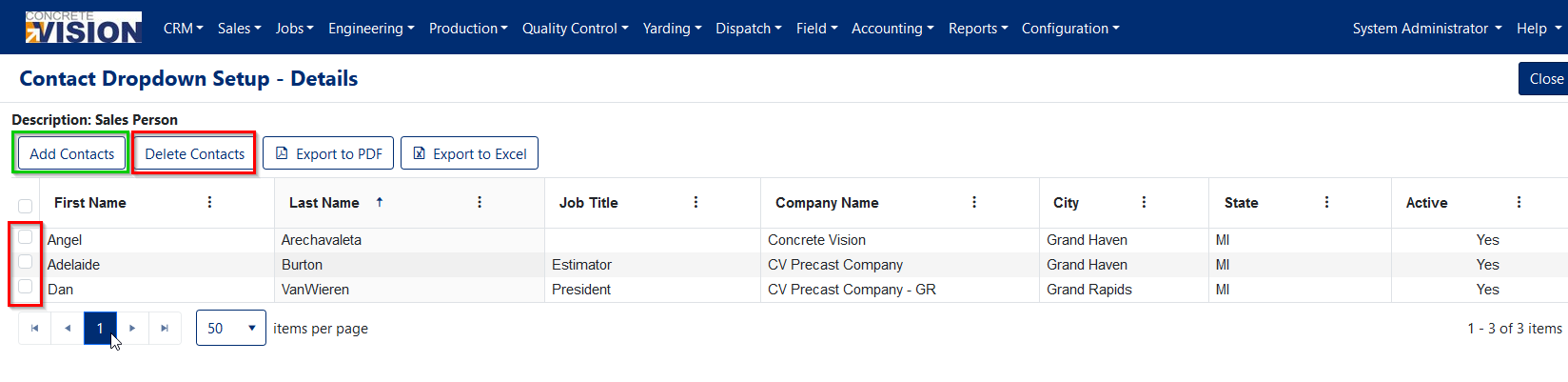
Figure 4
Add Contact(s) to a Drop Down List
To add a contact(s) to a drop down list, click on the "Add Contacts" button (green box in figure 4). This will bring up the contact search dialog (figure 5), which will allow you to select and add the desired contact(s).
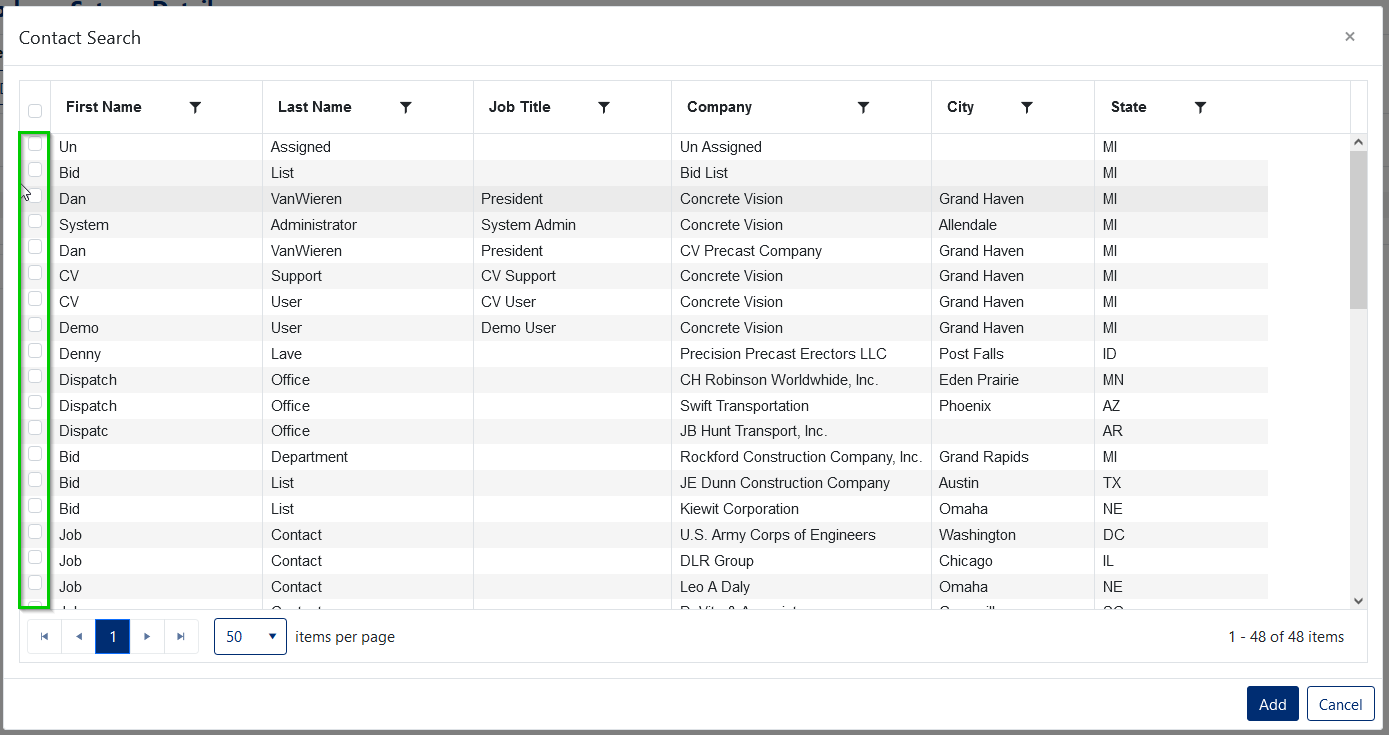
Figure 5
Remove Contact(s) from Drop Down List
To remove a contact(s) from a drop down list, select the desired contact(s) from the contacts detail screen (figure 4), and click on the "Delete Contacts" button (red box in figure 4).
Was this article helpful?
That’s Great!
Thank you for your feedback
Sorry! We couldn't be helpful
Thank you for your feedback
Feedback sent
We appreciate your effort and will try to fix the article