Mobile Pick List
From the Pick List mobile screen you can do the following:
- Assign pieces to specific trailers
- Mark pieces as loaded
- Swap pieces assigned to loads
You can get to the Mobile Pick List Screen via the Dispatch module while in the mobile version of Concrete Vision (shown below in Fig. 1)
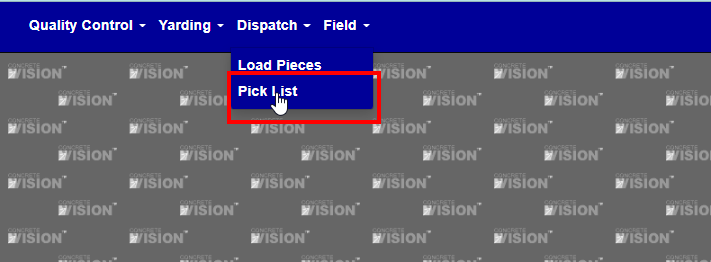
Figure 1.
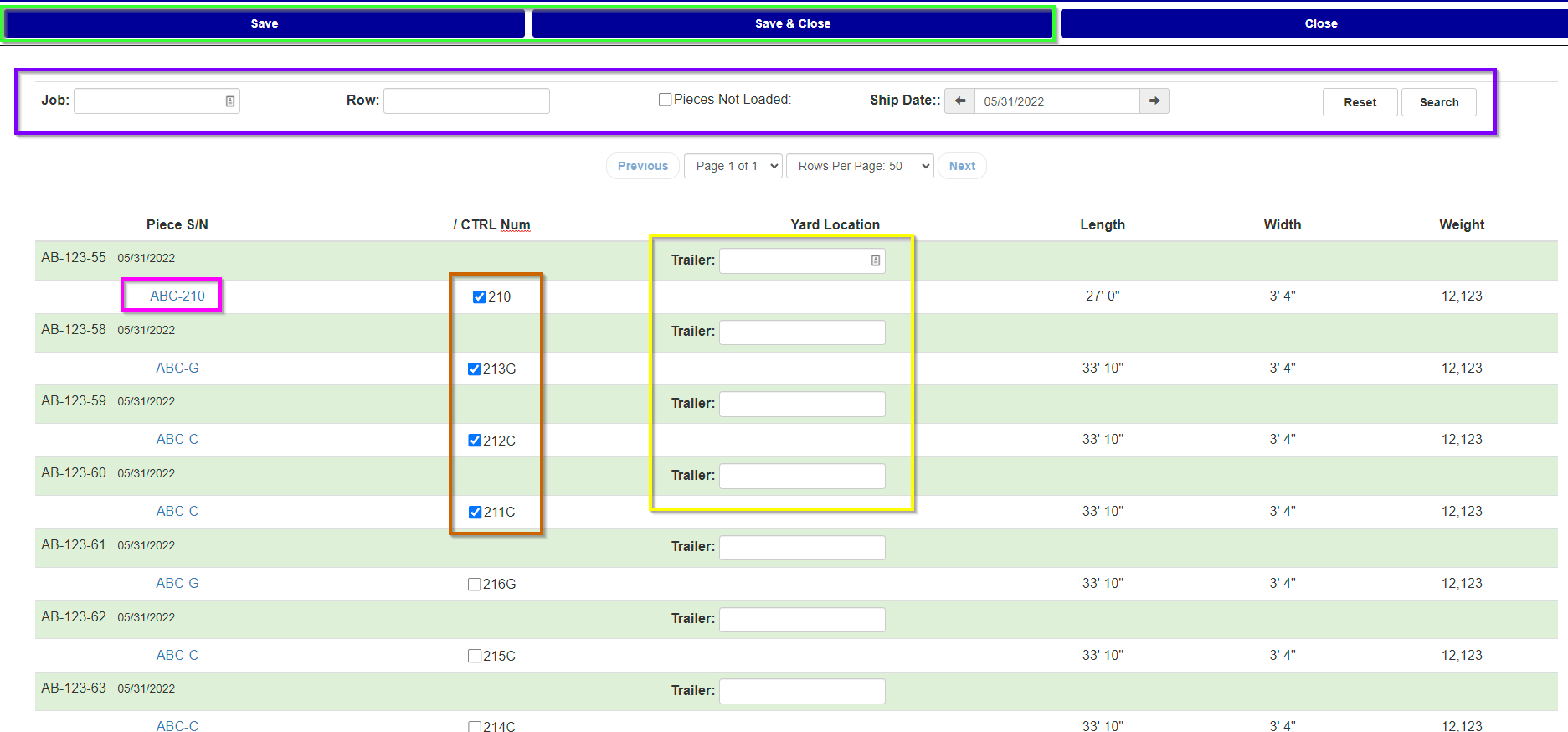
Figure 2.
The screen displays pieces grouped by Job and Delivery Date. By default the screen will show all pieces available for the next day (so if you went to the screen on 5/31 it would show all records for 6/1).
You can search for specific information though by using the filter at the top of the screen (Purple Box in Fig. 2)
** TO SAVE ANY CHANGED INFORMATION AFTER YOU MARK PIECES AS LOADED OR ADJUSTED TRAILERS, USE THE SAVE OR SAVE & CLOSE BUTTON (Green Box in Fig. 2)
To assign a piece to a trailer, fill in the corresponding trailer column for the piece (Yellow Box in Fig. 2)
To mark a piece as Loaded, check the box in the corresponding ‘/CTRL Num’ column (Brown Box in Fig. 2)
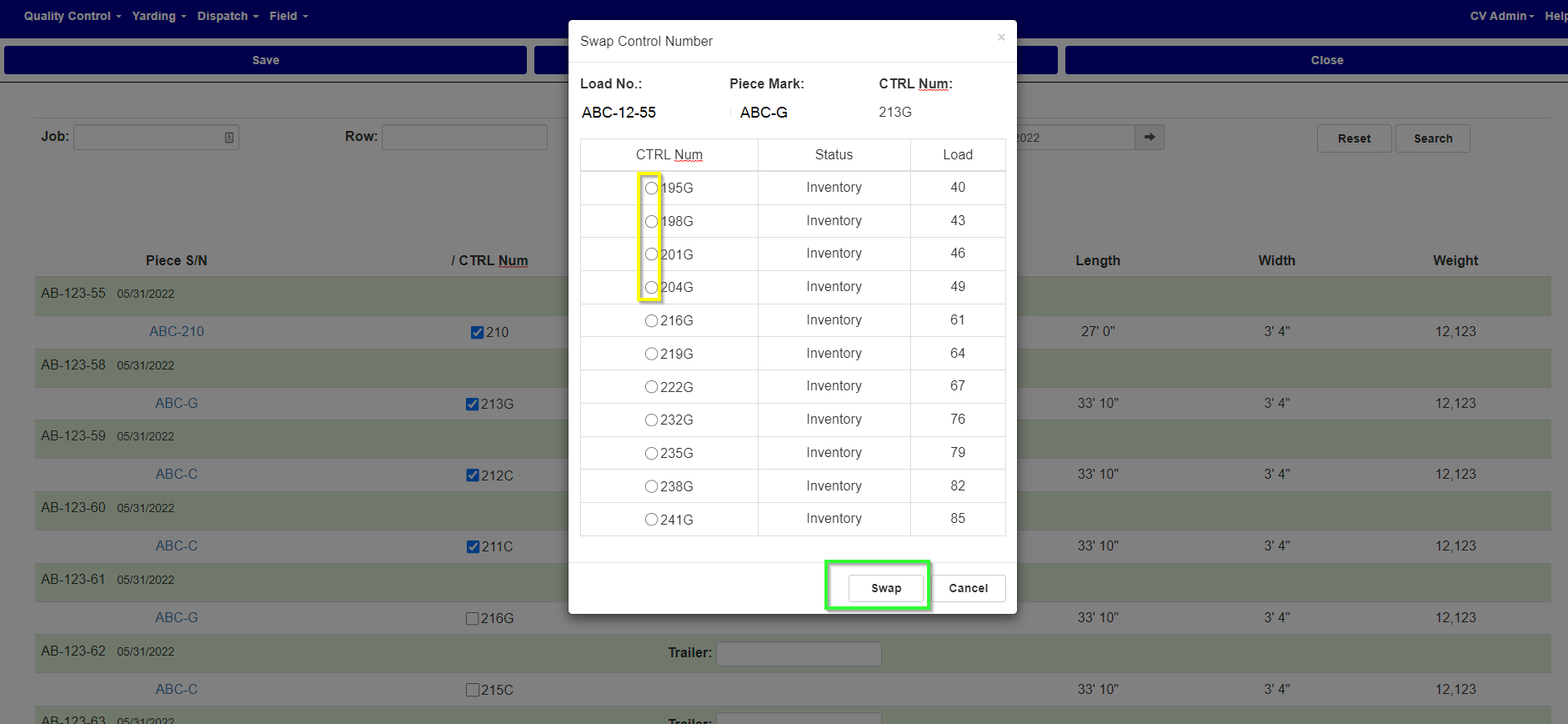
Figure 3.
**SAVE ANY INFORMATION YOU HAVE CHANGED TO TRAILERS OR MARKING PIECES AS LOADED BEFORE SWAPPING PIECES
To Swap a specific piece for another, you first open the swap window by pressing the link on the corresponding Piece S/N column of the piece (Pink Box in Fig 2). Then will be presented with alternative pieces to swap with (Fig. 3). Once you select the piece you wish to swap with, by marking the corresponding button next to the CTRL Num you wish to swap with (Yellow Box in Fig. 3), press the Swap button (Green Box in Fig. 3) to complete the swap.
Was this article helpful?
That’s Great!
Thank you for your feedback
Sorry! We couldn't be helpful
Thank you for your feedback
Feedback sent
We appreciate your effort and will try to fix the article