You access the Missing Timesheet screen from the Accounting > Employee Time and Labor sub-menu, shown below.
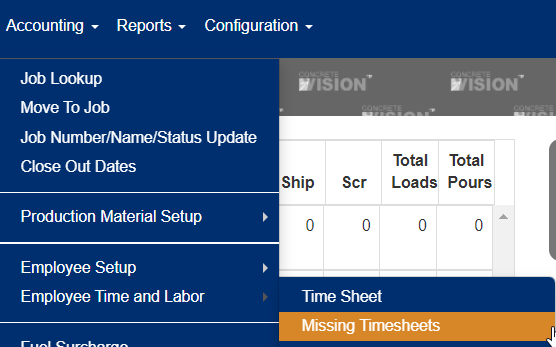
Figure 1
The Missing Timesheet screen (see Figure 3) is where you can view and notify employees of missing timesheets.
Search for Missing Timesheets
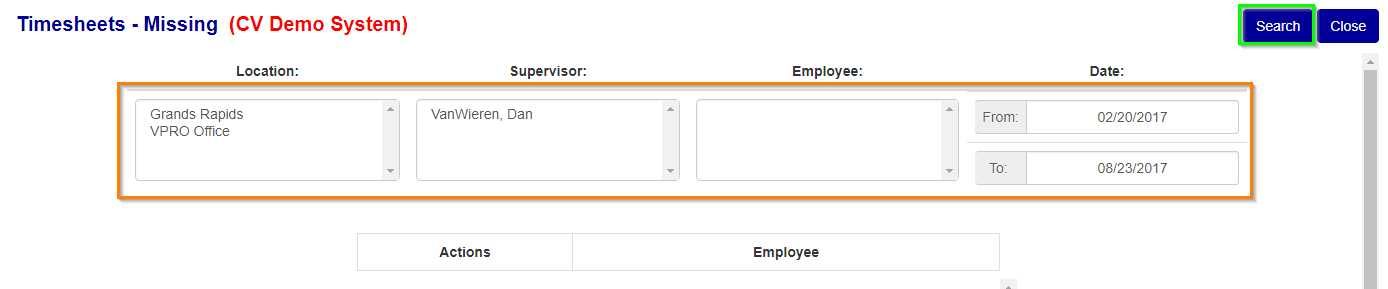
Figure 2
** You can select multiple items in each box by either holding down the "shift" key to select all items between 2 items or the "ctrl" key and individually selecting items.
To search for missing timsheets, select the applicable items you want to search for at the top of the screen (see Orange box in Figure 2) and then clicking "search" (see Green box in Figure 2).
View Missing Timesheet
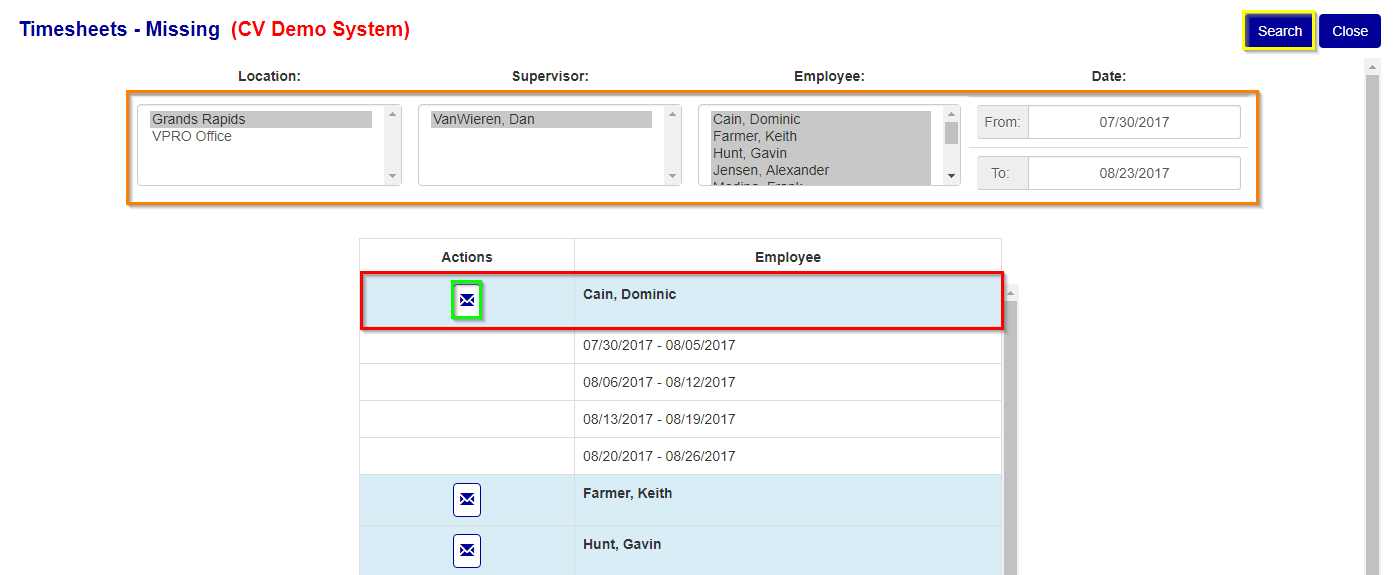
Figure 3
- To view an employees missing timsheets click anywhere within the blue header (see Red box in Figure 3) of the employee you wish to view to activate the dropdown list of their missing timesheets.
- To send an email notification to alert that employee of their missing timsheets click on the "E-Mail" button (see Green box in Figure 3) corresponding to that employee.
Was this article helpful?
That’s Great!
Thank you for your feedback
Sorry! We couldn't be helpful
Thank you for your feedback
Feedback sent
We appreciate your effort and will try to fix the article