The screen is used to update the load detail information, the screen allows for tracking of the Invoice number, updating the Driver, Tractor, Trailer, Carrier, Permit, Escort, Toll, Detention and Other, and for tracking the dates and times for the load events.
You access Concrete Log from the Dispatch > Load Times and Charges, shown below.
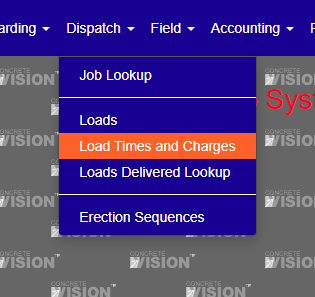
Figure 1
The Load Times and Charges search screen (see Figure 2) is where you can search for loads for a given job, type, status, load no, invoice number and if the load has been completed.
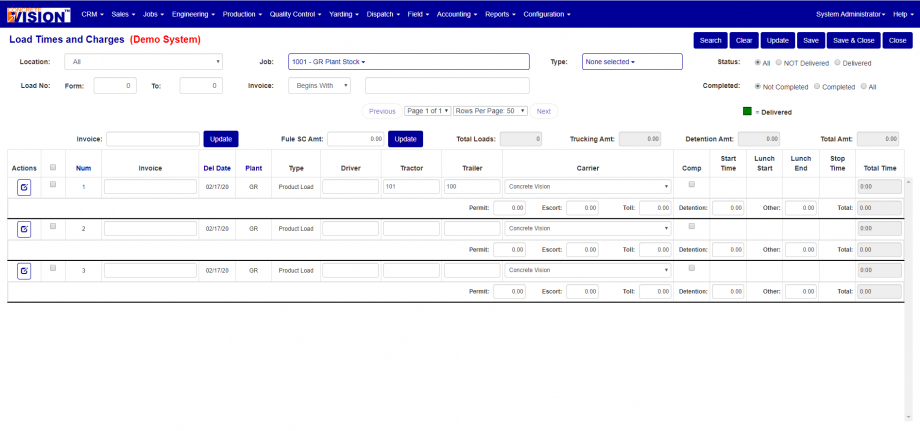
Figure 2
The Load Times and Charges search result screen (see Figure 3)
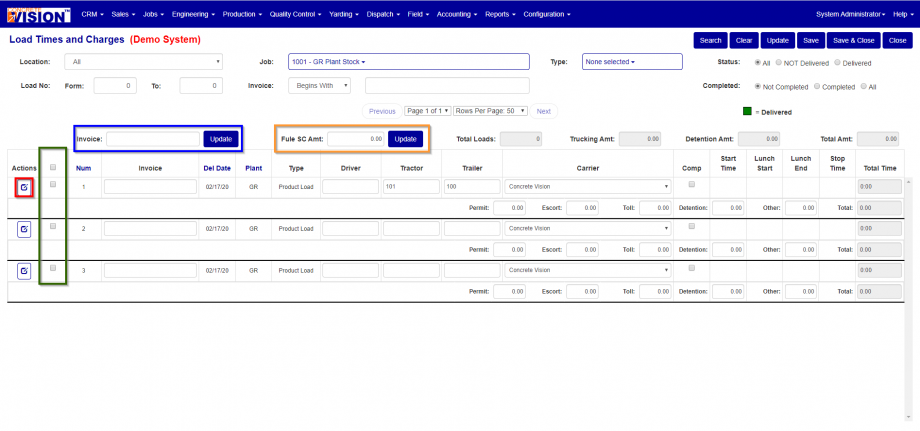
Figure 3
From the search result screen you can modify some of the date related to the load.
You can update the following fields.
- Invoice Number
- Driver
- Tractor
- Trailer
- Carrier
- If the load is Complete
- Permit Amount
- Escort Amount
- Toll Amount
- Detention Amount
- Other Amount
Update Invoice Number for Multiple Loads at one time.
- To update the invoice number for multiple loads at once fill in the invoice number in the Invoice text box (see Figure 3 Blue Box)
- Select the loads you would like to update by selecting the check box to the left of the load (see Figure 3 Green Box).
- Click on the button next to the invoice text box (see Figure 3 Blue Box)
Update Fuel Surcharge Amount for Multiple Loads at one time.
- Select the loads you would like to update by selecting the check box to the left of the load you would like to update (see Figure 3 Green Box).
- Filling in the invoice number that you would like to update the selected loads in the invoice text field (see Figure 3 Orange Box).
- After you fill in the invoice number click on the button next to the invoice text field (see Figure 3 Orange Box)
Edit Load Times and Charges
To edit a load time and charges for a specific load select the button to the left of the row (see Figure 3 Red Box).
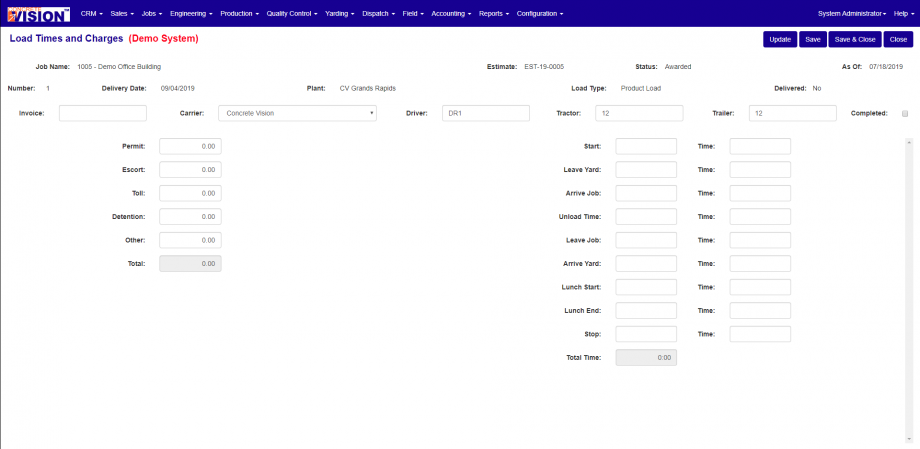
Figure 4
Under the Load Time and Charges Single Edit Screen.
You can edit the following.
- Invoice
- Carrier
- Driver
- Tractor
- Trailer
- Completed
- Permit Amount
- Escort Amount
- Toll Amount
- Detention Amount
- Other Amount
- Start Date/Time
- Leave Yard Date/Time
- Arrive Job Date/Time
- Unload Time Date/Time
- Arrive Yard Date/Time
- Lunch Start Date/Time
- Lunch End Date/Time
- Stop Date/Time
Was this article helpful?
That’s Great!
Thank you for your feedback
Sorry! We couldn't be helpful
Thank you for your feedback
Feedback sent
We appreciate your effort and will try to fix the article