Overview
The Loads Delivered Lookup screen allows you to search for delivered loads and mark them as undelivered when necessary. This feature is useful for correcting delivery records or handling situations where loads need to be re-dispatched.
Accessing the Screen
Navigate to Dispatch menu > Loads Delivered Lookup (Figure 1).
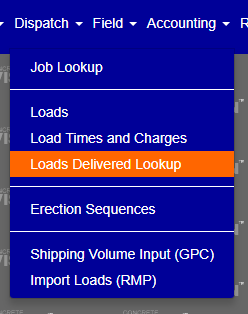 Figure 1
Viewing Delivered Loads
When you first open the Loads Delivered Lookup screen, no data will be displayed (Figure 2). You must apply at least a Location filter to view results.
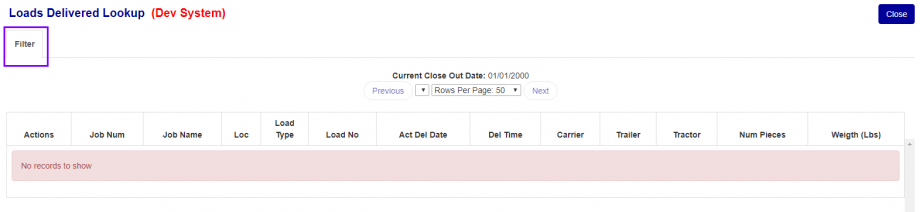
Figure 2
Using the Filter
The filter menu allows you to narrow down search results based on multiple criteria.
To open the filter:
- Click the Filter button at the top of the screen (purple box in Figure 2)
- The filter panel will expand, showing available search options (Figure 3)

Figure 3
Available Filter Options:
- Location (required) - Select the plant location to search
- Job Name - Populated after selecting a Location
- Carrier - Populated after selecting a Job Name
- Date From / Date To - Specify a date range
- Load From / Load To - Filter by load number range
- Type - Select load type (View selected types indicated with checkmark)
Note: The Job Name dropdown only populates after a Location has been selected, and the Carrier dropdown only populates after a Job Name is selected.
Filter Actions
- Search (Green box, Figure 3) - Apply the current filter settings and display results
- Clear (Red box, Figure 3) - Reset all filter fields to default
- Filter (Purple box, Figure 3) - Toggle the filter panel open/closed
Marking Loads as Undelivered
Once you've filtered and displayed delivered loads, you can mark any load as undelivered.
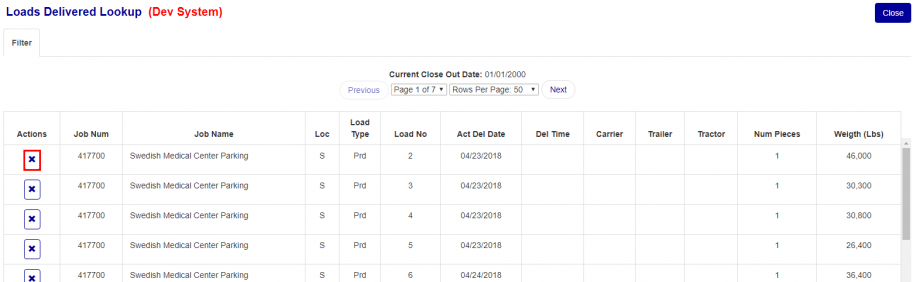
Figure 4
To mark a load as undelivered:
- Locate the load in the results table
- Click the X button in the Actions column (red box in Figure 4)
- A confirmation dialog will appear asking: "Are you sure you want to undeliver this record?" (Figure 5)
- Click OK to confirm, or Cancel to abort
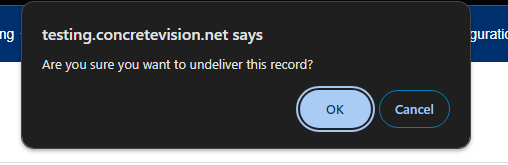
Figure 5
Result: The load will be marked as undelivered and removed from the delivered loads list.
Loads Search Results Table Columns Reference
The results table displays the following information:
- Actions - Contains the X button to mark loads as undelivered
- Job Name - Name of the job associated with the load
- Job Name - Job identifier
- Loc - Location code of the plant
- Load Type - Type of load (e.g. Product Load)
- Load No - Load number
- Act Del Date - Actual delivery date
- Del Time - Delivery time
- Carrier - Carrier name
- Trailer - Trailer identifier
- Tractor - Tractor identifier
- Num Pieces - Number of pieces delivered
- Weight (Lbs) - Total weight in pounds
Was this article helpful?
That’s Great!
Thank you for your feedback
Sorry! We couldn't be helpful
Thank you for your feedback
Feedback sent
We appreciate your effort and will try to fix the article