Overview
The Loads screen is used to create and manage delivery loads for jobs in Concrete Vision. Loads organize which pieces are being delivered, when, and by which carrier.
Note: Before creating a load, you must have an active job with pieces assigned to it. Pieces must be added to the job before a load can be created.
Accessing the Loads Screen
From the main menu, navigate to Dispatch > Loads (Figure 1). This will open the Loads screen (Figure 2).
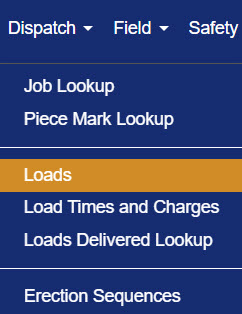
Figure 1
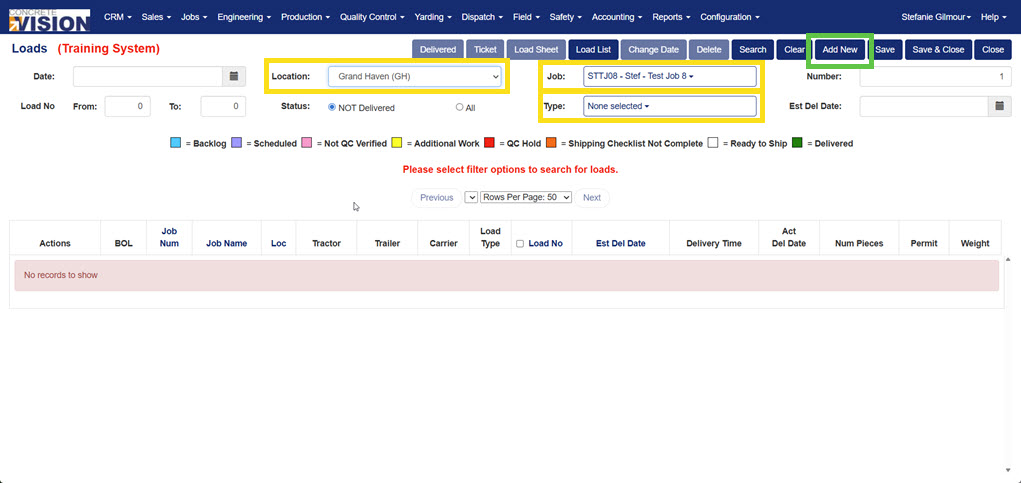
Figure 2
Creating a New Load
From the Loads screen, follow these steps:
- Select the Location from the dropdown (Yellow box, Figure 2).
- Select the Job from the dropdown (Yellow box, Figure 2).
- Select the Load Type from the dropdown (Yellow box, Figure 2).
- Click the Add New button (Green box, Figure 2).
A new load record will appear in the table below (Figure 3).
Tip: If the new load doesn't appear immediately, click Search to refresh the results.
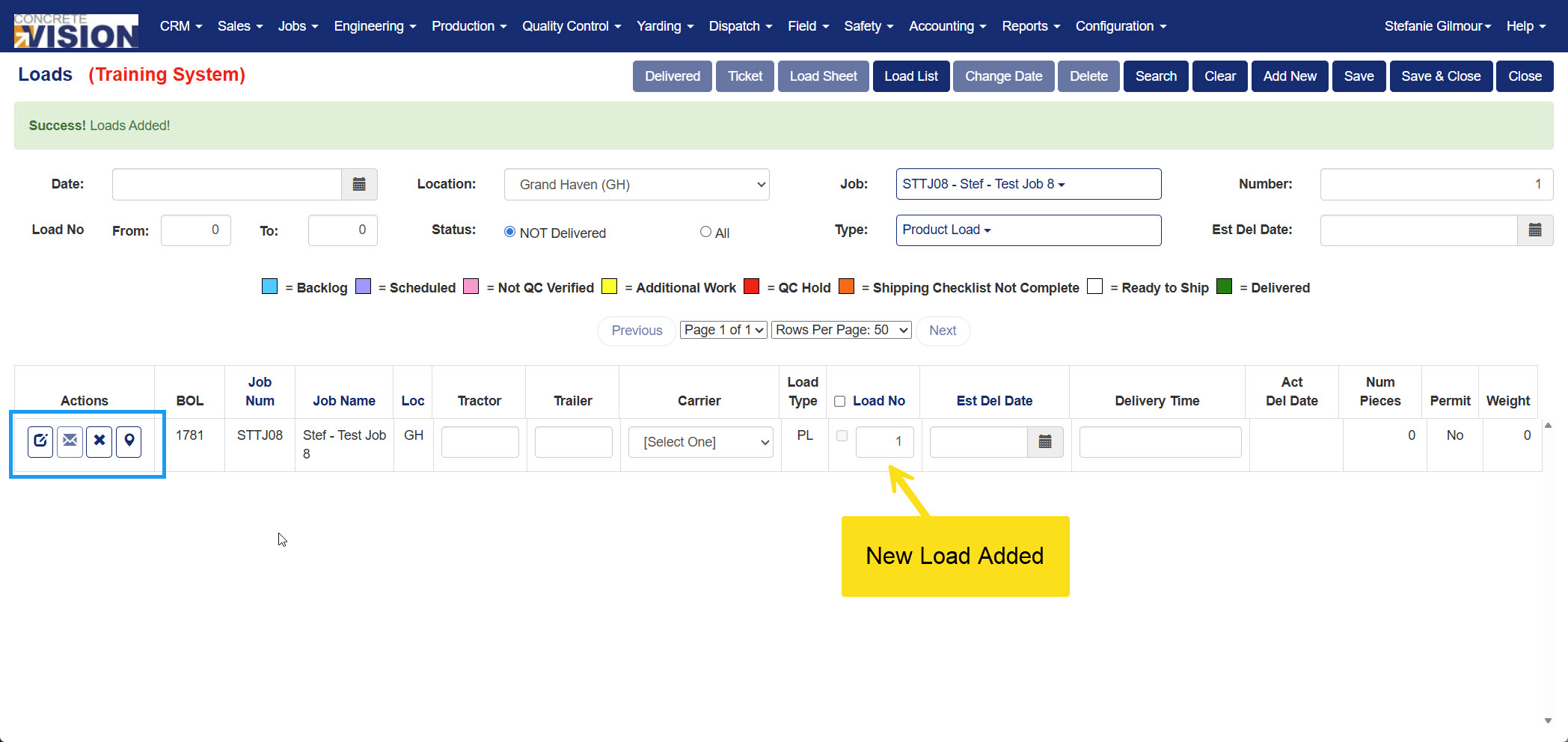
Figure 3
Entering Required Load Details
After creating the load, key details must be filled in before it is ready for dispatch. Click the Edit button (Blue box, Figure 3) next to the newly created load to open the Loads – Edit screen (Figure 4).
Complete the following required fields (Red box, Figure 4):
- Carrier – Select a carrier from the dropdown.
- Tractor – Enter the tractor identifier.
- Trailer – Enter the trailer identifier.
- Est. Delivery Date – Select the estimated delivery date.
Once all required fields are complete, click Save (Yellow box, Figure 4).
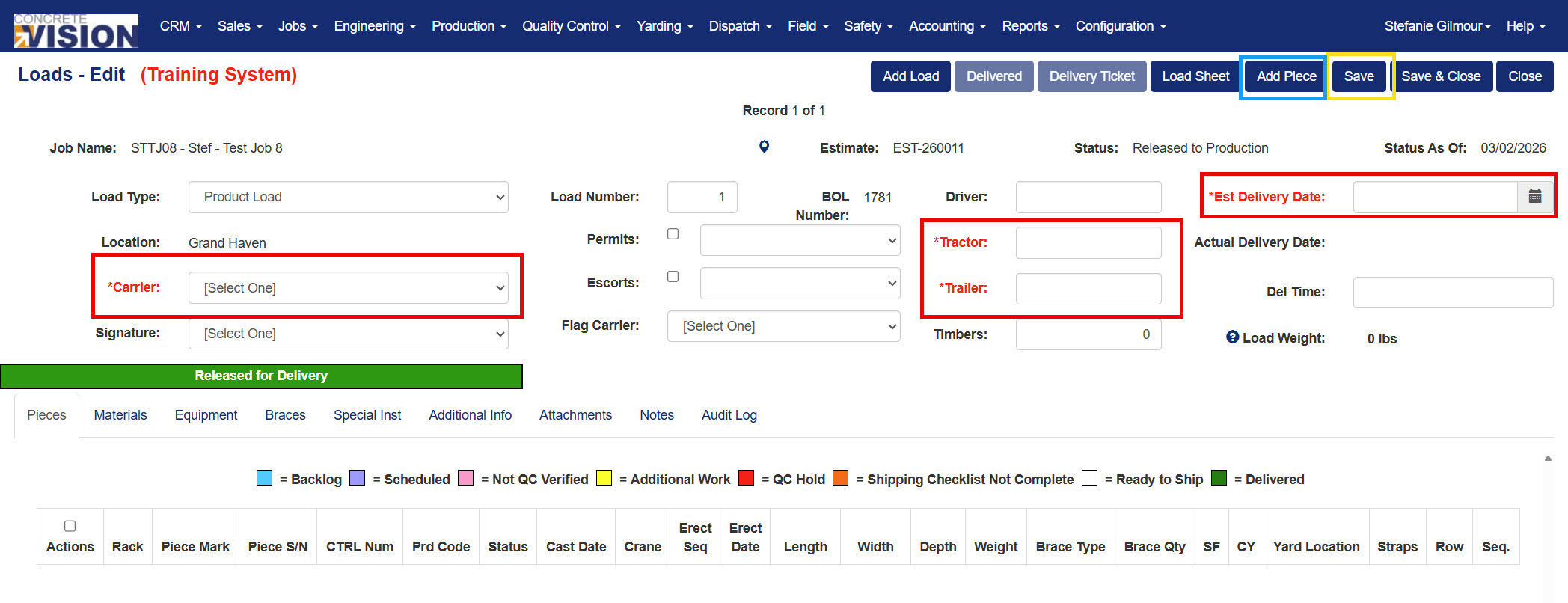
Figure 4
Adding Pieces to a Load
With the load open in the Loads – Edit screen, pieces can be assigned to the load:
- Click the Add Piece button (Blue box, Figure 4) to open the Loads – Add Piece Marks screen (Figure 5).
- Check the boxes in the LP column (Red box, Figure 5) next to each piece to be added to the load.
- Click Save or Save & Close (Yellow box, Figure 5).
- When prompted, click OK in the confirmation dialog (Figure 6) to confirm adding the selected piece marks to the load.
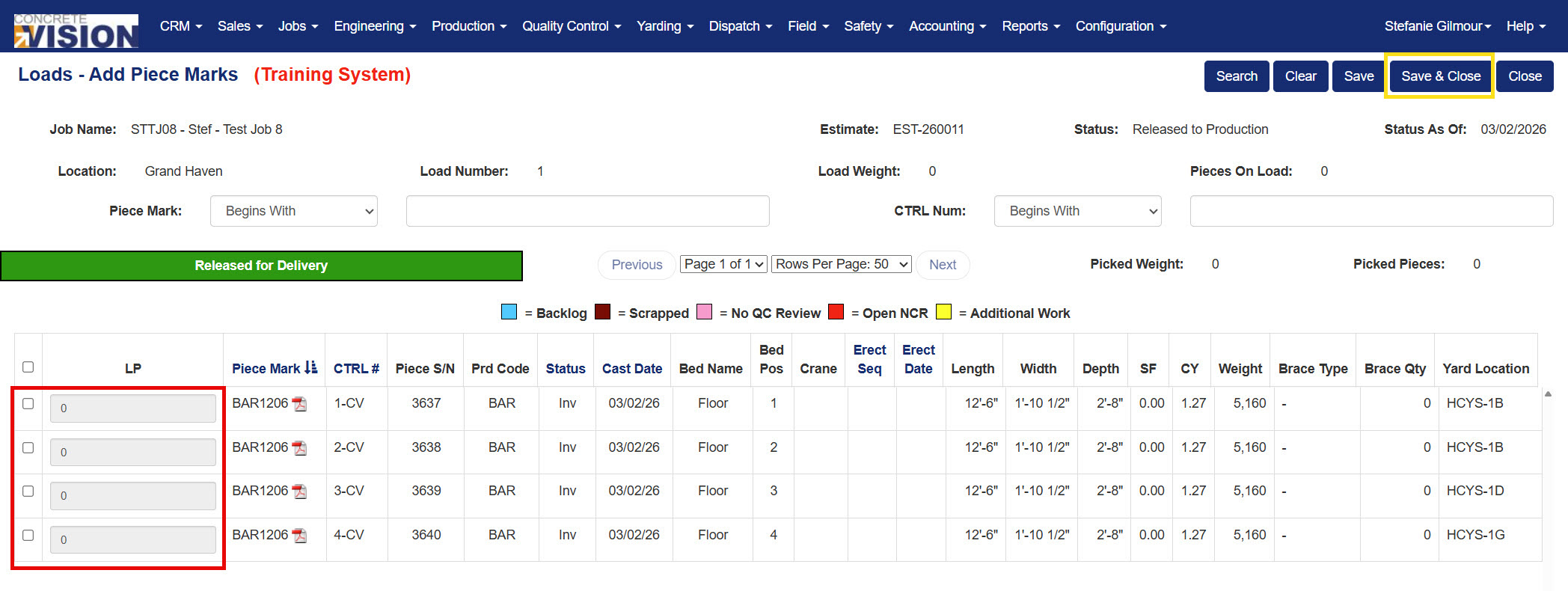
Figure 5
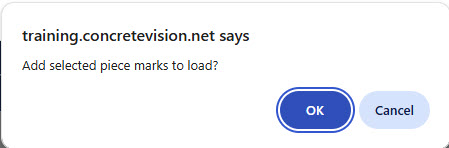
Figure 6
Editing Other Load Details
From the Loads – Edit screen, you can also manage the following tabs for additional load information:
- Pieces – View and manage pieces assigned to the load.
- Materials – Add or review materials associated with the load.
- Equipment – Track equipment needed for delivery.
- Braces – Manage bracing details.
- Special Inst. – Add special instructions for the driver or crew.
- Additional Info – Enter any supplemental load details.
- Attachments – Upload relevant files or documents.
- Notes – Add internal notes about the load.
- Audit Log – View a history of changes made to the load record.
Was this article helpful?
That’s Great!
Thank you for your feedback
Sorry! We couldn't be helpful
Thank you for your feedback
Feedback sent
We appreciate your effort and will try to fix the article