Overview
The Near Miss Report screen allows the safety team to report near misses in the workplace. A near miss, near hit or close call is an unplanned event that has the potential to cause, but does not actually result in human injury, environmental or equipment damage, or an interruption to normal operation.
Note: You need to have a Safety team setup or at least 1 person setup for the Safety Module to work correctly.
Accessing the Screen
Navigate to Safety > Near Miss Reports from the main menu (Figure 1).
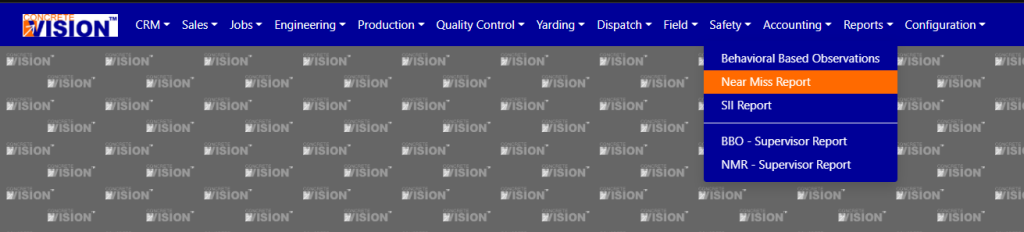
Figure 1
Using the Near Miss Report Screen
The Near Miss Report screen will load with a blank report ready to complete and submit.
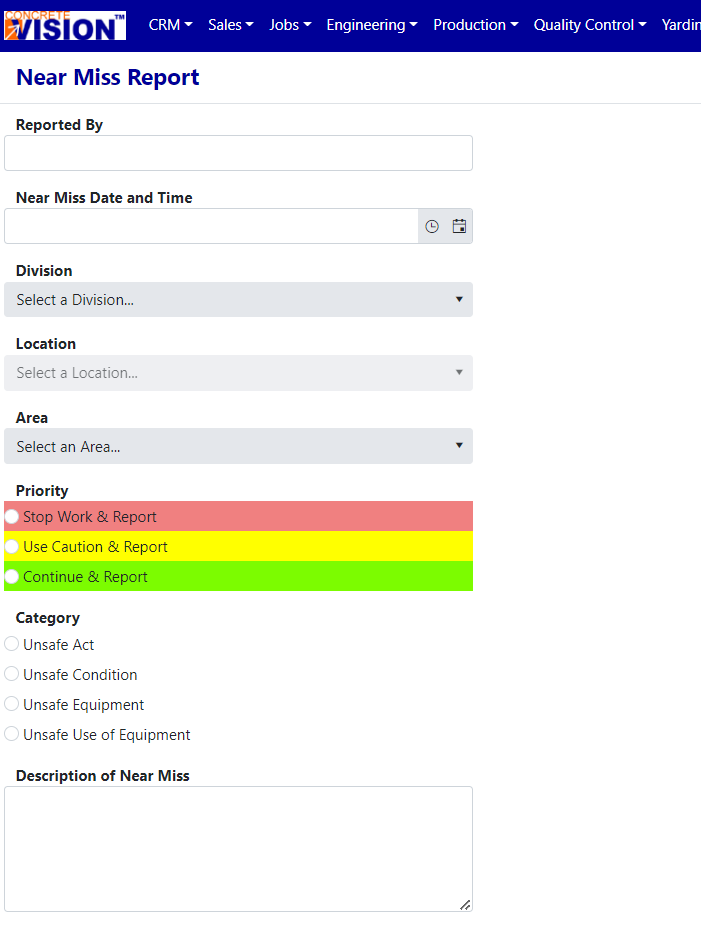
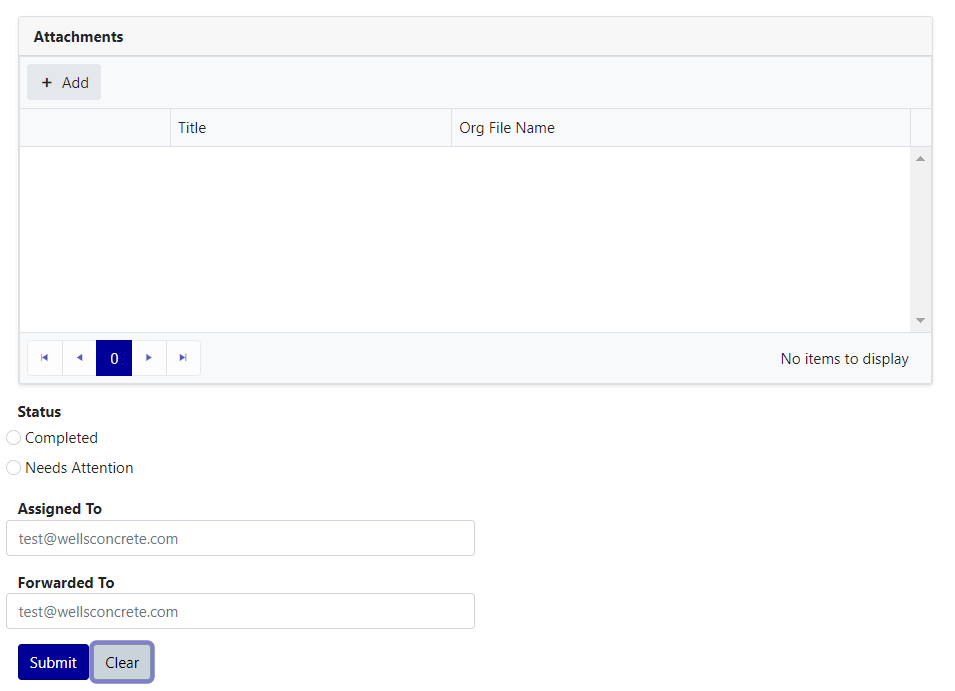
Figure 2
Create a New Near Miss Report
- Fill out all fields in the report.
- Hit the Submit button.
A green success message will display when the form has validated. The Near Miss Reports screen will reload with a new blank form (for use-cases where multiple forms need to be submitted).
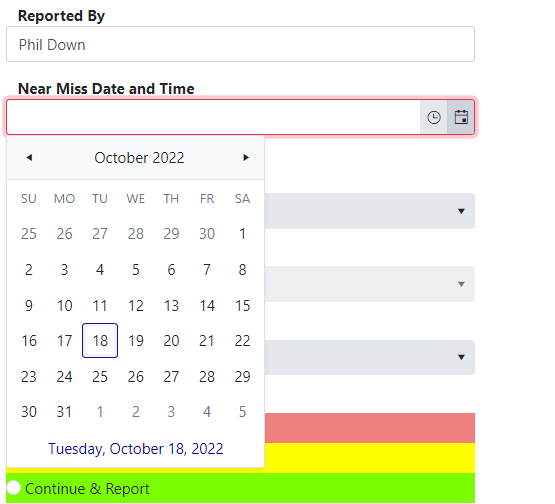
Near Miss Date and Time
If you click the calendar icon, a calendar will come up where you can select the date. You can scroll by month, or even year.
Clicking clock icon will bring up a dropdown list of time (in 30 minute intervals) where you can log the approximate time of the Near Miss.
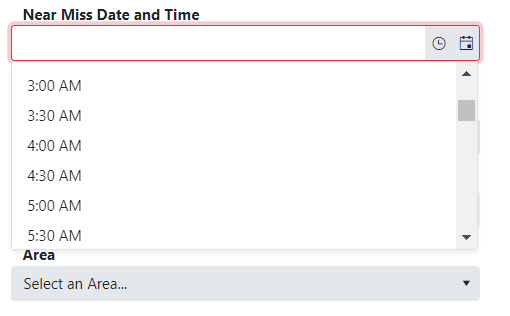
Pro-tip: if you want to log an event that happened to day at say 10:30am, just hit the clock icon and select that time, and the date (today) will automatically fill in.
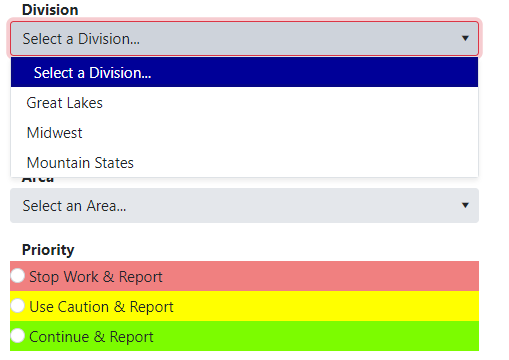
The Division dropdown must be selected before the Location dropdown will populate with values.
The Attachment field will let you add attachments to the BBO
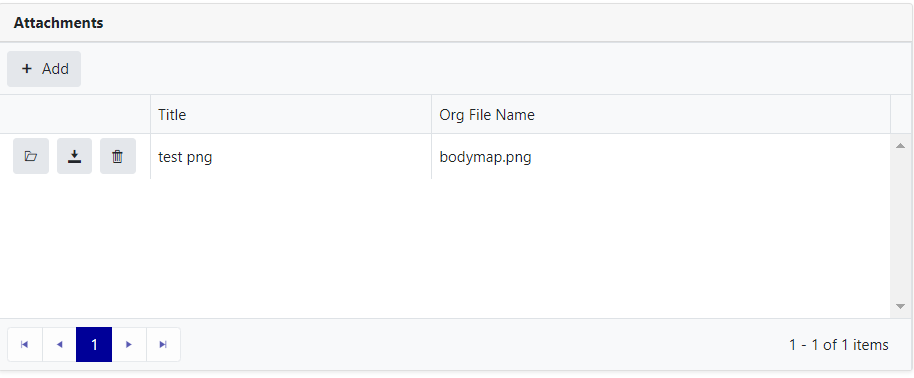
 will open the attachment in a separate browser window.
 will download the attachment.
 will delete the attachment.
 will open a dialog to upload a new attachment


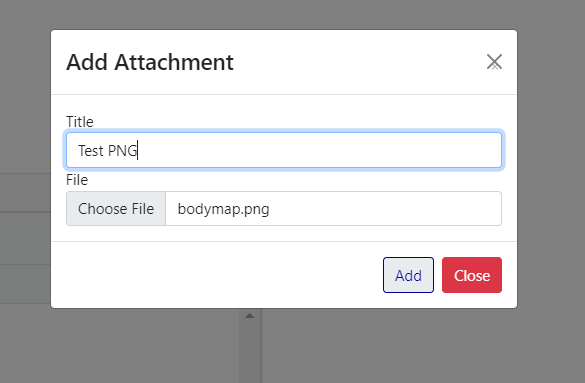
You can rename the file.
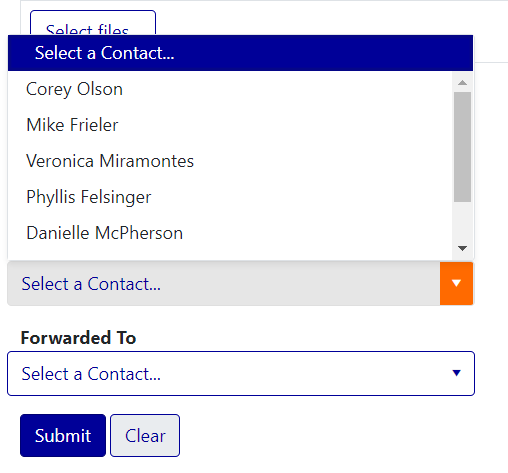
Contacts can be selected from the dropdown.
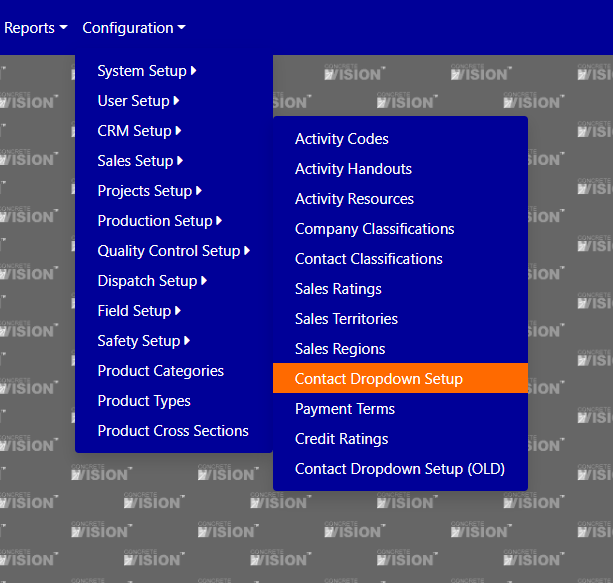
(optional) Visit to Contact Dropdown Setup page to add or remove contacts from the Safety Team role.
Was this article helpful?
That’s Great!
Thank you for your feedback
Sorry! We couldn't be helpful
Thank you for your feedback
Feedback sent
We appreciate your effort and will try to fix the article