Overview
The Near Miss Report - Supervisors screen displays a sortable table of submitted NMRs.
Accessing the Screen
Navigate to Safety > NMR Supervisor from the main menu (Figure 1).
Note: The NMR Supervisor menu item will not display if the user does not have the permissions to access the page.

Figure 1
Using the Near Miss Report - Supervisor Screen
The Near Miss Report - Supervisors screen (Figure 2) will load with a sortable table of the NMRs (Figure 2). By default, it is sorted by Date & Time of Near Miss with newest first. Click the blue arrow and the sort will be reversed.

Figure 2
View a Completed NMR
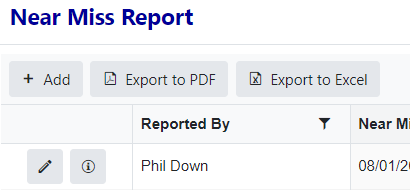
There are also actions users can take on this page.
 will open NMR in Edit mode
 will open the audit dialog (show when NMR was created, modified, and by whom)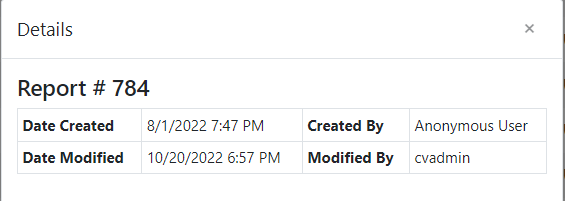
 a new NMR (takes you to a Create page)
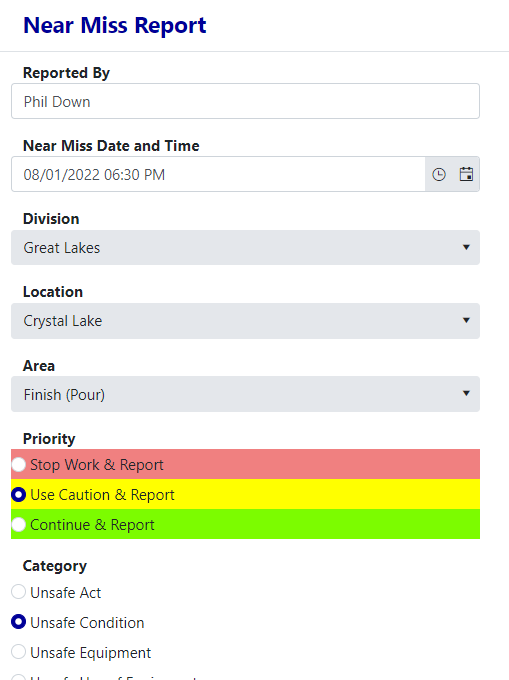
Editing a NMR
From the Near Miss Report - Supervisor screen:
- Click the Edit icon. It will open the NMR in Edit mode.
- Make needed edits.
- Click the Submit button.
Was this article helpful?
That’s Great!
Thank you for your feedback
Sorry! We couldn't be helpful
Thank you for your feedback
Feedback sent
We appreciate your effort and will try to fix the article