Overview
The Estimate Header module is used to define header names as parent categories for estimate sections (see Reference). This allows the addition of estimate sections (ex. Labor Cost) categorized by an Estimate Header (ex. Plant).
Reference: Estimate Sections
Accessing the Estimate Headers Screen
Navigate to Configuration > Accounting Setup > Estimate Headers from the main menu (Figure 1).
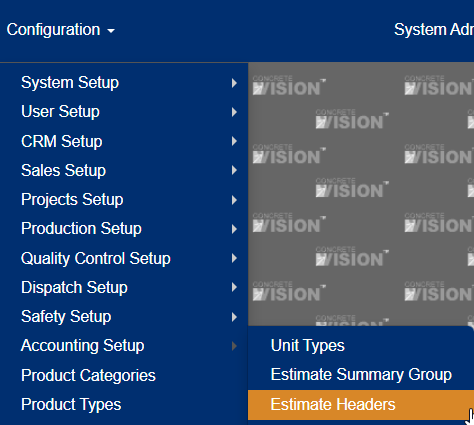 Figure 1
Using the Estimate Headers Screen
The Estimate Headers screen (Figure 2) is where you can edit, delete, add, and view estimate headers.
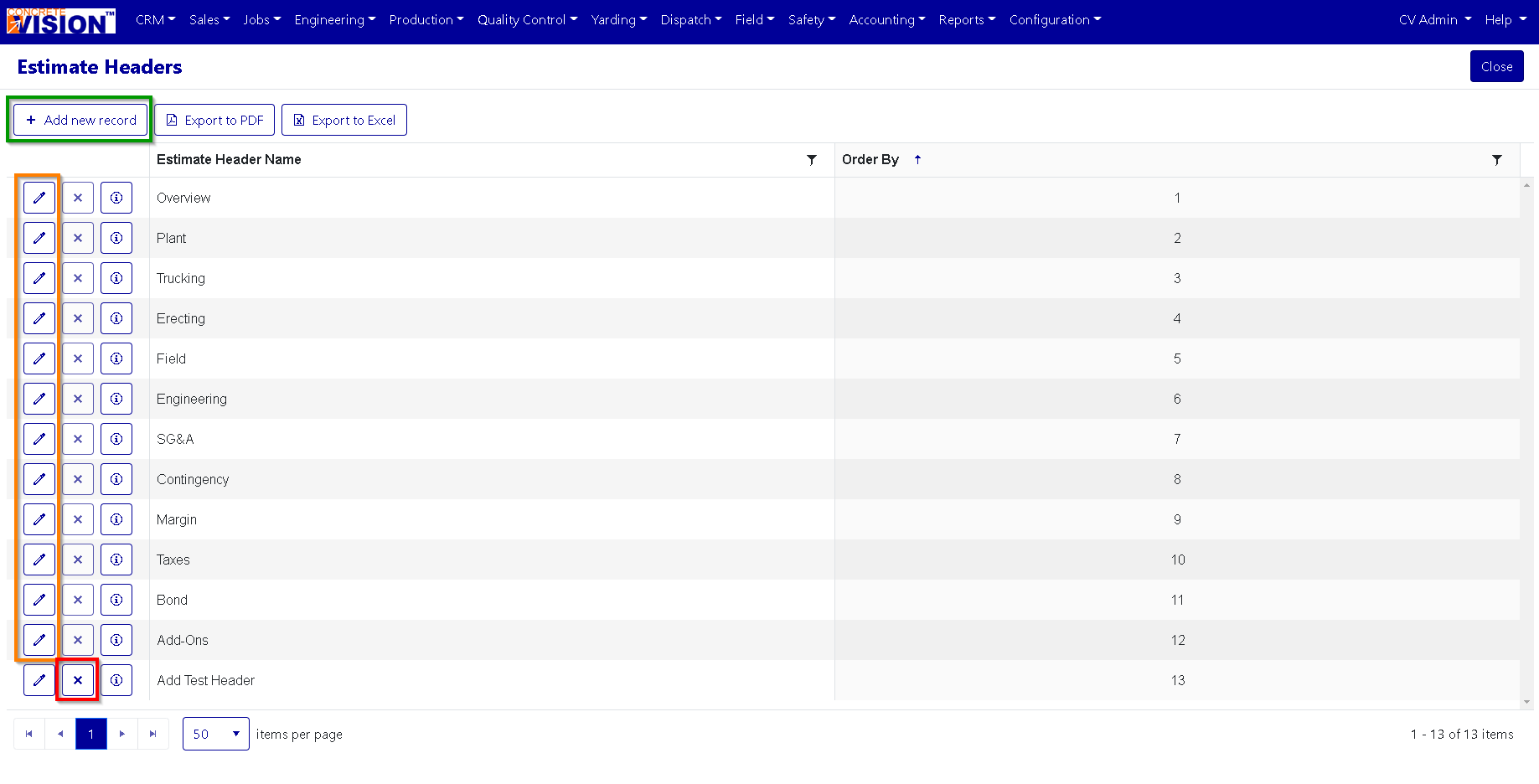
Figure 2
Add an Estimate Header
From the Estimate Headers screen (Figure 2):
- Click the Add new record button (Green box in Figure 2). The Add New window will appear (Figure 3).
- Enter an Estimate Header Name.
- Enter the order by.
- Click the Update button to save the new Estimate Header (green box in Figure 3).
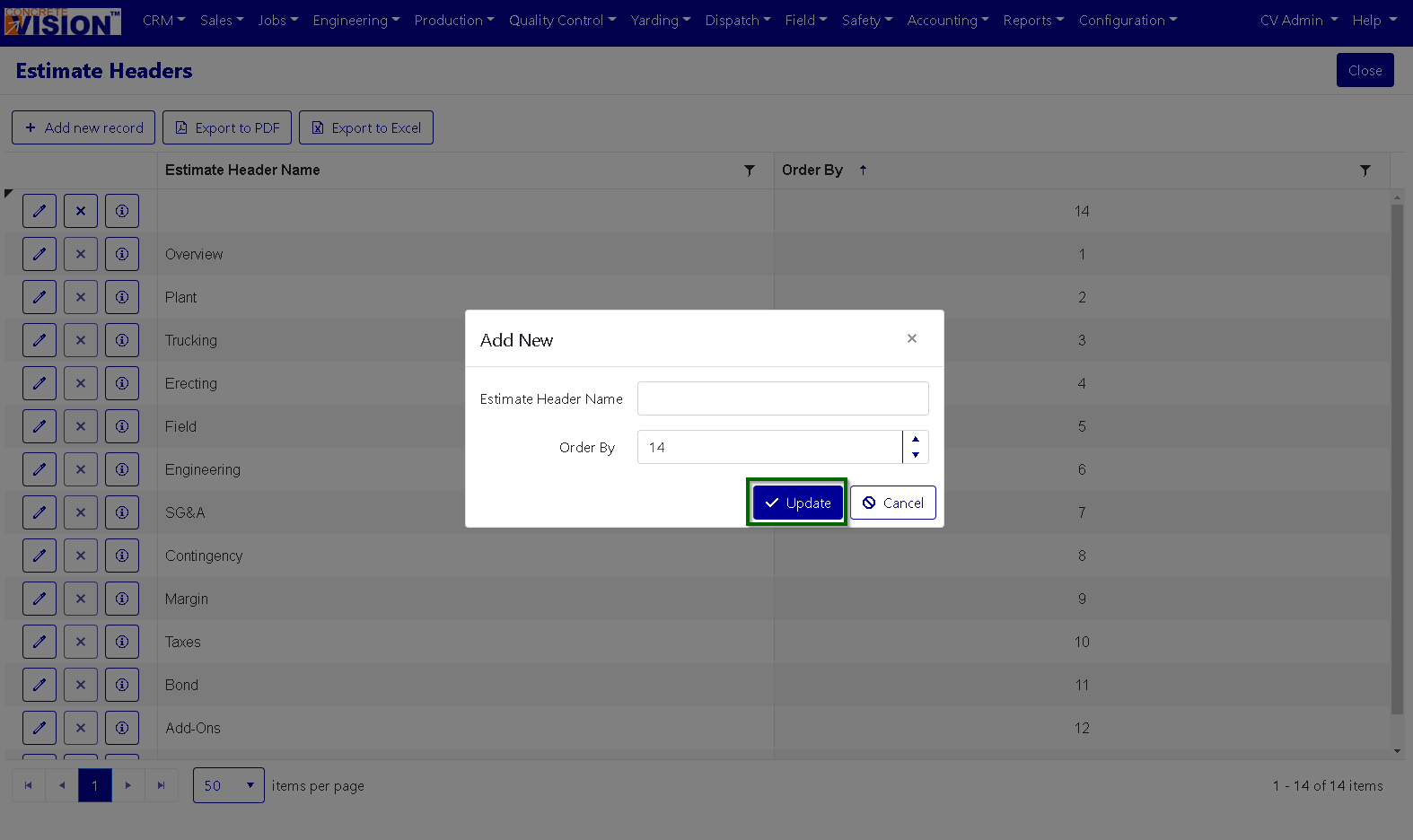
Figure 3
Edit an Estimate Header
From the main Estimate Header screen (Figure 2):
- Click the Edit icon (orange box in Figure 2). The Edit popup window will appear.
- Make any required edits.
- Click the Update button to save the edits to the Estimate Header (green box in Figure 4).
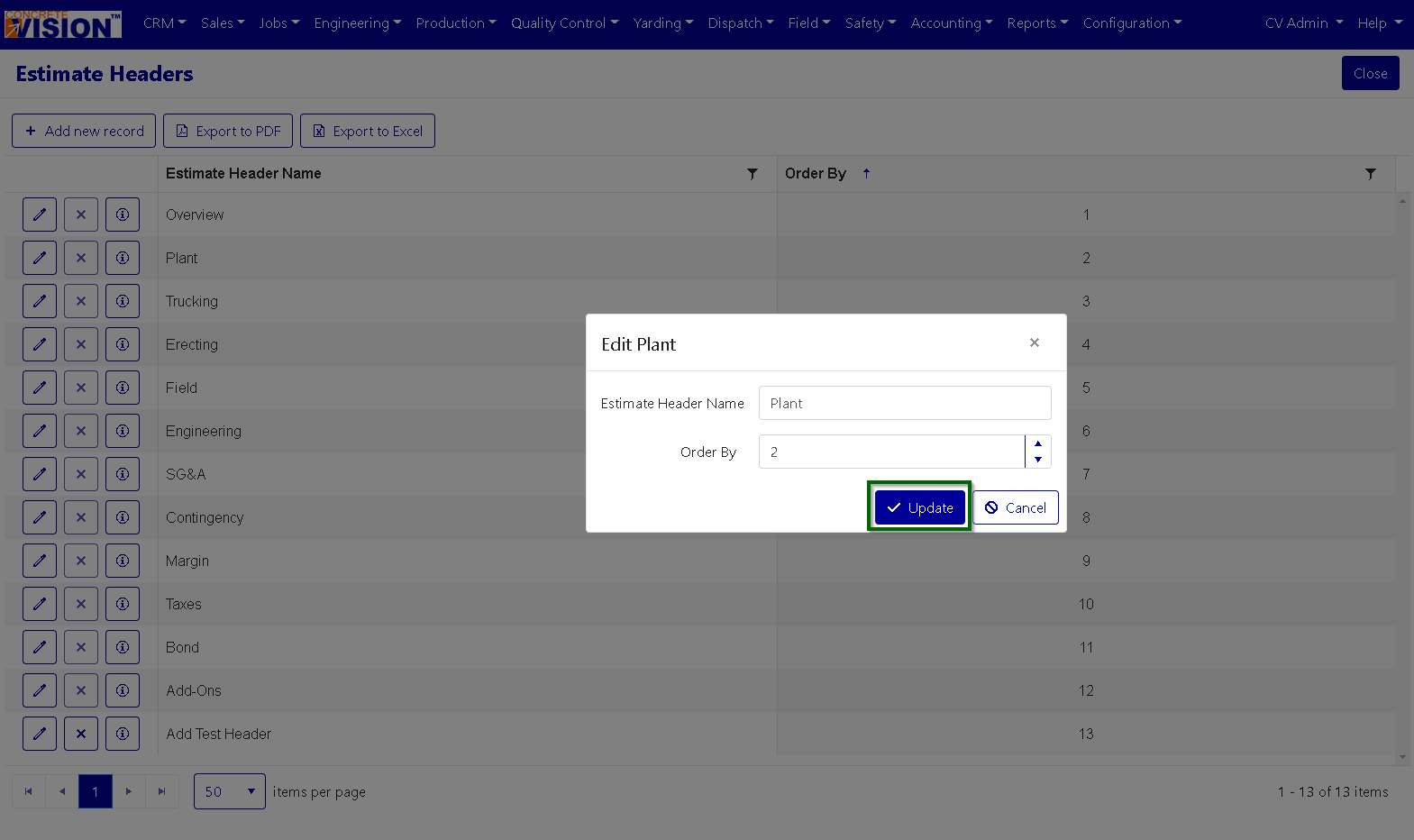
Figure 4
Delete an Estimate Header
From the main Estimate Header screen (Figure 2):
- Click the Delete icon in the corresponding row of the Estimate Headers to remove (red box in Figure 5). Note: You cannot delete an Estimate Header if it is in use.
- Click "OK" in the dialogue box that appears to confirm the deletion of the record.

Figure 5
Export a List of Estimate Headers
A list of Estimate Headers in Concrete Vision can be exported from the Estimate Headers screen via buttons at the top left.
- To export the list as a pdf, click the Export to PDF button.
- To export the list as a .xlsx, click the Export to Excel button.
Was this article helpful?
That’s Great!
Thank you for your feedback
Sorry! We couldn't be helpful
Thank you for your feedback
Feedback sent
We appreciate your effort and will try to fix the article