Overview
The Job Information screen allows you to view and manage contact and company details associated with a specific job.
Accessing the Screen
To edit a job-specific contact, navigate to Jobs > Job Lookup from the main menu (Figure 1).
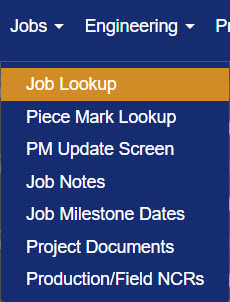
Figure 1
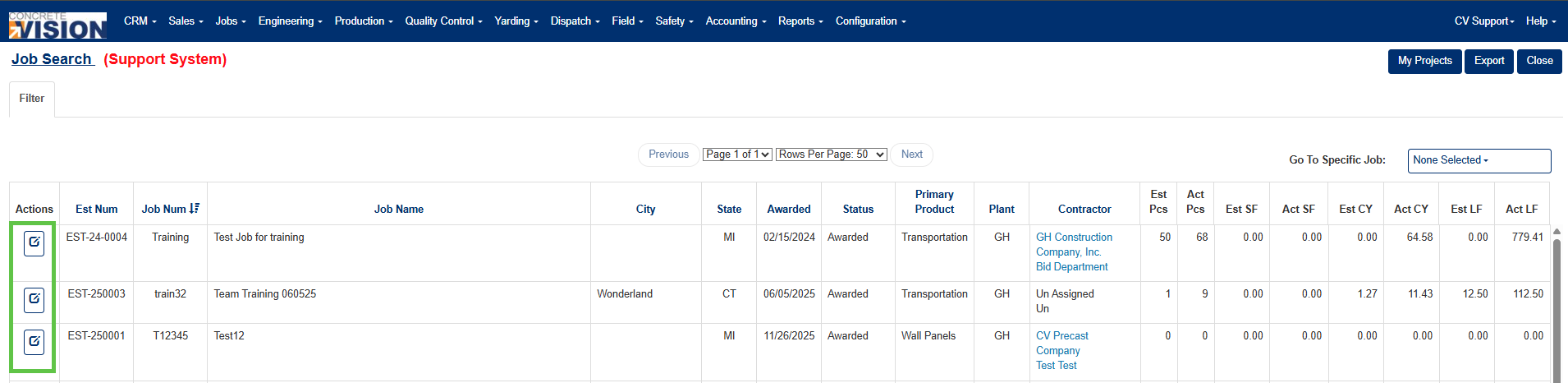
Figure 2
Adding a Job-Specific Contact
A new contact can be added directly from the Job Information screen (Figure 4):
- Click the Edit icon (Green box, Figure 2) for the job containing the contact to update.
- On the Job Information screen, click on the Contacts tab (Yellow box, Figure 3).
- Click on the Edit icon for the job role whose contact you want to update (Green box, Figure 3).
- Click on the Add icon (#3 in Figure 5).
- In the Add New Contact pop-up window, enter the new contact's information (Figure 4).
- Click Save button in the pop-up window to create contact (Green box, Figure 4) .
- Click Save or Save & Close (#2 in Figure 5) to save the contact to the job.
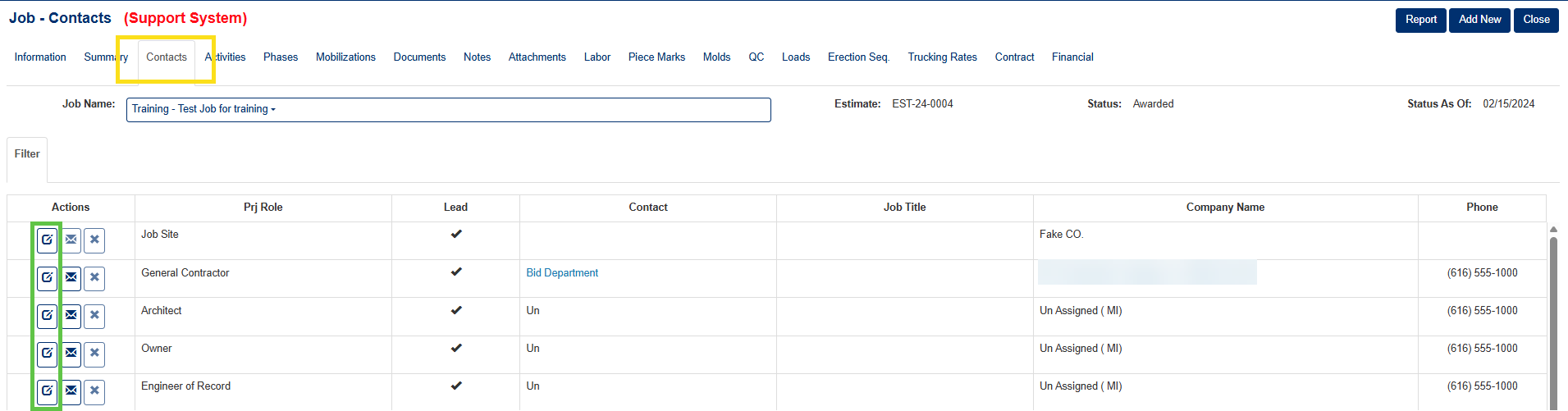
Figure 3
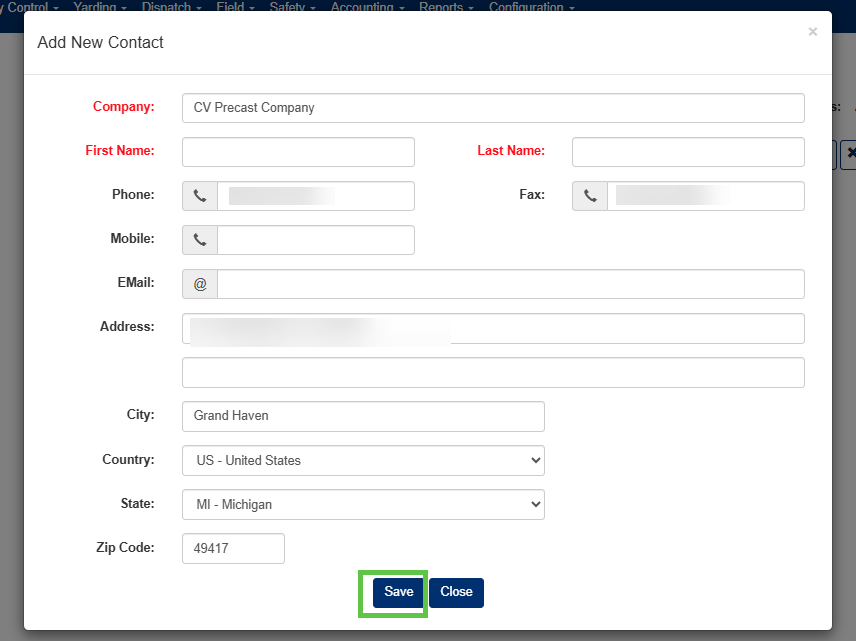
Figure 4
Editing a Job-Specific Contact
From the Job Search screen (Figure 2):
- Click the Edit icon (Green box, Figure 2) for the job containing the contact to update.
- On the Job Information screen, click on the Contacts tab (Yellow box, Figure 3).
- Click on the Edit icon for the job role whose contact you want to update (Green box, Figure 3).
- On the Job Information screen (Figure 4), click the Contact dropdown menu (#1 in Figure 5) and select the new contact for that role.
- Click Save or Save & Close (#2 in Figure 5) to save your changes.
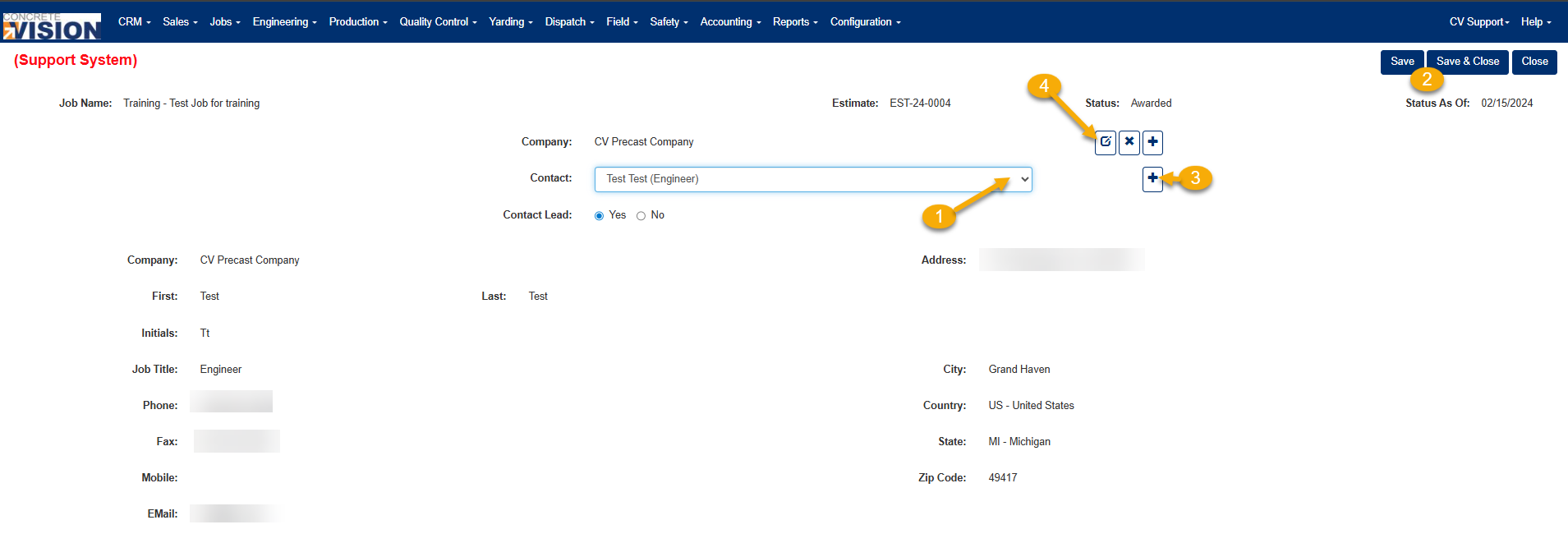
Figure 5
Editing a Job-Specific Company
The company associated with a job role can be updated from the same Job Information screen (Figure 5):
- Click on the Edit icon to the right of the company name (#4 in Figure 5).
- In the Update Company pop-up window (Figure 6), type the company name in the Company field and select it from the dropdown list.
- Click Save in the pop-up window to confirm your selection.
- Click Save or Save & Close button (#2 in Figure 5) to save your changes.

Figure 6
Was this article helpful?
That’s Great!
Thank you for your feedback
Sorry! We couldn't be helpful
Thank you for your feedback
Feedback sent
We appreciate your effort and will try to fix the article