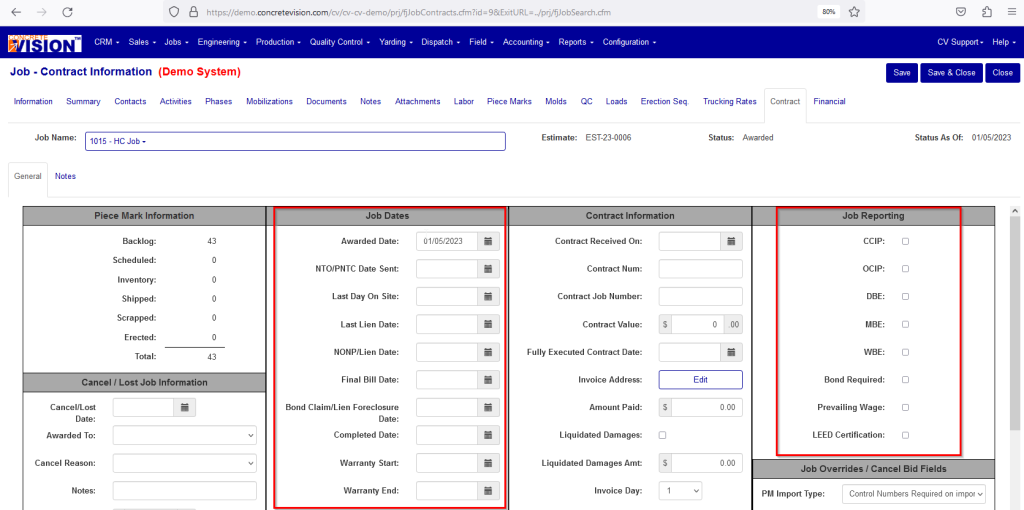
The Job Contracts report displays information about contract dates and reporting values that are set up on the Job - Contract Information page.
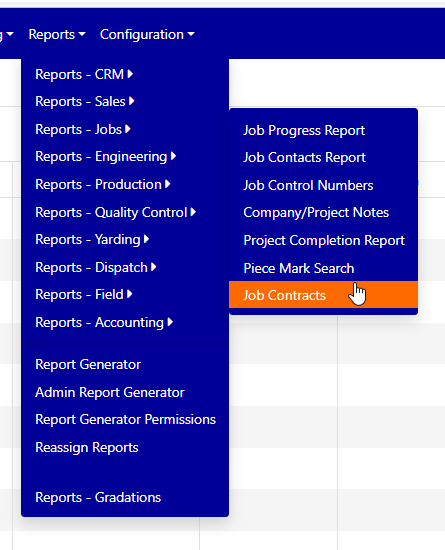
To get to this report, go to Reports → Reports – Jobs → Job Contracts.
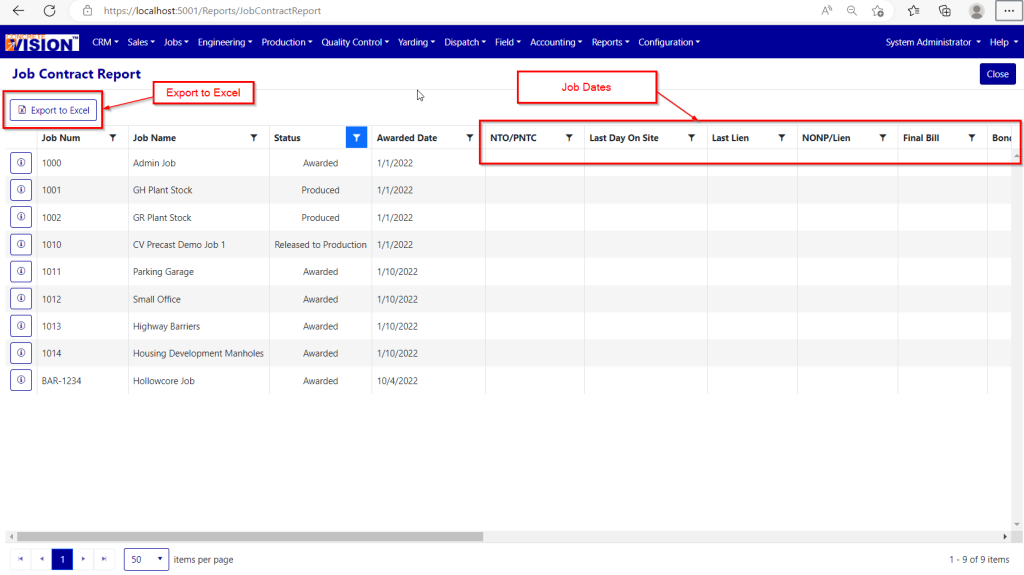
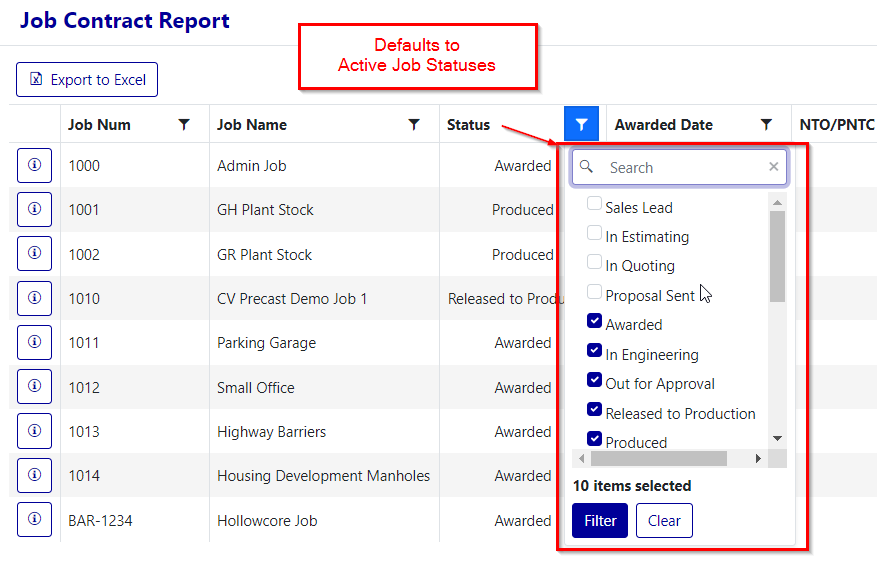
The Contract Jobs Report displays the following fields:
- Job Num
- Job Name
- Job Status (defaults to Active Job Statuses)
- All the fields from Jobs – Contract – Job Dates
- Awarded Date
- NTO/PNTC Date Sent
- Last Day On Site
- Last Lien Date
- NONP/Lien Date
- Final Bill Date
- Bond Claim/Lien Foreclosure Date
- Completed Date
- Warranty Start
- Warranty End
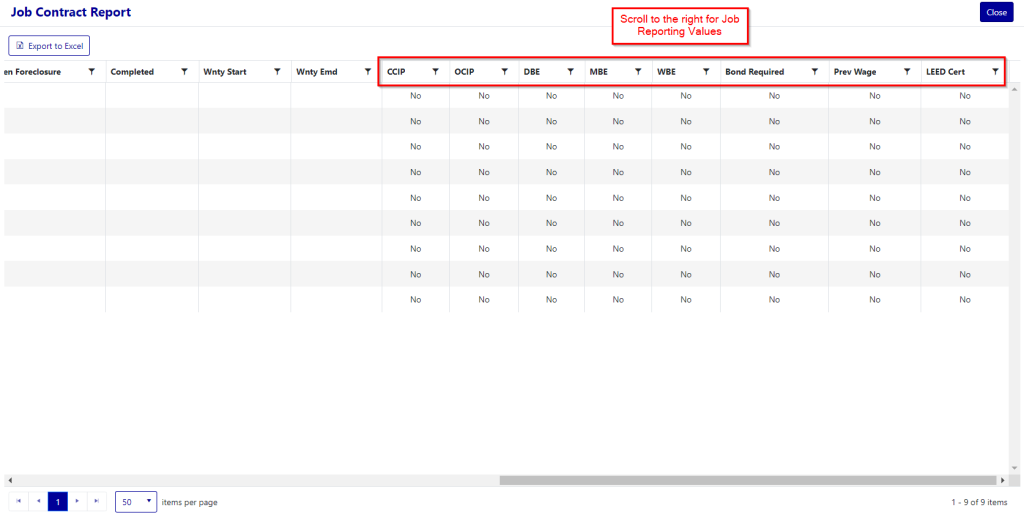
- All the fields from Jobs – Contract – Job Reporting
- CCIP
- OCIP
- DBE
- MBE
- WBE
- Bond Required
- Prevailing Wage
- LEED Certification
You may have different Job Dates and Reporting fields depending on your system configuration.
This report can be exported to Excel.
Was this article helpful?
That’s Great!
Thank you for your feedback
Sorry! We couldn't be helpful
Thank you for your feedback
Feedback sent
We appreciate your effort and will try to fix the article