Overview
User Widgets allow users to access various statistics from quick links via their CV home screen. Which widgets appear for the user, from the widgets admin grants them access, is selected through the User Widgets screen.
Accessing the Screen
Navigate to User Name > User Widgets in the top right corner of the screen, next to the Help menu (Figure 1).
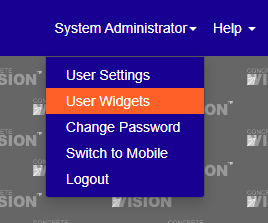
Figure 1
Using the User Widgets Screen
The User Widgets screen (Figure 2) allows each user to select which widgets are displayed on their home screen. To activate a widget on the home screen:
- Select the check box next to the widget's name under the Active column heading (Green box, Figure 2).
- Click the radio button under the Default column heading to select which widget will be open by default.
- Click the Save button to save changes or the Save & Close button to save changes and return to the home screen.
- On the home screen, click on the widget name under the Widgets heading (Figure 3) to display data provided by that widget.
Note: Click on the check box beside the Active column heading to display all widgets available to the user (red box in Figure 2).
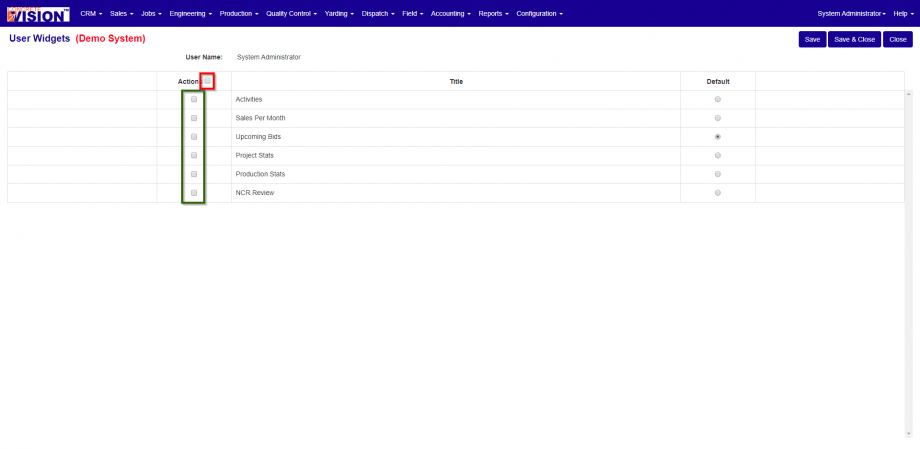
Figure 2
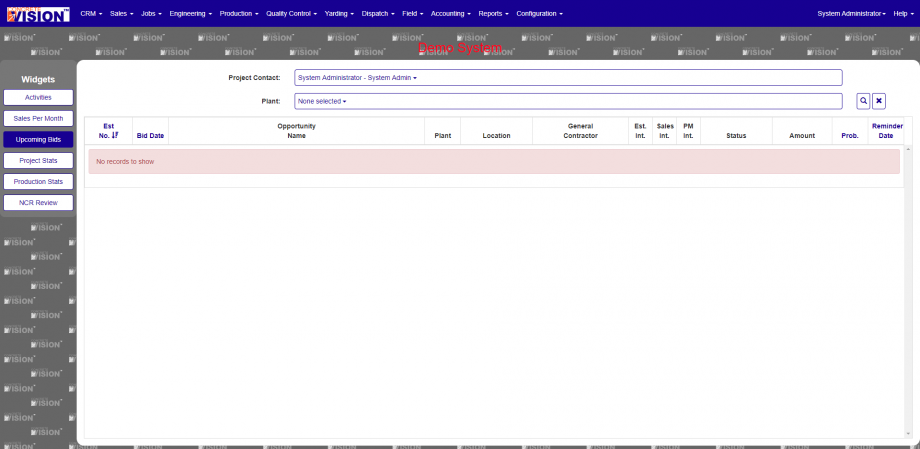
Figure 3
Was this article helpful?
That’s Great!
Thank you for your feedback
Sorry! We couldn't be helpful
Thank you for your feedback
Feedback sent
We appreciate your effort and will try to fix the article