Overview
The User Widget Setup screen determines which widgets users have access to through their individual User Widgets settings in Concrete Vision. Widgets will not display on a user's home screen until the user selects the widgets through their individual User Widgets settings.
Accessing the Screen
Navigate to Configuration > User Setup >User Widget Setup from the main menu (Figure 1).
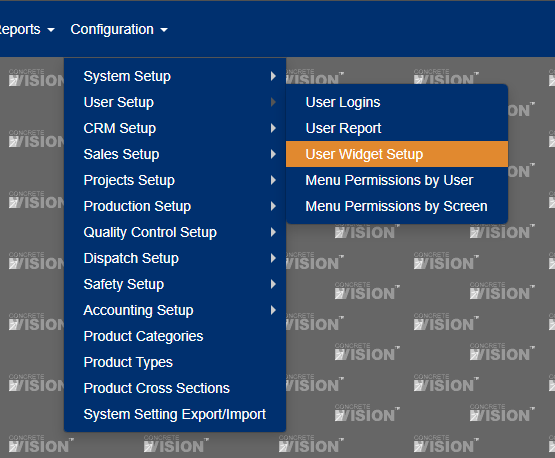
Figure 1
Using the User Widget Setup Screen
The User Widget Setup screen lists all users in Concrete Vision. To set a user's access to specific widgets:
- Click the Edit icon beside the user's name (green box in Figure 2). A screen will load with a widget list.
- Check the boxes (green box in Figure 4) next to the widgets' names to make the widget available to the user.
- Click the Save button to save changes or the Save & Close button to save changes and return to original User Widget Setup screen.
Note: Click on the check box beside the Active column heading to make all widgets available to the user (red box in Figure 3).
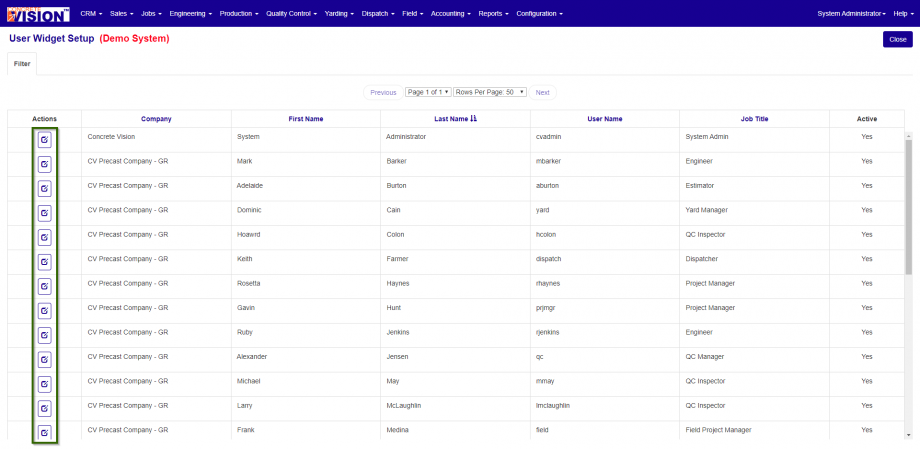
Figure 2
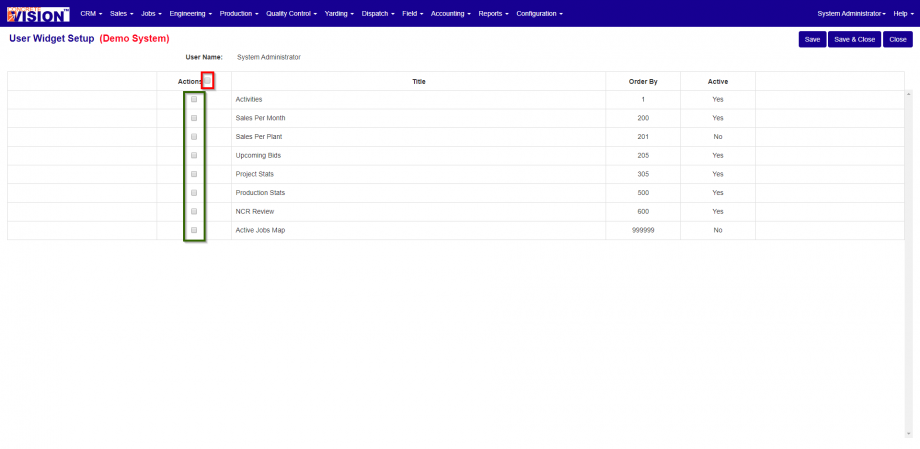
Figure 3
Filtering the User Widget Setup Screen
Find a user faster by using the Filter tab on the User Widget Setup screen:
- Click the Filter tab to expand it (Figure 4).
- Select the Company name from the dropdown, enter the User Name, and/or enter the user's First Name and Last Name.
- Click the Search button.
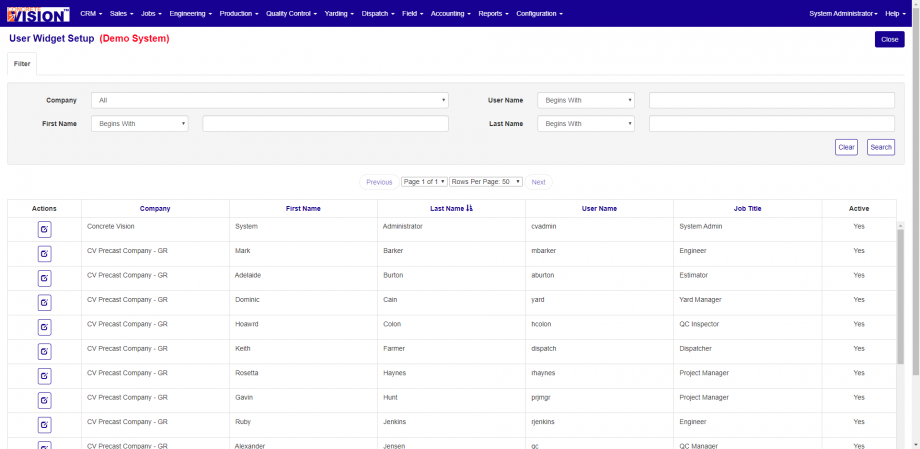
Figure 4
Was this article helpful?
That’s Great!
Thank you for your feedback
Sorry! We couldn't be helpful
Thank you for your feedback
Feedback sent
We appreciate your effort and will try to fix the article