Overview
The Job Lookup screen is your central hub for managing jobs in Concrete Vision. Use it to:
- Search and filter all jobs across the system
- View and edit key job details at a glance
- Export customized job lists to Excel
Accessing the Job Search Screen
Navigate to Jobs > Job Lookup in the main menu (Figure 1).
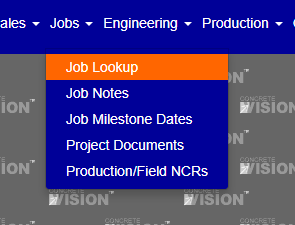
Figure 1
Filtering the Job list
Use the Filter panel to narrow the job list before browsing results.
- Click the Filter button to expand the filter panel (Purple box, Figure 2).
- Enter or select criteria in any of the available fields:
- Status – e.g., Proposal Sent, Awarded, In Engineering
- Plant – filter by production facility
- Job Name or Job Number
- Company
- Estimate Number
- Primary Product
- Country, City, State, or Project Contact
- Click Search to apply the filters and refresh the job table.
Tip: Leave all fields blank and click Search to display all jobs. Use the Clear button to reset the filter at any time (Red box, Figure 2).
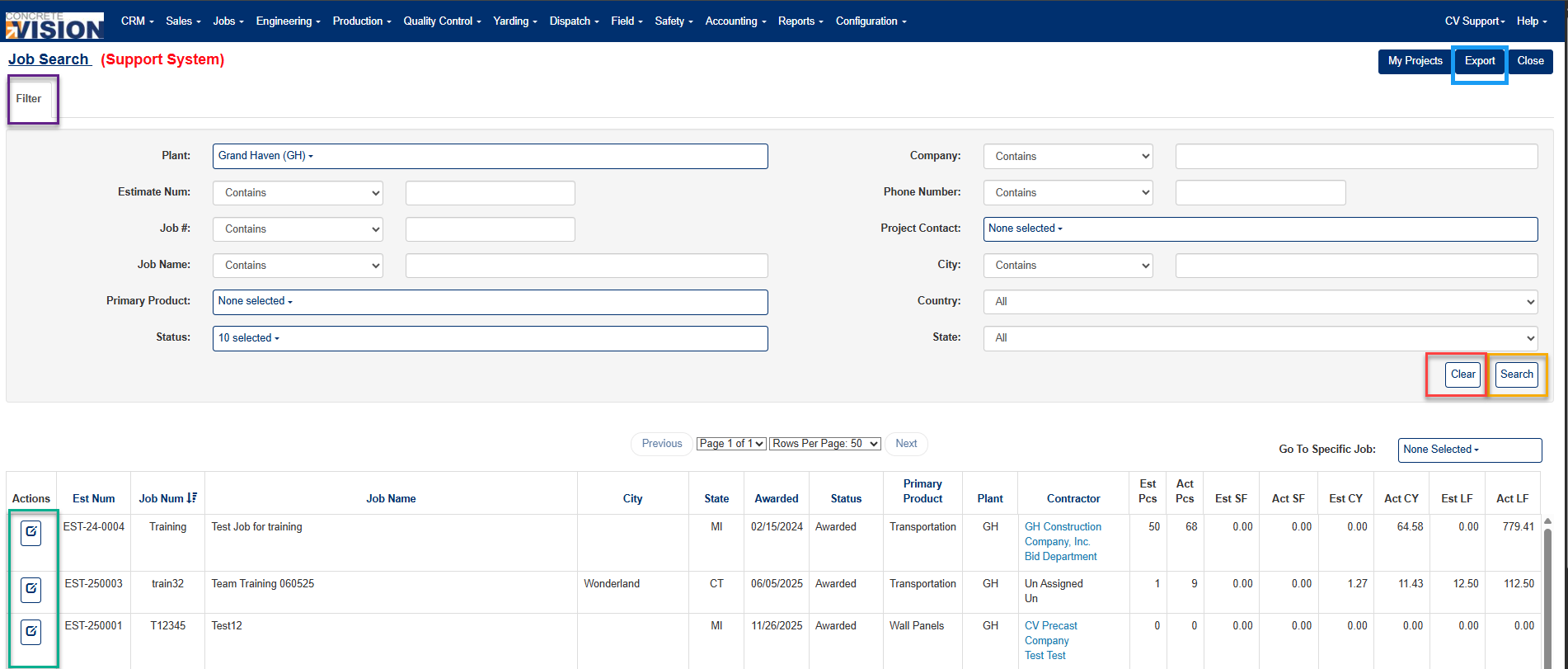
Figure 2
Editing a Job
Once your results are displayed, click the Edit icon (Green box, Figure 2) in the Actions column to open that job's detail record.
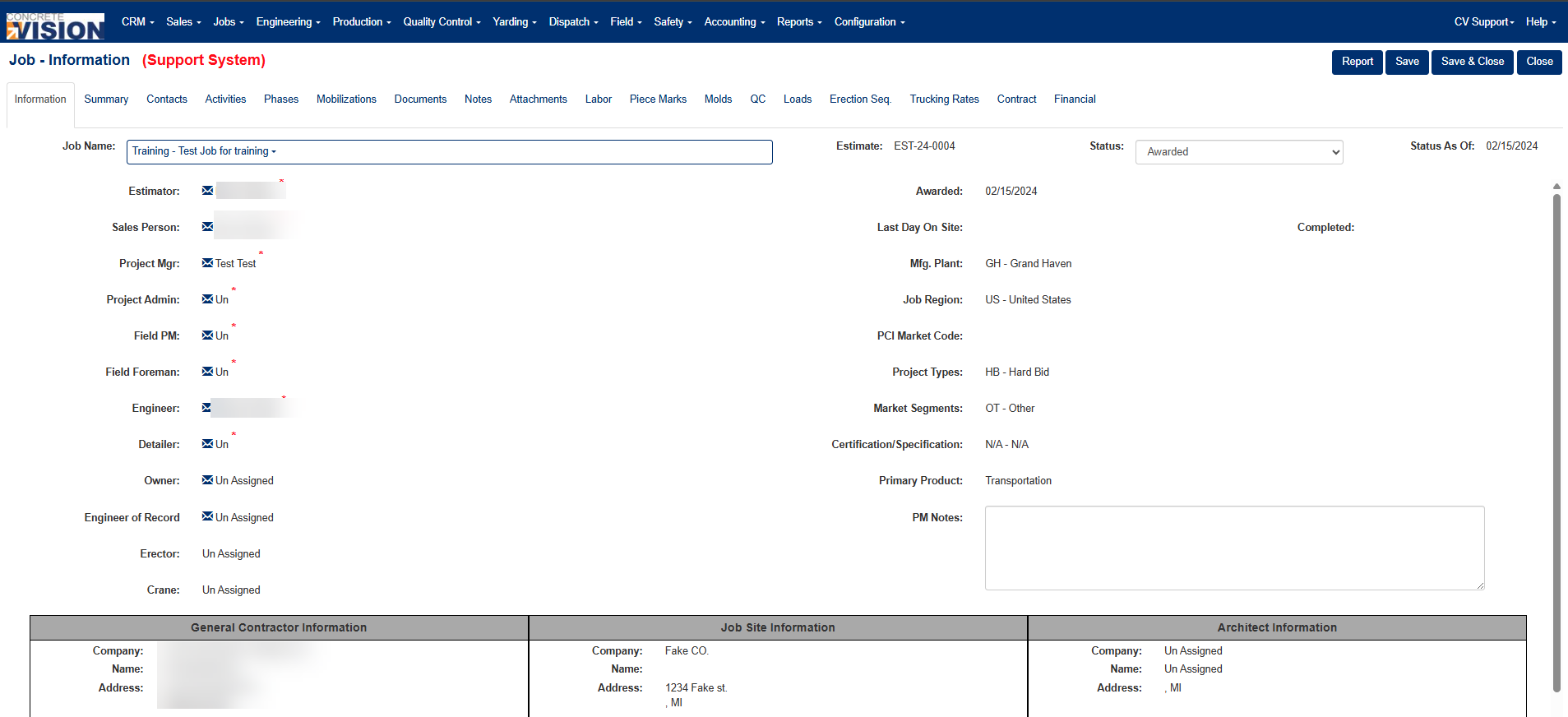
Figure 3
Exporting the Job list
You can export a filtered job list to Excel with custom columns.
- Use the Filter panel to narrow the job list to the records you want to export.
- Click the Export button in the top-right corner of the screen (Blue box, Figure 2).
- In the export dialog (Figure 4), move items from Available Columns to Selected Columns using the arrow buttons.
- Click Export to download the file.
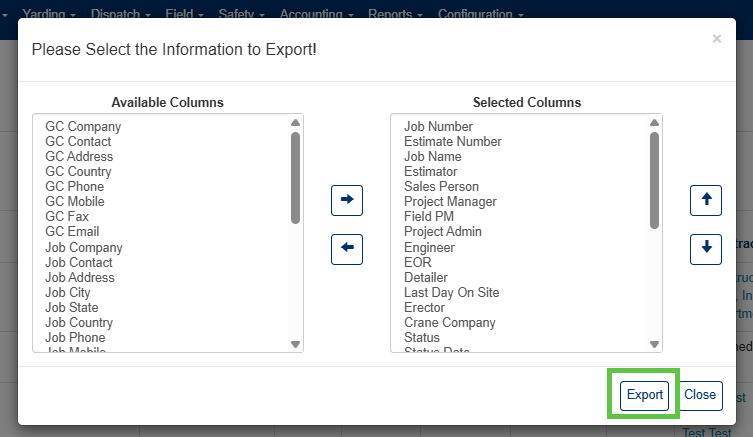
Figure 4
Was this article helpful?
That’s Great!
Thank you for your feedback
Sorry! We couldn't be helpful
Thank you for your feedback
Feedback sent
We appreciate your effort and will try to fix the article