The Credit Rating tool is designed to facilitate the input and management of credit ratings for potential and current customer companies. This tool serves to create selection options for the Concrete Vision CRM (see Figure 5).
Refer: https://helpdesk.concretevision.com/a/solutions/articles/1000067212
To access the Credit Rating screen, use the Configuration tab on the main menu at the top of the screen, then click on CRM Setup > Credit Rating (see Figure 1 below).
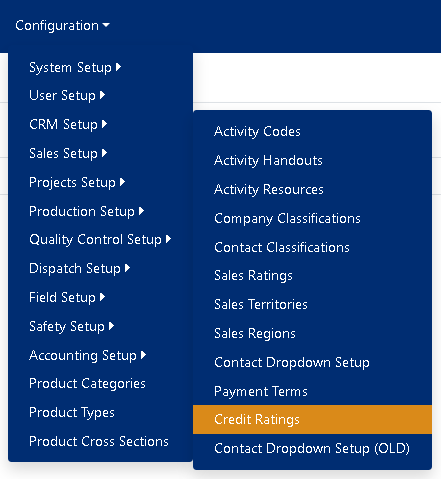
Figure 1
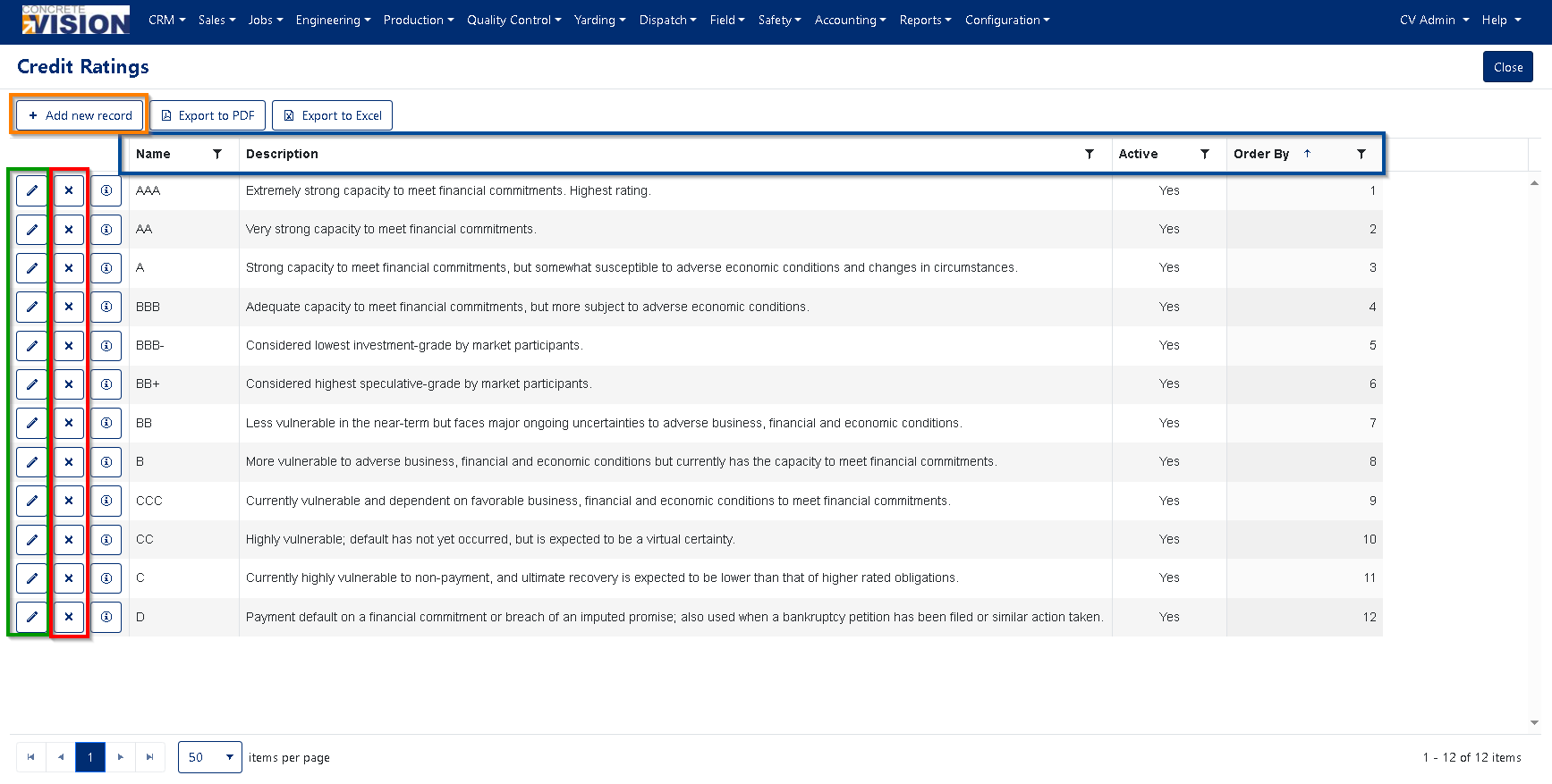
Figure 2
Sorting and filtering Credit Ratings
- Click any of the headings (Blue box in Figure 2) to change the sort by that headings category.
- Click the same heading again to change the sort by function to be descending instead of the default ascending.
- To filter the results, click the filter icon next to the heading category (Blue box in Figure 2) to open the filtering options box.
Managing your CRM: Company Credit Ratings:
Adding a new Credit Rating:
Using the [+ Add new record] (see Figure 2 orange) button at the top will open the Add New modal window (see Figure 3 below).
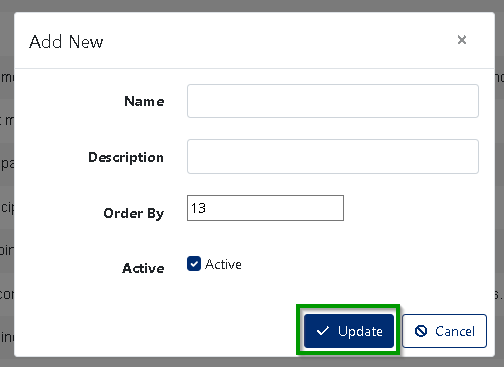 Figure 3
- Enter a Name for the new Credit Rating. (Required. Max length 50)
- Enter the Description for the new Credit Rating. (Required. Max length 255)
- Set the Order By number for the new Credit Rating . (Required)
- Set the new Credit Rating as Active or Inactive.
- Click on the [ √ update ] (see Figure 3 green) to add the new Credit Rating.
Editing a current Credit Rating:
Click on the pen icon (see Figure 2 green) to the far left of the corresponding Credit Rating to open the Edit modal window (see Figure 4 below).
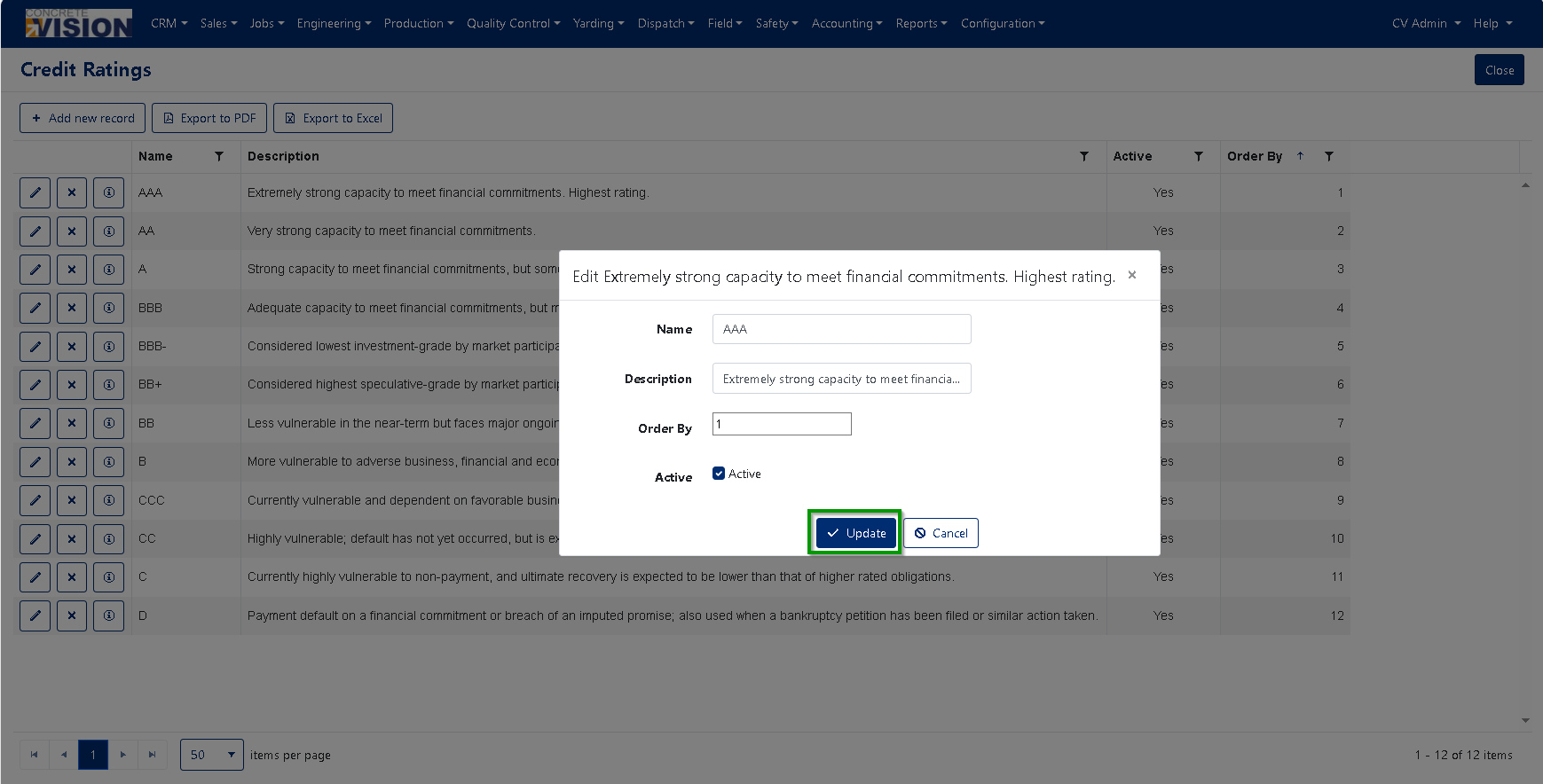 Figure 4
- Modify the Name for the Credit Rating. (Required. Max length 50)
- Modify the Description for the Credit Rating. (Required. Max length 255)
- Set the Order By number for the Credit Rating . (Required)
- Set the new Credit Rating as Active or Inactive.
- Click on the [ √ update ] to add the modify Credit Rating.
Deleting a Credit Rating:
- Click on the [ X ] delete button (see Figure 2 red) to the left of the corresponding Credit Rating.
- This will open a confirmation window where you will be asked "Are you sure you want to delete this record?" click [OK] to allow the deletion.
Using a Credit Rating is as simple as selecting from the options list (see Figure 5):
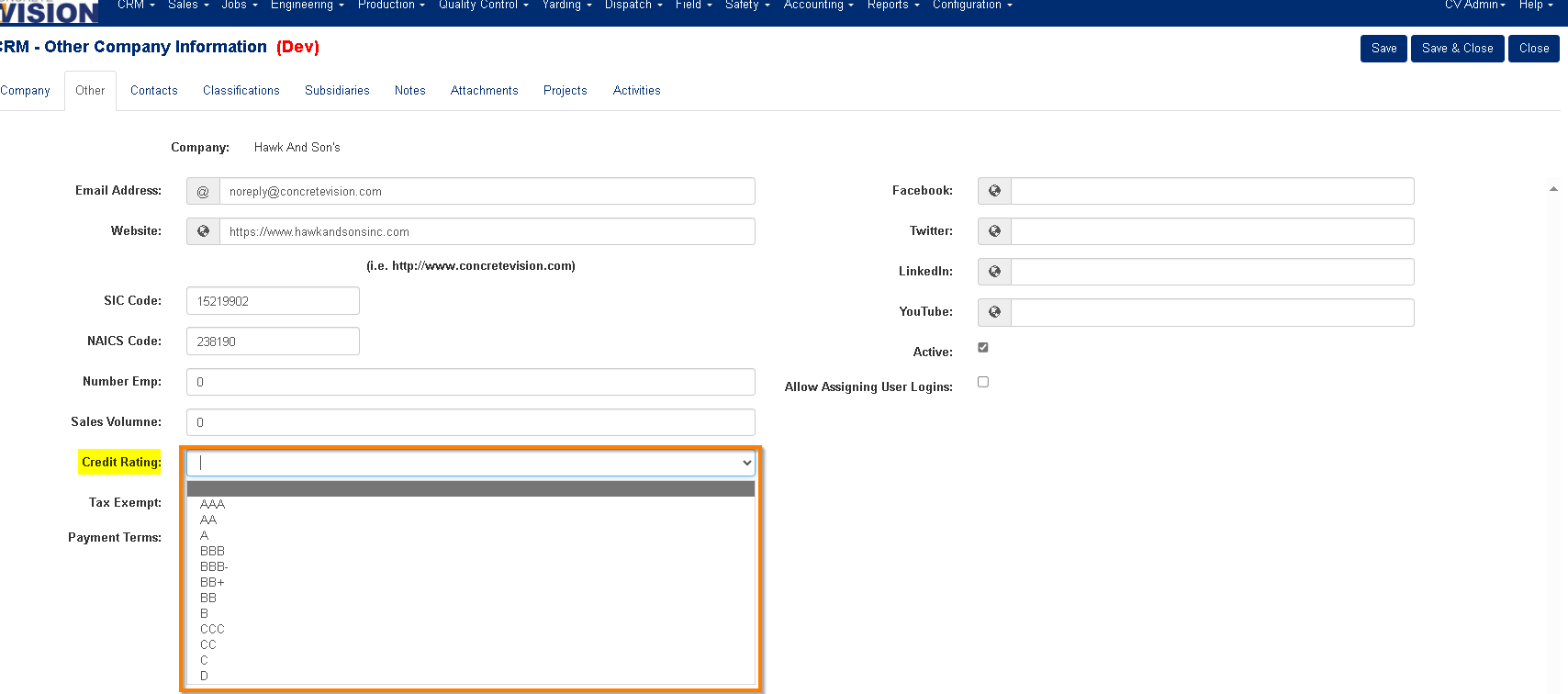
Figure 5
Was this article helpful?
That’s Great!
Thank you for your feedback
Sorry! We couldn't be helpful
Thank you for your feedback
Feedback sent
We appreciate your effort and will try to fix the article