You access Market Segments from the Configuration > Sales Setup > Market Segments, shown below.
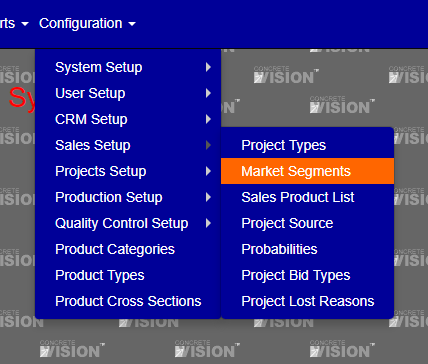
Figure 1
The Market Segments screen (see Figure 1) is where you can view and edit a segments.
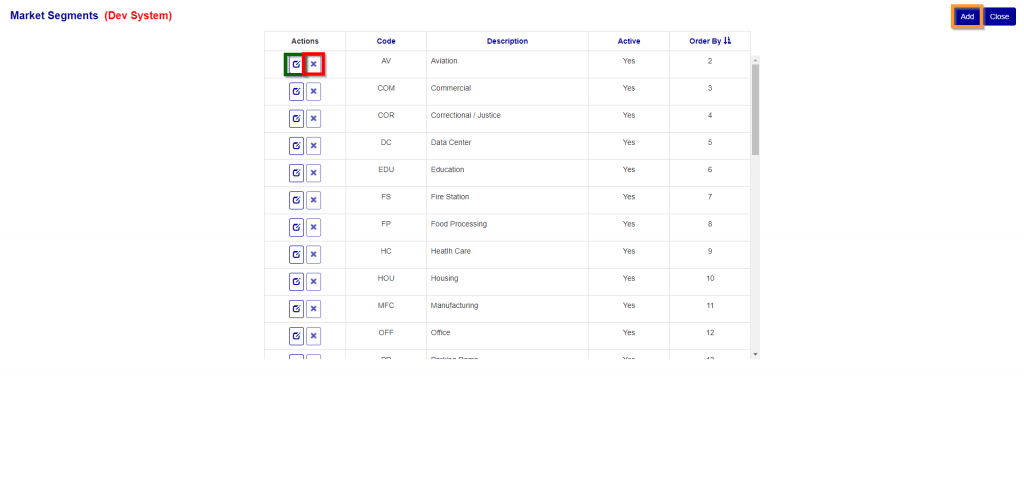
Figure 2
Add Market Segments
- Click on the Add (Orange Box top right screen). The Add/Edit screen (shown below) will open.
- Enter a code.
- Enter a description.
- Enter an order by.
- Click the “Add” to save this information and go back to the main screen.
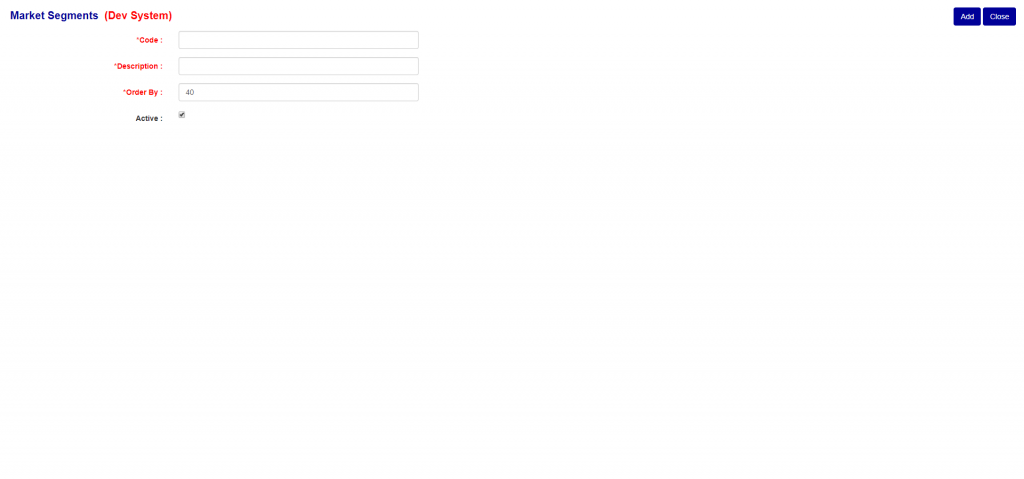
Figure 3
Edit Market Segments
- Click on the edit button. (Green Box see Figure 2).
- You can modify the code.
- You can modify the description.
- You can modify the order by.
- You can activity or deactivated the item.
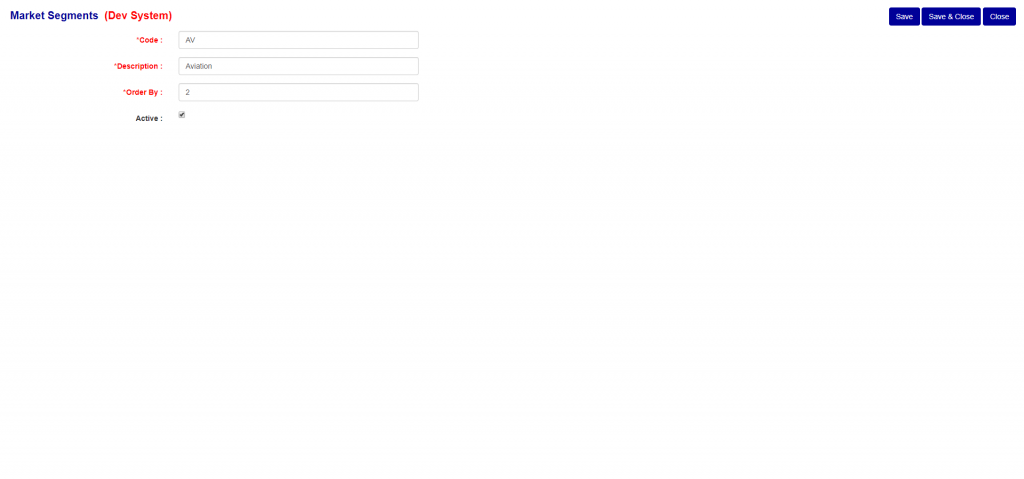
Figure 4
**If you don’t click on either the Save or Save and Close button and navigate off this screen, your changes will be lost.
Delete Market Segments
To delete a Market Segments, just click on the delete button of the Market Segments (Green Box to the right of the Edit Button (Red Box) in Figure 2) you wish to delete. You can only delete a Market Segments that does not currently have any details assigned to it. If the Market Segments has details assigned to it, the delete button will be disabled.
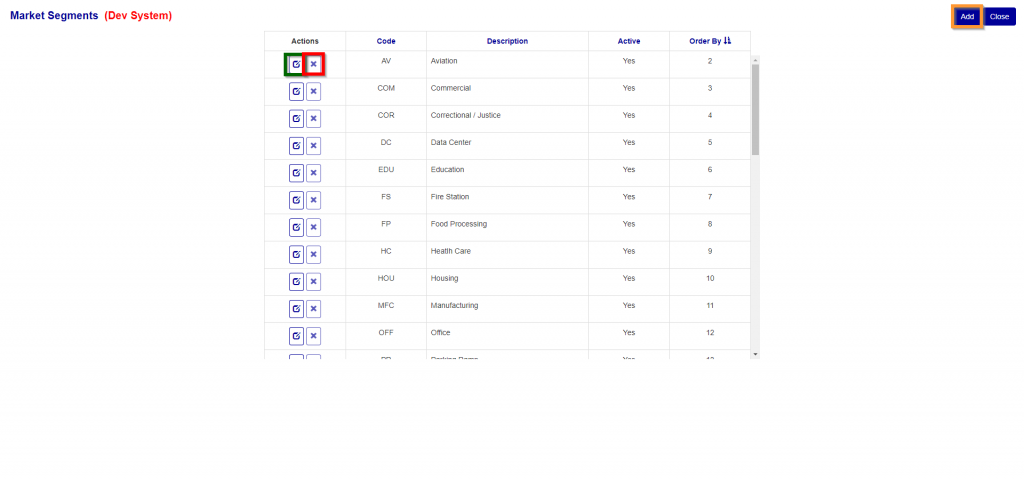
Figure 5
Was this article helpful?
That’s Great!
Thank you for your feedback
Sorry! We couldn't be helpful
Thank you for your feedback
Feedback sent
We appreciate your effort and will try to fix the article