The screen is used to allow the user to return a completed Pre-Pour or Post Pour checklist to the incomplete status, and allow them to edit the checklist again.
You access QC Undo Completed Checklist from the Quality Control > QC Undo Completed Checklist , shown below.
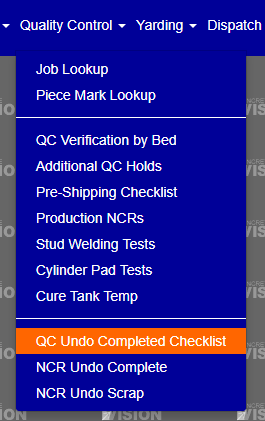
Figure 1
Reopen Completed Pre-Pour Checklist
If you can undo a completed checklist you will give a checkbox that will allow you to reopen the completed checklist. (Yellow Box See Figure 2) After you select all the beds you would like to reopen you will need to click on the Un-Verify button. (Orange Button See Figure 2)
If you see a “I in a circle” (Red Box See Figure 2) that means the checklist hasn’t been marked at complete.
Reopen Completed Post Pour Checklist
If you can undo a completed checklist you will give a checkbox that will allow you to reopen the completed checklist. (Blue Box See Figure 2) After you select all the beds you would like to reopen you will need to click on the Un-Verify button. (Orange Button See Figure 2)
If you see a “I in a circle” (Red Box See Figure 2) that means the checklist hasn’t been marked at complete.
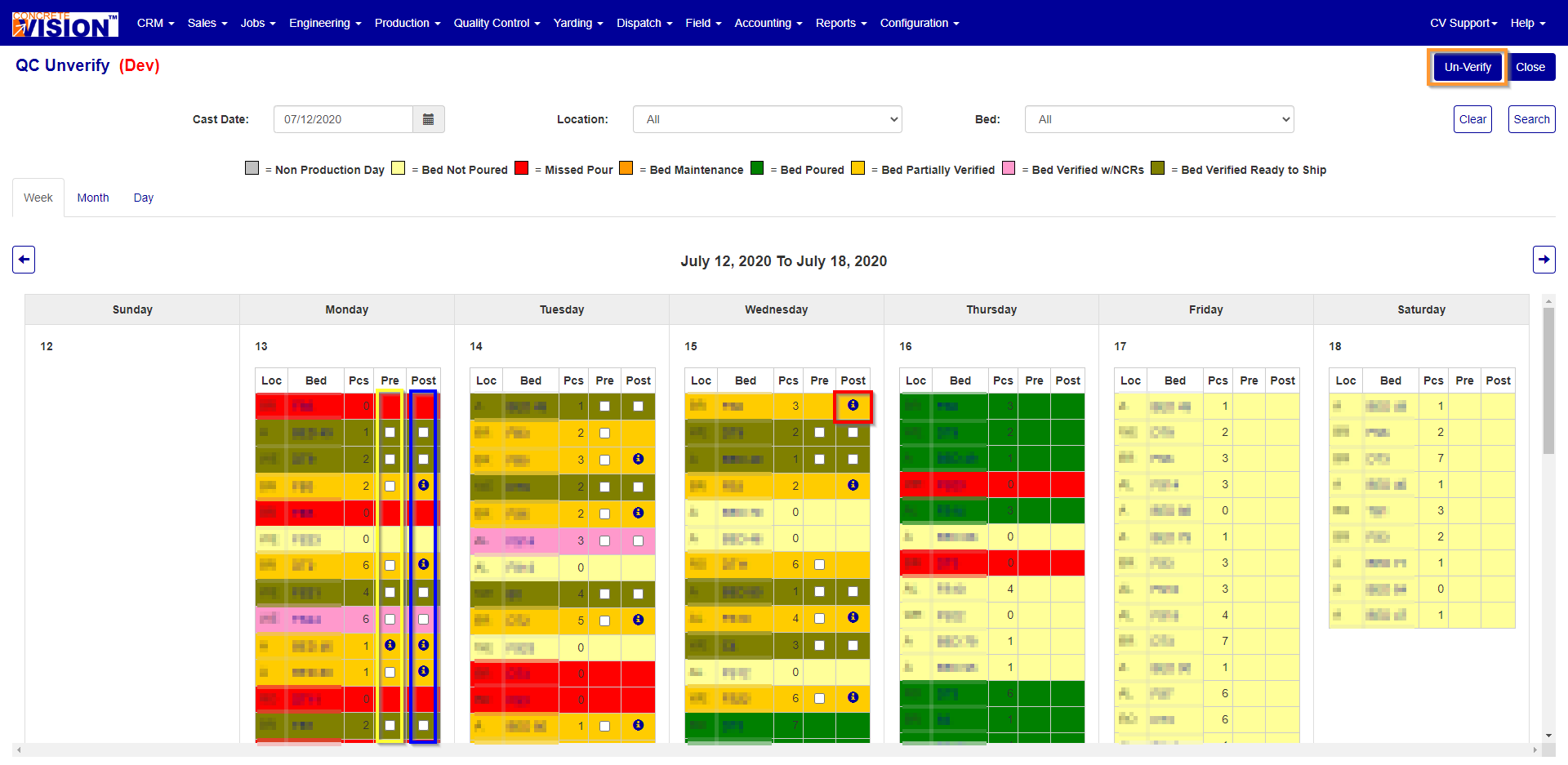
Figure 2
Was this article helpful?
That’s Great!
Thank you for your feedback
Sorry! We couldn't be helpful
Thank you for your feedback
Feedback sent
We appreciate your effort and will try to fix the article