Overview
A Schedule of Values (SOV) template is a crucial document used in construction projects to outline the budget and payment schedule for various components or tasks within the project. The SOV template allows you to set up default items that will automatically be copied to each new project, ensuring consistency and efficiency across your operations.
Accessing the SOV Template
You can navigate to the Schedule of Values Template screen from the Accounting menu, as shown in Figure 1.
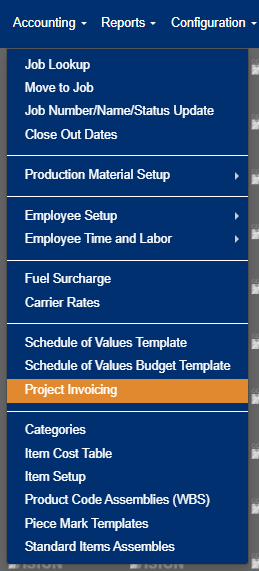
Figure 1
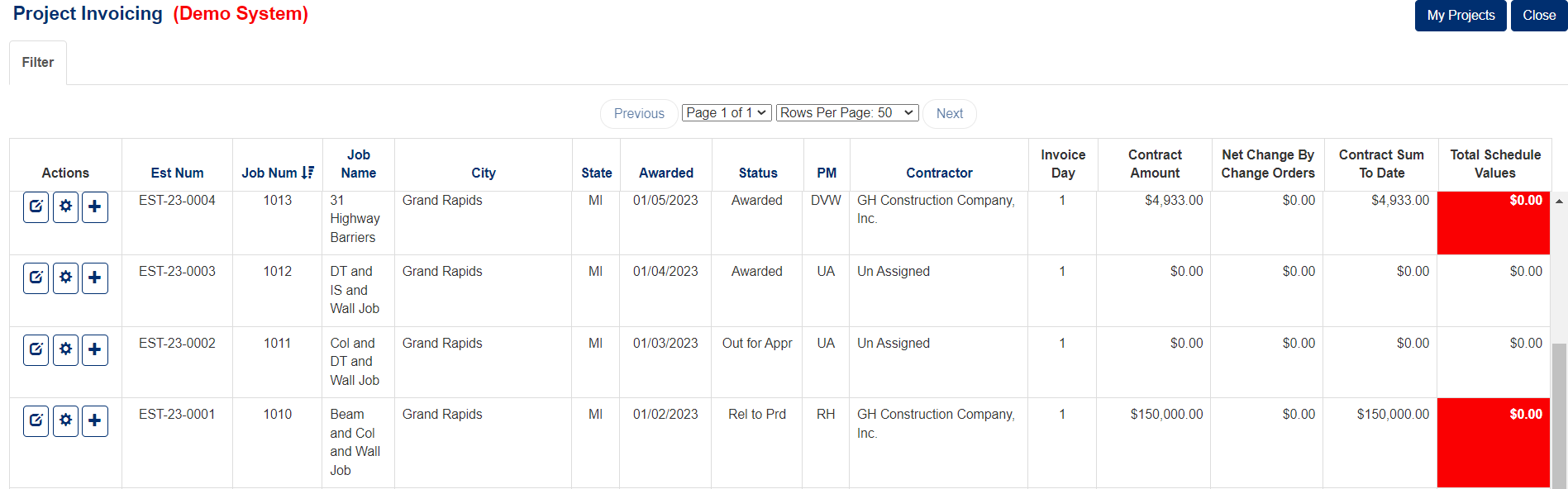
Figure 2
Understanding the Schedule of Values Workflow
The SOV system integrates seamlessly with your project invoicing process, allowing you to:
- Track contract values: Monitor original contract sums, change orders, and total contract amounts for each project
- Manage billing items: Create detailed line items for different work categories (Engineering Services, Production, Trucking, Erection, Field Finish, Tax, Bond, etc.)
- Monitor progress: Track work completed percentages, materials stored, and retention amounts
- Generate invoices: Create professional billing documents based on completed work
Key SOV Components
Contract Information
The Contract Info screen allows you to enter essential details including (Figure 3):
- Job name and description
- Contract value and retention rates
- Contract signing information (Contract Signed By, Notary Signature)
- Invoice address and contact information
- Distribution settings (Owner, Contractor, Construction Manager, Field)
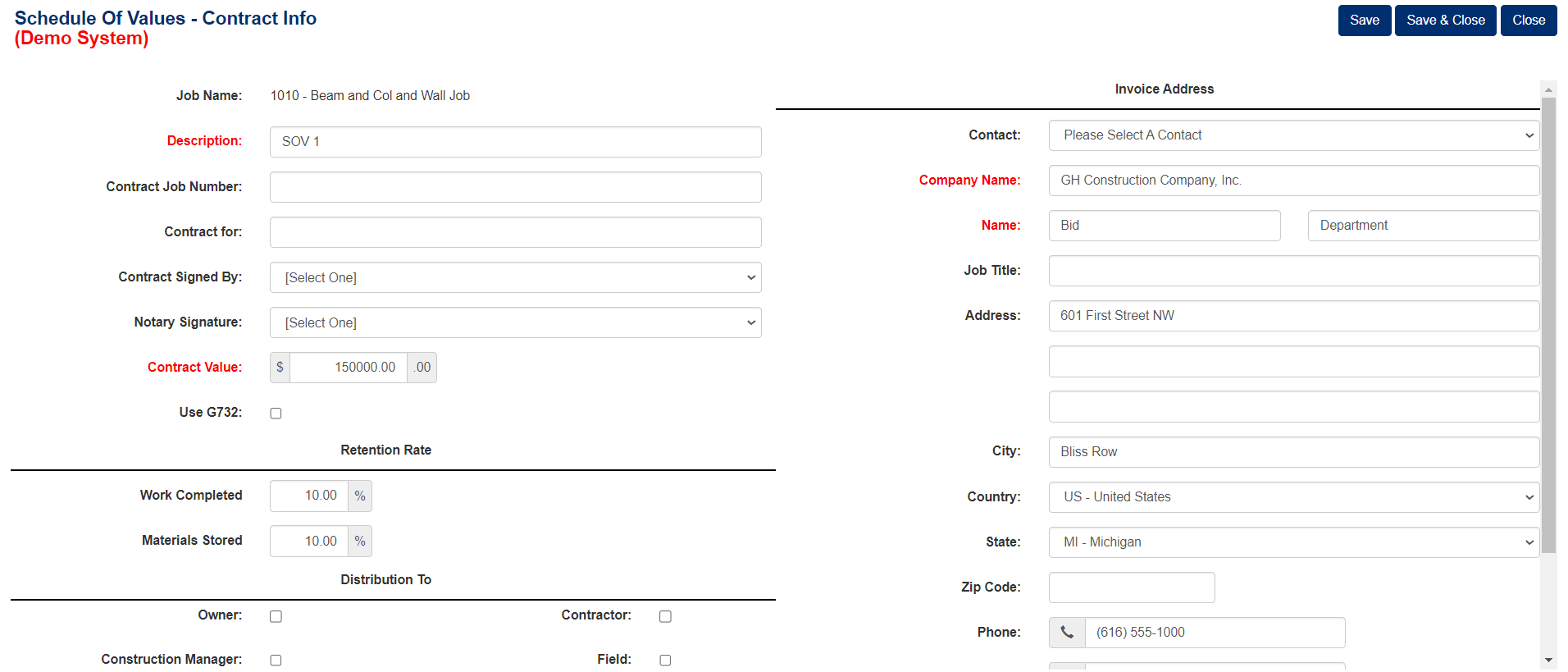
Figure 3
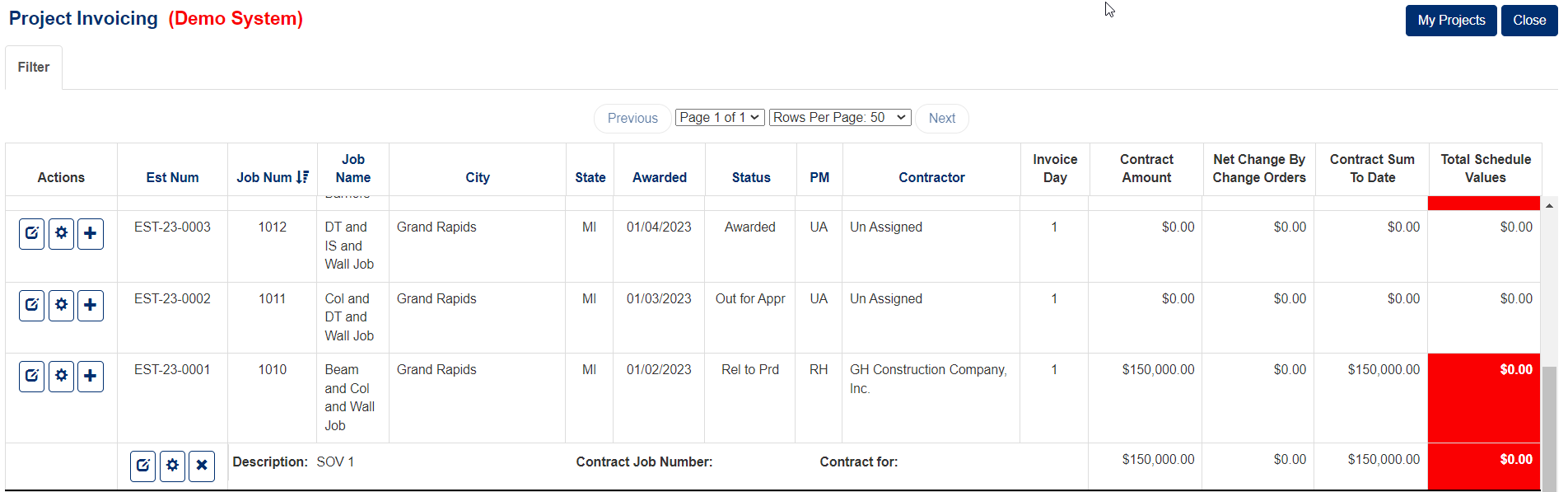
Figure 4
Schedule of Values Detail
The main SOV screen displays:
- Original Contract Sum: The initial agreed-upon contract amount
- Net Change By Change Orders: Any approved changes to the original contract
- Contract Sum To Date: The current total contract value
- Total Schedule Values: The sum of all line item values (Red box, Figures 5&6)
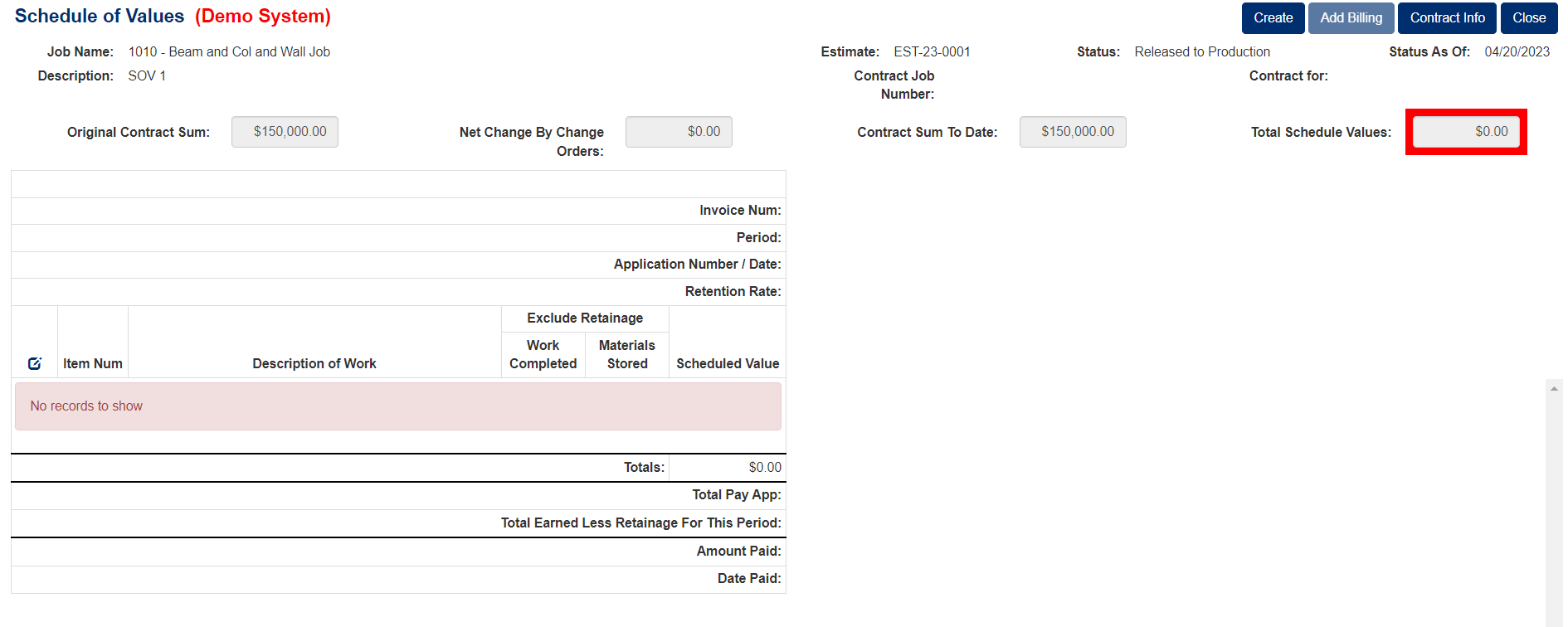
Figure 5
Individual line items show:
- Item number and description of work
- Scheduled value for each item
- Work completed and materials stored percentages (with optional exclusion from retainage)
- Running totals and balance calculations (Figure 6)
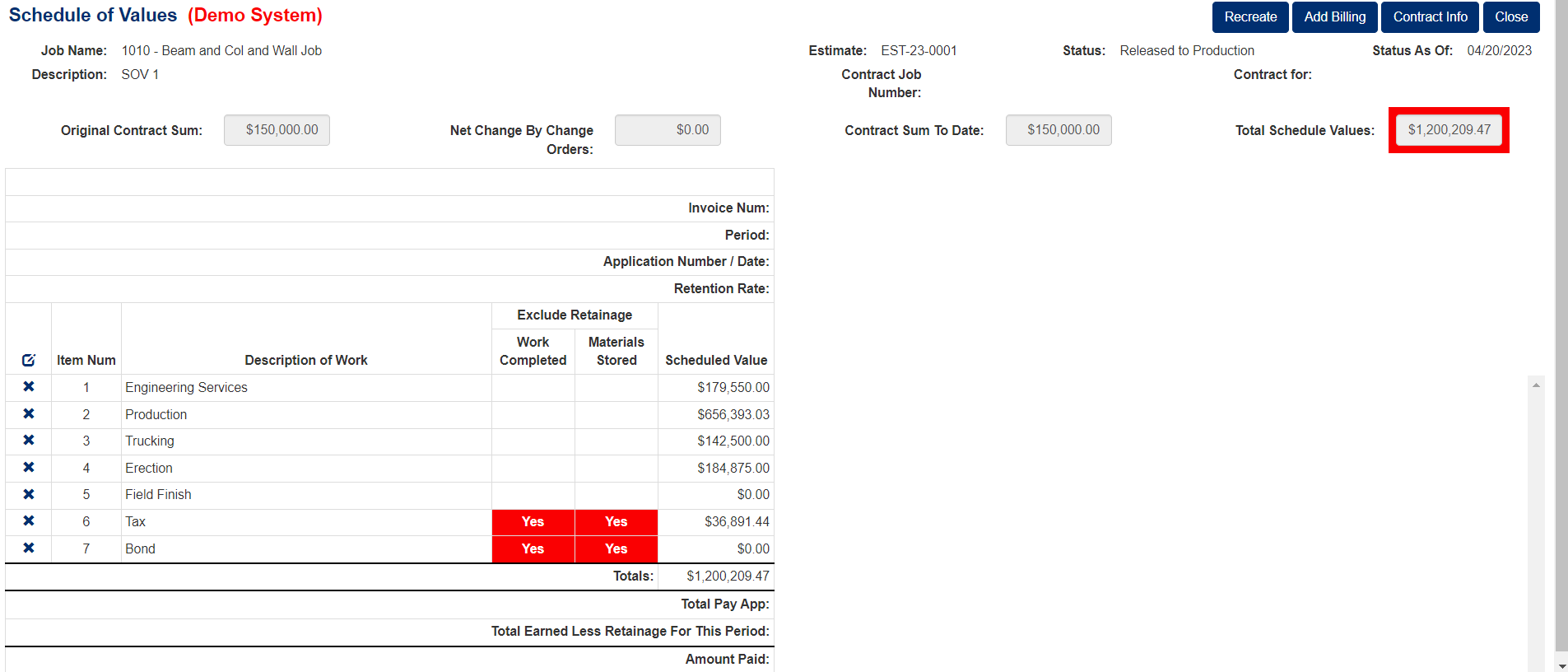
Figure 6
Billing Process
When creating invoices, the system tracks (Figure 7):
- Previous application amounts
- Current period worked completed and materials stored
- Total completed to date with percentages
- Balance remaining to finish
- Retainage calculations based on your specified retention rate
- Period starting and ending dates
- Application number and date
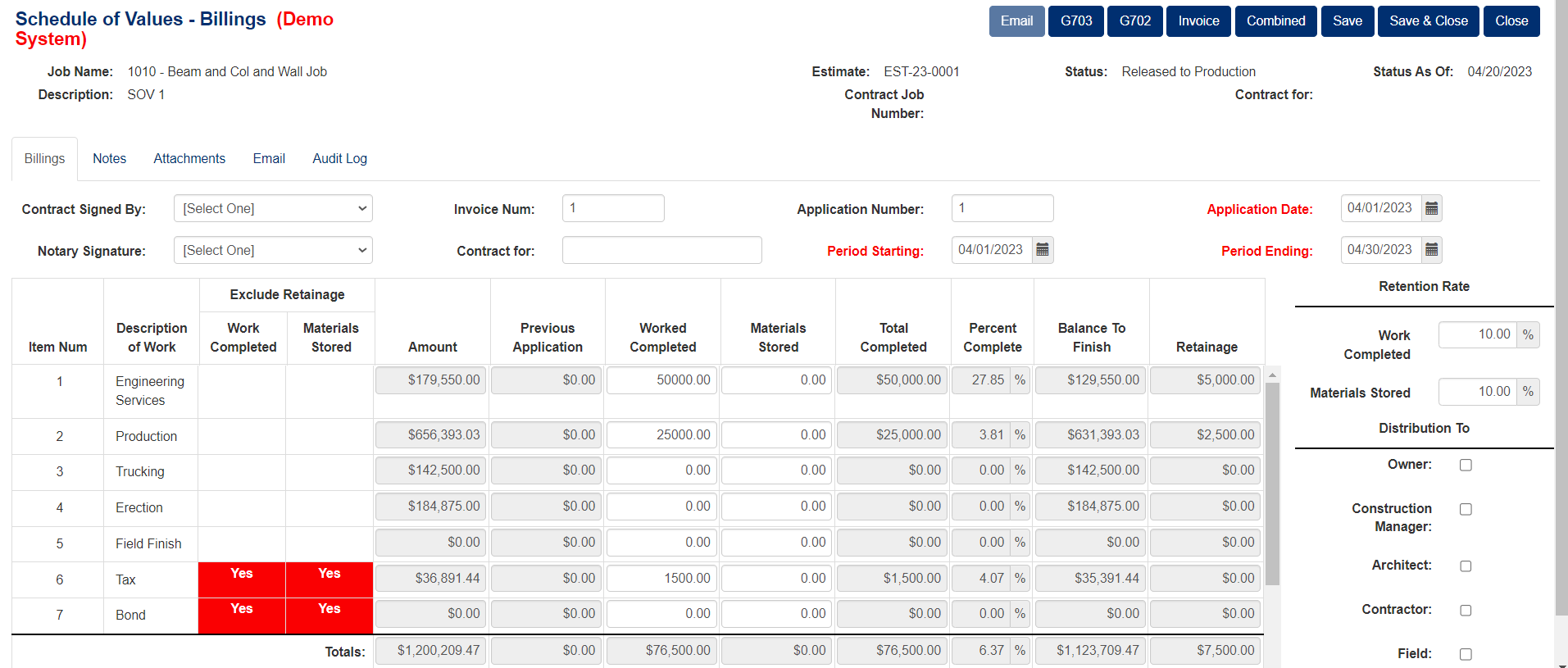
Figure 7
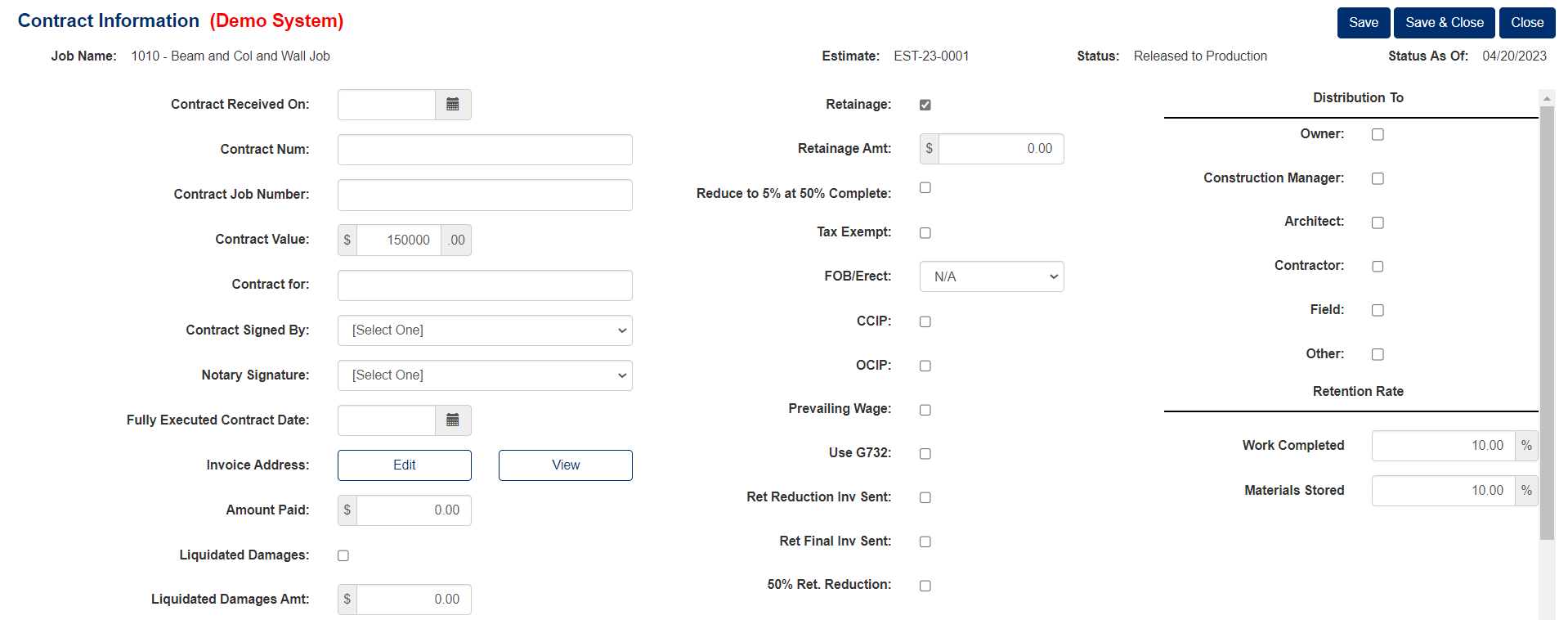
Figure 8
Best Practices
- Set up comprehensive templates: Include all standard work categories your company typically uses to minimize manual entry for new projects
- Use consistent item numbering: Maintain a standardized numbering system across projects for easier tracking and reporting
- Define retention rates clearly: Specify work completed and materials stored retention percentages in the Contract Info section (typically 10% as shown in Figure 8)
- Regular updates: Keep your SOV current as work progresses and change orders are approved
- Documentation: Maintain proper records of contract signatures, notary information, and fully executed contract dates
Project Status Tracking
As shown in Figures 4-5, the system displays critical project information including:
- Estimate number
- Current status (e.g., "Released to Production")
- Status date
- Real-time comparison between contract amounts and actual schedule values
The red highlighting in the "Total Schedule Values" column (Figures 2, 4, 5) serves as a visual alert when values require attention, helping you quickly identify discrepancies between contract amounts and scheduled values.
By properly utilizing the SOV template, you can streamline your billing process, maintain accurate financial records, and ensure timely payment collection throughout your construction projects.
Was this article helpful?
That’s Great!
Thank you for your feedback
Sorry! We couldn't be helpful
Thank you for your feedback
Feedback sent
We appreciate your effort and will try to fix the article