The Idencia Dashboard feeds Idencias' platform of production items found within Concrete Vision. Currently, these items include a project, its piece marks, and the pieces of those piece marks. Users can view this data via the Idencia mobile application.
The pieces will be listed in Idencia so users can process the quality control checklist(s) set up in Idencia. Concrete Vision syncs with Idenica every 30 minutes at the top and bottom of the hour. Any new jobs, piece marks, and pieces added to the Idencia Dashboard will be synced to Idencia. Any checklists that have started or completed will be synced back into Concrete Vision.
The Idencia Dashboard is under the Quality Control -> Idencia Dashboard menu item (Figure 1).
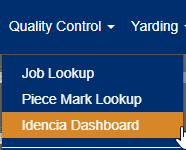 Figure 1
The Concrete Vision administrator or support person can access the Idencia Logs screen to view all the API calls between Concrete Vision and Idencia. This information is useful in troubleshooting problems with syncing information between the two systems.
The Idencia Log is under the Reports > Reports - Quality Control -> Idencia Logs menu item (Figure 2).
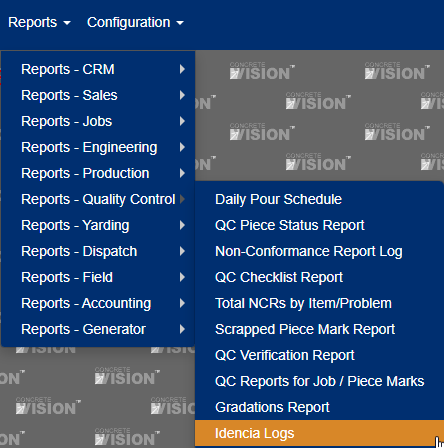 Figure 2
Video of how the integration works.
Was this article helpful?
That’s Great!
Thank you for your feedback
Sorry! We couldn't be helpful
Thank you for your feedback
Feedback sent
We appreciate your effort and will try to fix the article