Once you start any of the Idencia processes tied to pieces from Concrete Vision, the status of either Started or Completed will sync from Idenica to Concrete Vision. To view the checklist status in Concrete Vision, please look below.
Viewing Piece Check List Status:
- Navigate to the Engineering > View/Edit Production Pieces screen.
- Select the Piece Mark to view the details (Figure 1 arrow outlined in green).
- You can scroll to the bottom of the detail screen to view all the serial numbers. The checklist status' are shown in the three highlighted columns for each serial number. (Figure 2)
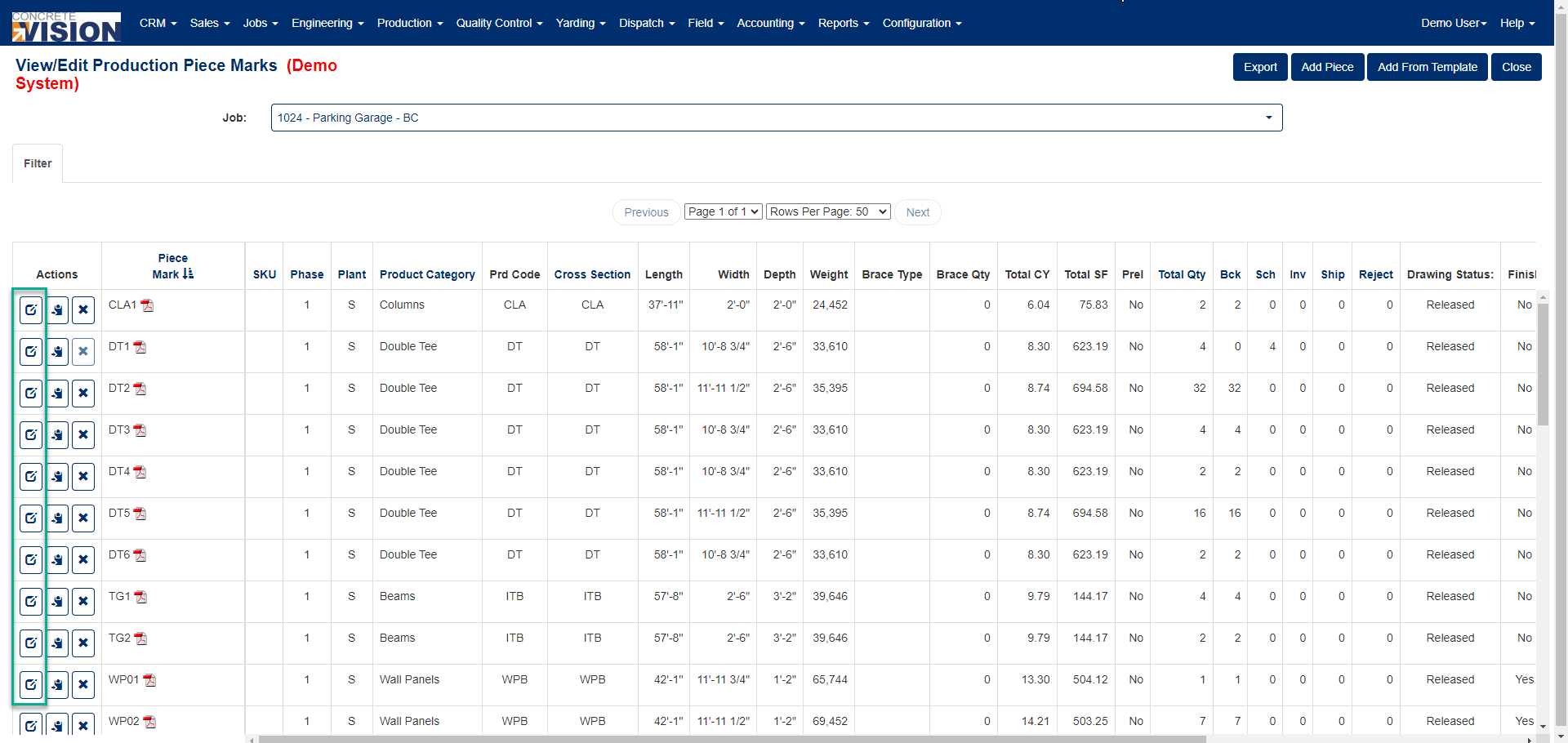 Figure 1
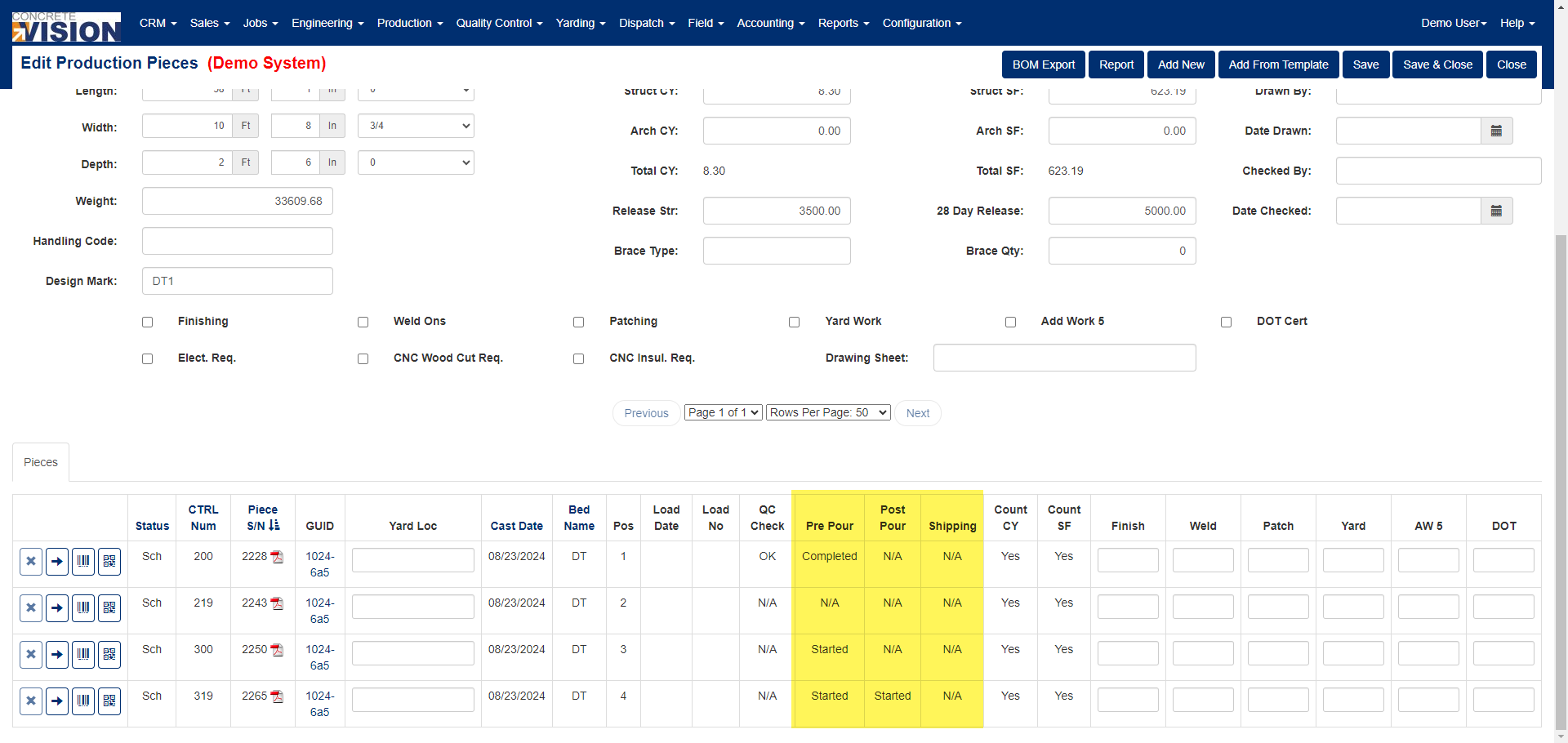 Figure 2
Was this article helpful?
That’s Great!
Thank you for your feedback
Sorry! We couldn't be helpful
Thank you for your feedback
Feedback sent
We appreciate your effort and will try to fix the article