Note: Microsoft Edge is a Windows-only web browser.
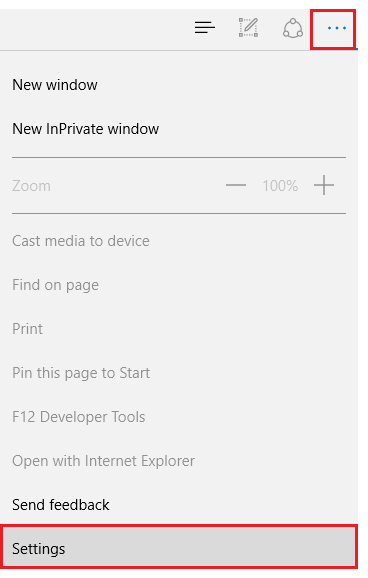
Click the Tools menu (three dotted lines in the upper-right corner)
Then Settings
Scroll down until you see "Browsing data"
Click Choose what to clear
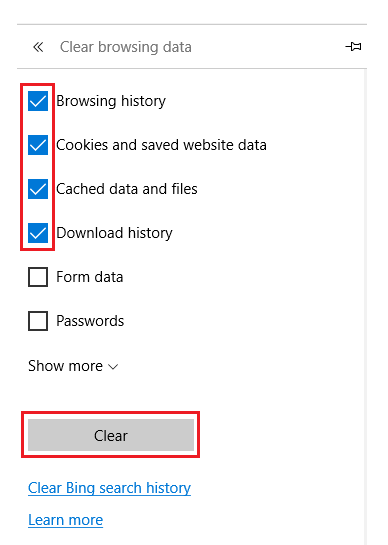
Select the top four boxes
Click clear
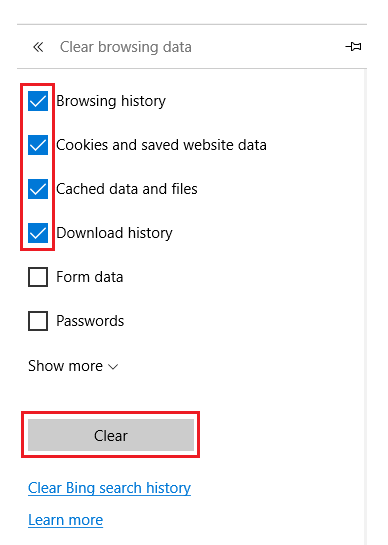
Close out of Microsoft Edge completely for changes to take affect
Was this article helpful?
That’s Great!
Thank you for your feedback
Sorry! We couldn't be helpful
Thank you for your feedback
Feedback sent
We appreciate your effort and will try to fix the article