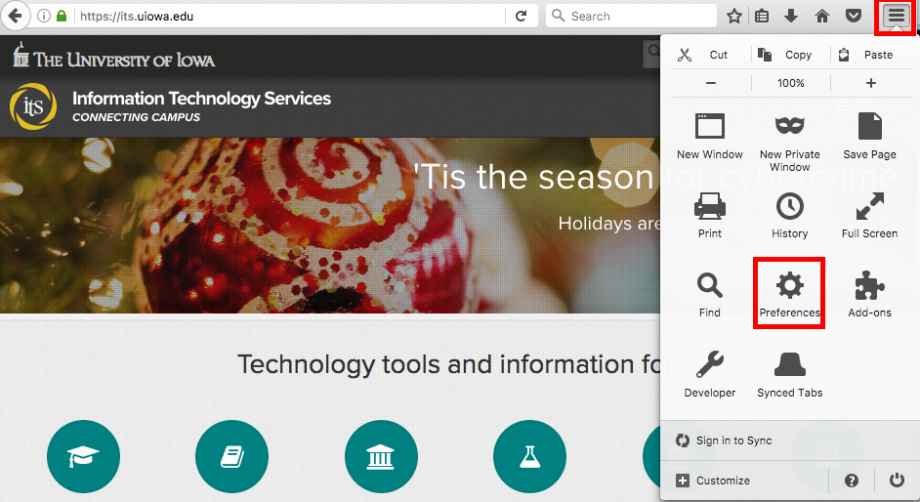
Click on your tools bar
Click on preferences (On PC, it's called settings)
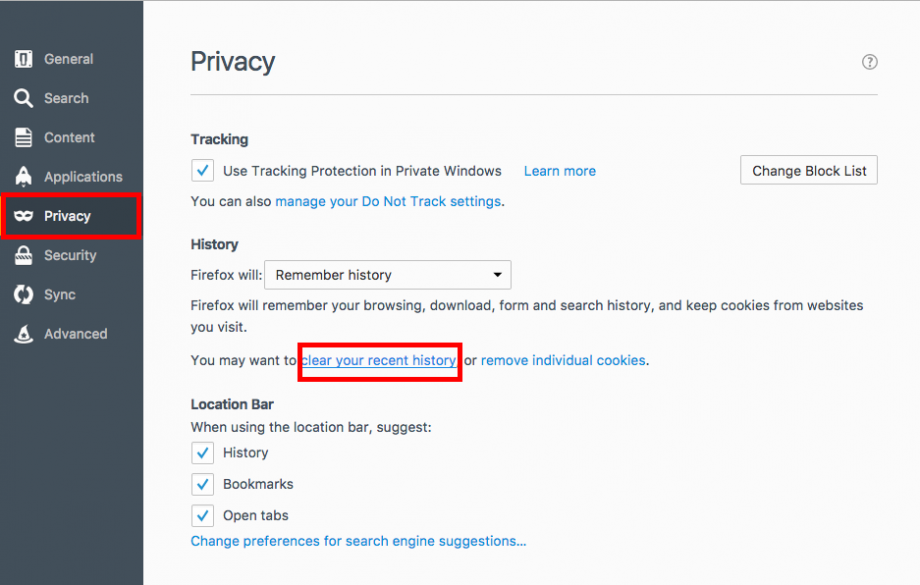
On the menu to the right, select "privacy"
Under the history option, there is a shortcut titled "clear your recent history" - click that
Note: you can deselect the top two options if you don't want to clear browsing, download and search history.

Close out of your browser (PC) or quit the application (Mac) for changes to take effect
Was this article helpful?
That’s Great!
Thank you for your feedback
Sorry! We couldn't be helpful
Thank you for your feedback
Feedback sent
We appreciate your effort and will try to fix the article